CHAPTER 13
APIs & Building Your Own Applications
Build your own experience on a controlled AI backend.
On this page
Faithful English web edition · Original chapter, structure and illustrations from the learning guide.
LEARNING OBJECTIVES
Build on Open WebUI without exposing its trust boundary
You will send a useful API request, protect user identity and credentials, proxy a browser through Django, stream output, attach Knowledge or Tools and design failure handling for a real application.
01. Open WebUI is also an API platform
 Enlarge illustration ↗
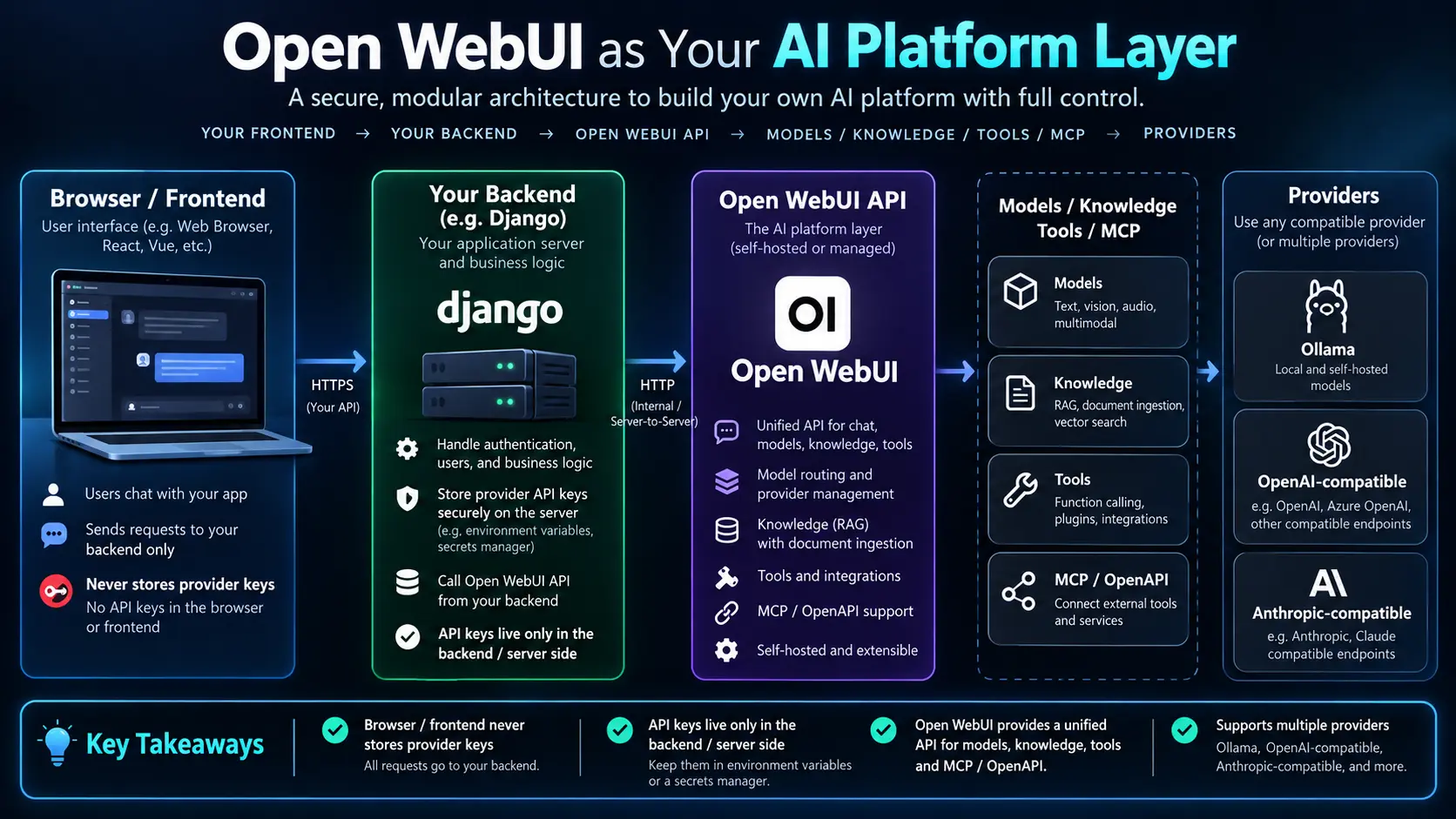
The web interface is one client of an HTTP backend. A Django application, Python script, internal bot or automation can use the same platform layer and let Open WebUI resolve Ollama, remote providers, Workspace Models, permissions, Knowledge and Tools.
your application → Open WebUI API
→ model / RAG / tools / services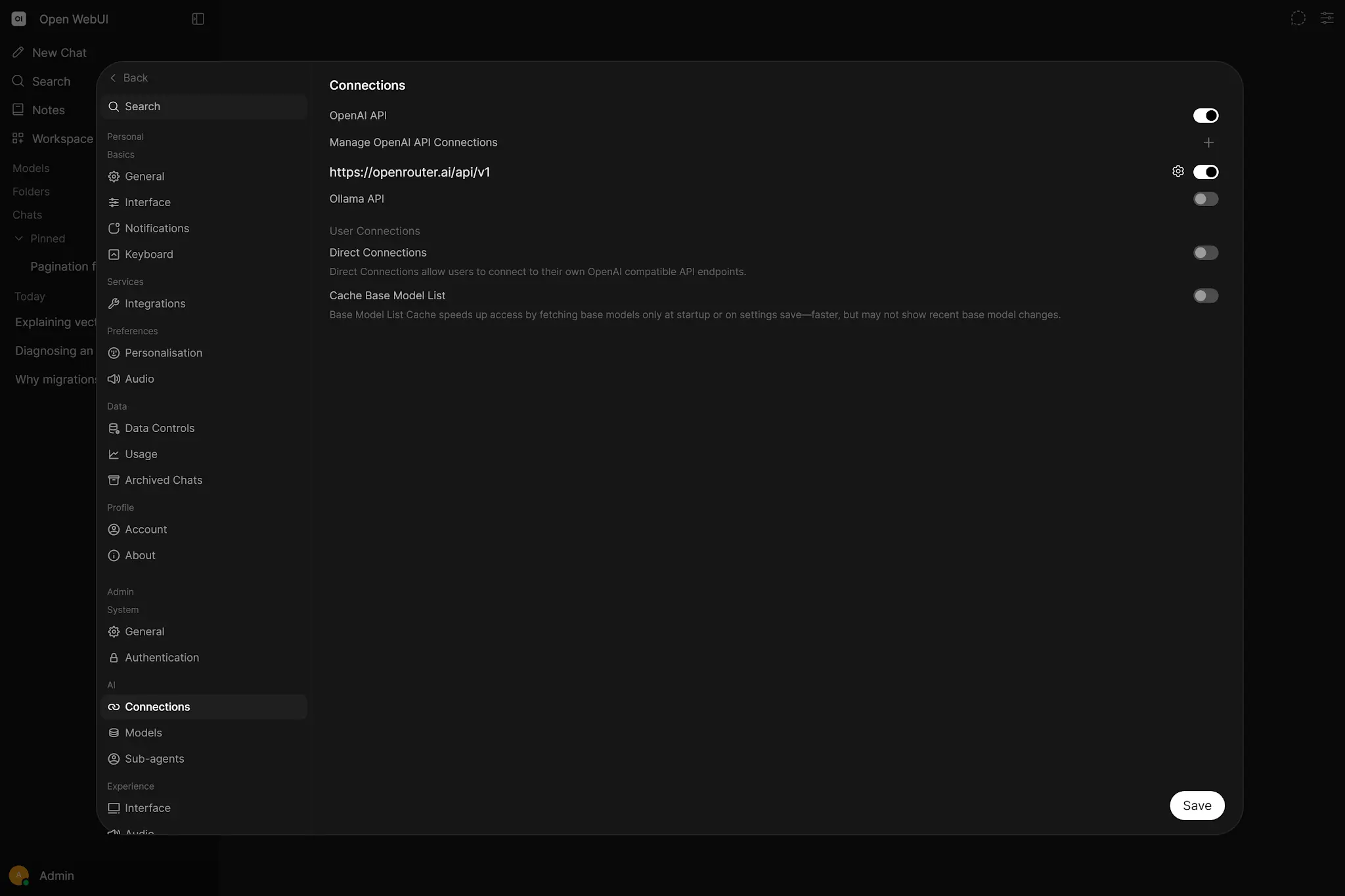 Enlarge illustration ↗
A UI serves people; an API serves software. The essential contract is authentication, model ID, messages, streaming and optional capabilities.
02. API keys carry identity and permissions
The administrator enables API keys globally; regular users also need the API Keys permission. A key represents its owner and remains subject to that account’s model, Knowledge and Tool access.
Authorization: Bearer YOUR_API_KEYIf a reverse proxy already uses Authorization, Open WebUI can accept x-api-key or a configured custom header. In every case, treat the value like a password: never commit it, paste it into shared documentation or ship it to a browser.
The API is not an RBAC bypass. The key can do what its user is allowed to do.
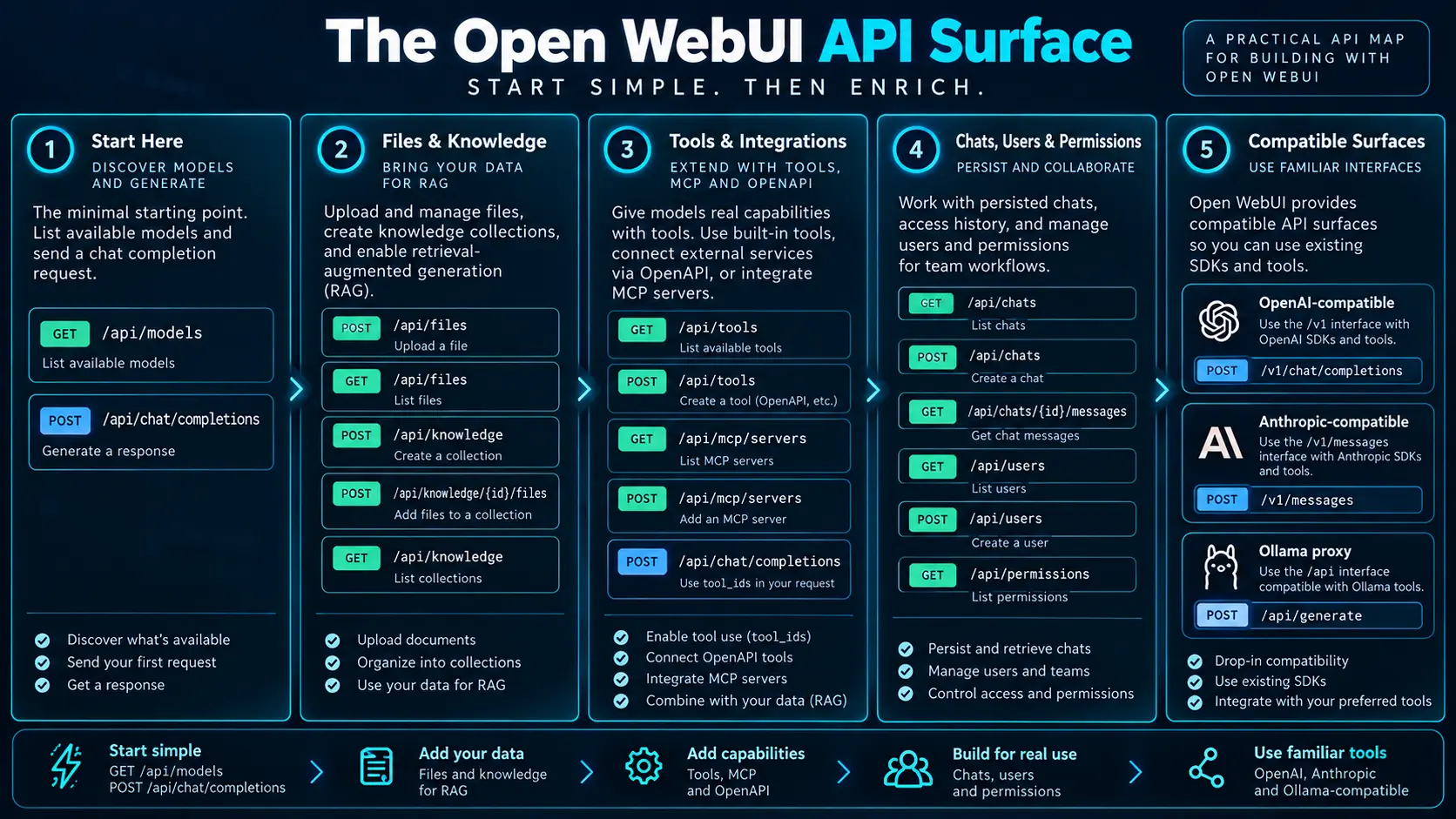
03. The minimum useful API
 Enlarge illustration ↗
List models
curl -H "Authorization: Bearer $OPEN_WEBUI_API_KEY" \
  http://localhost:3000/api/models
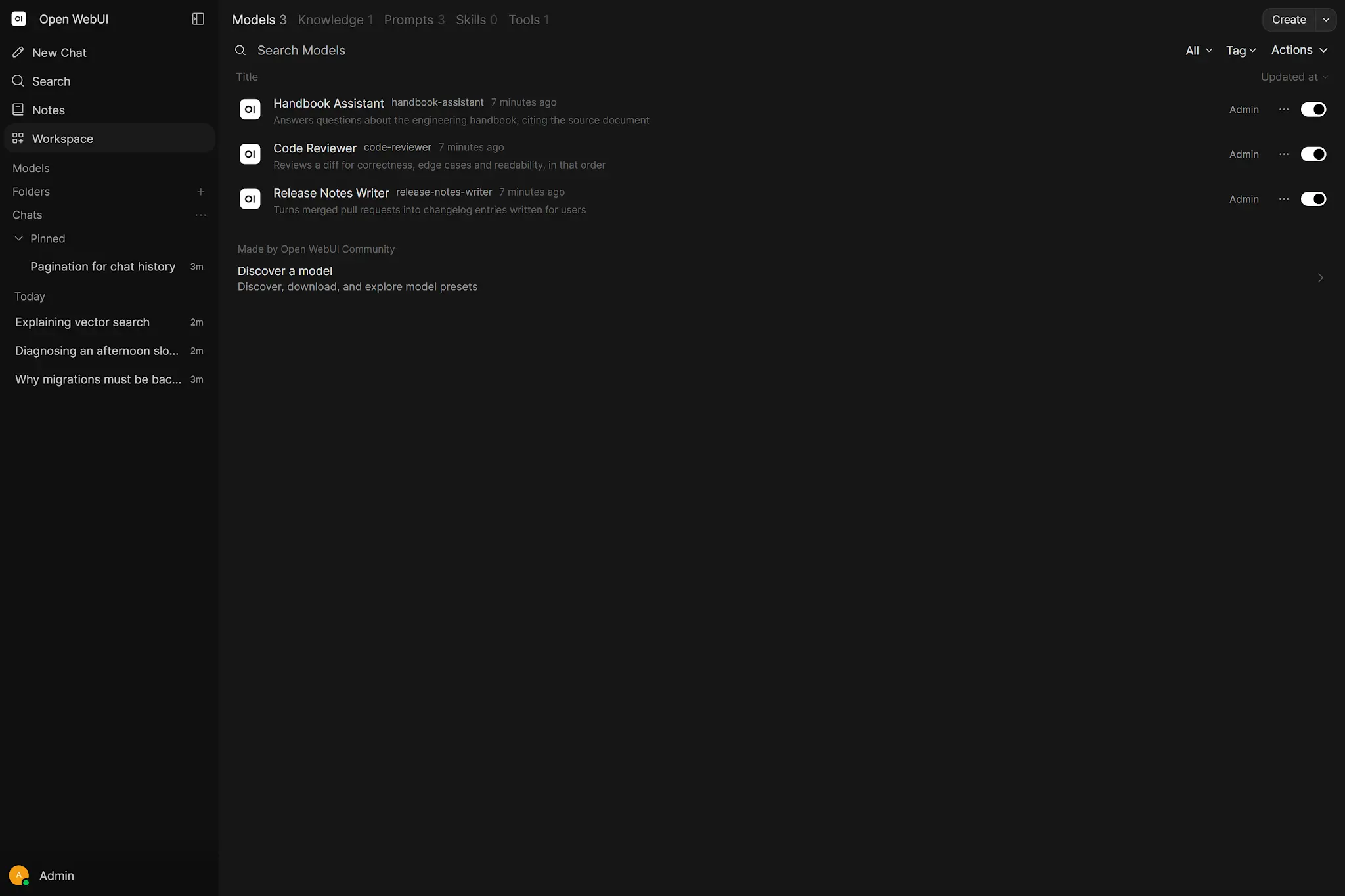
GET /api/models returns models visible to the represented account. Use its IDs rather than a display-name guess.
 Enlarge illustration ↗
Send a chat completion
curl -X POST http://localhost:3000/api/chat/completions \
  -H "Authorization: Bearer $OPEN_WEBUI_API_KEY" \
  -H "Content-Type: application/json" \
  -d '{
    "model": "<MODEL_ID>",
    "messages": [{"role":"user","content":"Explain dependency injection."}]
  }'
The endpoint follows the familiar OpenAI Chat Completions shape. Your application must send the conversation history the model should see; text displayed only in the browser is not implicit context.
Roles are part of that contract. A system message defines durable behaviour for the request, user carries the current instruction and earlier assistant messages preserve the conversational path. Trim history deliberately rather than sending an unlimited transcript. When the application owns state, it also owns the rule for what is retained, redacted or summarised.
04. First client in Python
import os
import requests

BASE_URL = os.getenv("OPEN_WEBUI_URL", "http://localhost:3000")
API_KEY = os.environ["OPEN_WEBUI_API_KEY"]
MODEL = os.environ["OPEN_WEBUI_MODEL"]

def ask(prompt: str) -> str:
    response = requests.post(
        f"{BASE_URL}/api/chat/completions",
        headers={"Authorization": f"Bearer {API_KEY}"},
        json={"model": MODEL,
              "messages": [{"role": "user", "content": prompt}]},
        timeout=120,
    )
    response.raise_for_status()
    return response.json()["choices"][0]["message"]["content"]
URL, key and model come from the environment; the request has a timeout; status is checked before JSON is trusted. Commit a .env.example containing variable names, never the live credential.
05. Browser calls need a server-side boundary
A direct fetch() can prove a local experiment, but any shared key embedded in JavaScript, a frontend environment variable, Base64 or a minified bundle is recoverable by the person running the browser.
browser → /api/ask/ on your app
        → Django → Open WebUI → model
The backend authenticates your user, selects permitted models, keeps the upstream key private and adds quotas, rate limits, validation, logging, caching or moderation.
CORS is not a substitute for this design. It controls which browser origins may read a response; it does not make a shipped credential secret. A user can inspect their own browser and call any endpoint the key can reach.
06. Django as a controlled proxy
settings.py
OPEN_WEBUI_URL = os.getenv("OPEN_WEBUI_URL", "http://localhost:3000")
OPEN_WEBUI_API_KEY = os.environ["OPEN_WEBUI_API_KEY"]
OPEN_WEBUI_MODEL = os.environ["OPEN_WEBUI_MODEL"]
views.py
@require_POST
def ask_ai(request):
    try:
        body = json.loads(request.body)
    except json.JSONDecodeError:
        return JsonResponse({"error": "Invalid JSON"}, status=400)

    prompt = str(body.get("prompt", "")).strip()
    if not prompt:
        return JsonResponse({"error": "prompt is required"}, status=400)

    payload = {
        "model": settings.OPEN_WEBUI_MODEL,
        "messages": [{"role": "user", "content": prompt}],
    }
    try:
        upstream = requests.post(
            f"{settings.OPEN_WEBUI_URL}/api/chat/completions",
            headers={"Authorization":
                     f"Bearer {settings.OPEN_WEBUI_API_KEY}"},
            json=payload, timeout=120,
        )
        upstream.raise_for_status()
    except requests.RequestException:
        return JsonResponse({"error": "AI service unavailable"}, status=502)

    answer = upstream.json()["choices"][0]["message"]["content"]
    return JsonResponse({"answer": answer})
The frontend now posts only the user prompt and its normal CSRF token to /api/ask/. Django decides which upstream model the signed-in user may use and never leaks raw internal failures or secrets.
07. Streaming with Server-Sent Events
 Enlarge illustration ↗
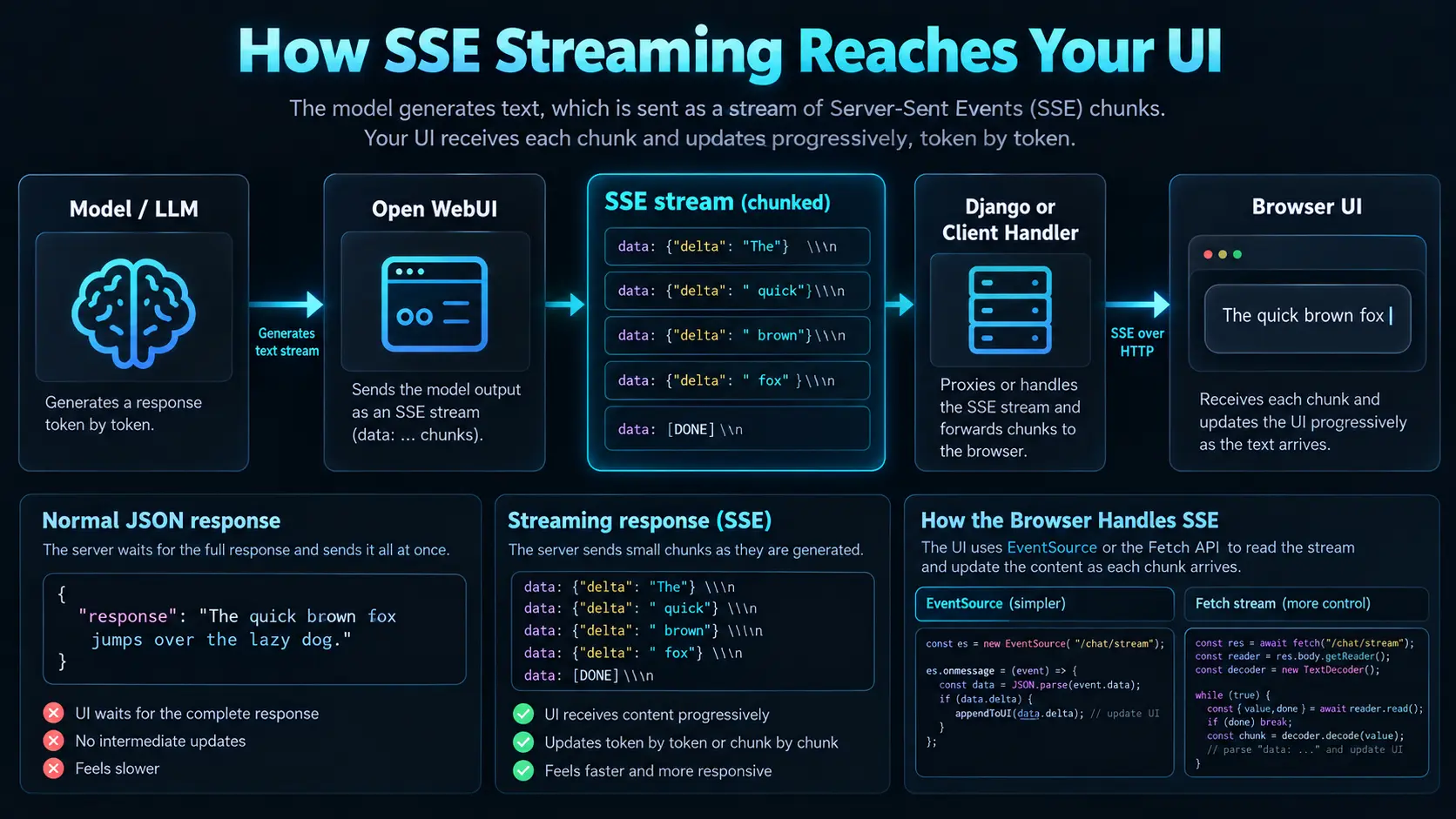
Add "stream": true. The response becomes a sequence of data: events ending in [DONE]; concatenate the content deltas as they arrive.
for raw_line in response.iter_lines(decode_unicode=True):
    if not raw_line or not raw_line.startswith("data: "):
        continue
    payload = raw_line[6:]
    if payload == "[DONE]":
        break
    chunk = json.loads(payload)
    delta = chunk["choices"][0].get("delta", {}).get("content", "")
    yield delta
A production bridge also handles disconnects, cancellation, timeouts, heartbeat or non-content events and tool-call deltas. Streaming improves perceived latency; it does not remove backend latency.
08. Add files and Knowledge
 Enlarge illustration ↗
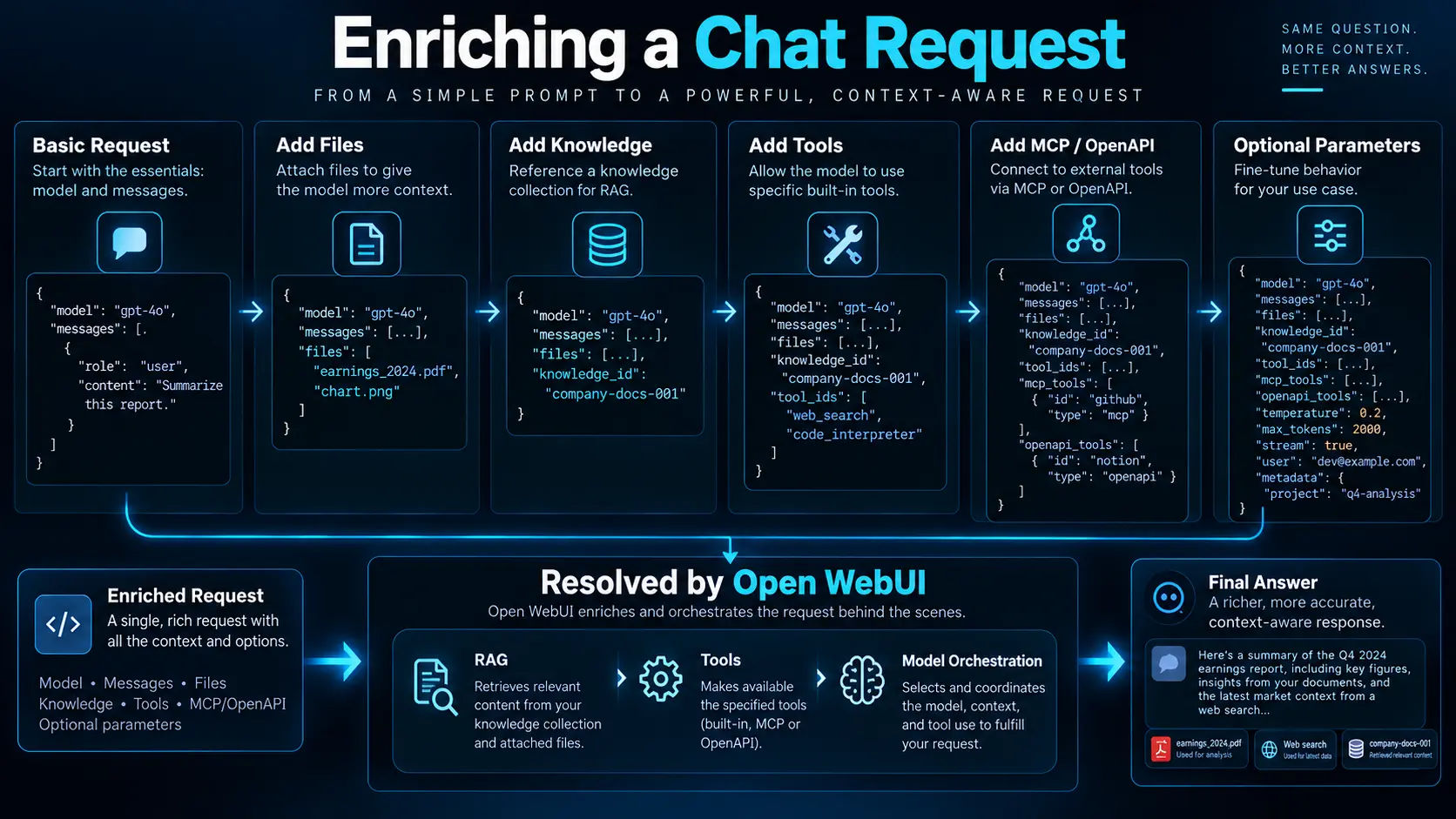
{
"model": "<MODEL_ID>",
"messages": [{"role":"user","content":"Summarise the decisions."}],
"files": [{"type":"collection","id":"<COLLECTION_ID>"}]
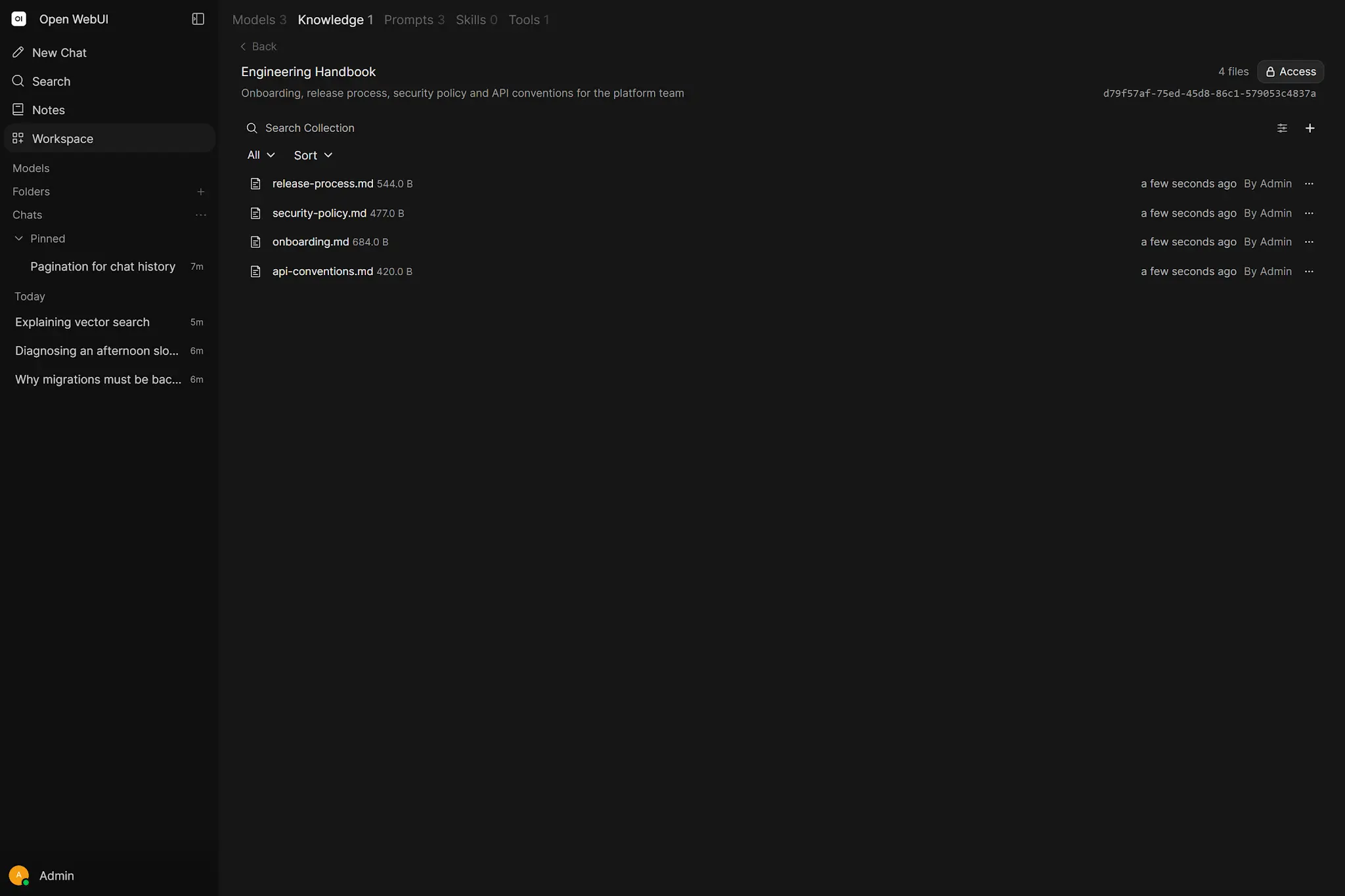
}Use type: file with a file ID for one uploaded document, or type: collection for a Knowledge collection. Open WebUI applies the configured RAG pipeline so your custom app does not need to own a second vector stack.
 Enlarge illustration ↗
09. Tools, MCP and server-side execution
 Enlarge illustration ↗
{
"model": "<MODEL_ID>",
"messages": [{"role":"user","content":"Check the ticket status."}],
"tool_ids": ["server:mcp:<MCP_SERVER_ID>"]
}tool_ids asks Open WebUI to resolve its configured Workspace Tools, OpenAPI servers or MCP servers. A client-supplied OpenAI-style tools array is different: the client owns those definitions and normally executes returned tool calls itself. Begin with one working completion and one tool before adopting multi-round chat IDs, session IDs and built-in feature flows.
OAuth-backed MCP adds a user-specific dependency: the account represented by the API key must have completed authorisation. A globally healthy server can still return a user-scoped authentication failure. Log the connector, operation and account boundary without logging the token.
10. Decide where conversation state lives
| Pattern | Source of truth | Best fit |
|---|---|---|
| Stateless-style completion | Your application stores history and sends relevant messages. | An independent product interface. |
| Backend-controlled Open WebUI chat | Open WebUI chat/message IDs and documented history structure. | Conversations that must appear in Open WebUI with its background tasks and rendering. |
Do not duplicate the same conversation in two databases without deciding which record is authoritative.
Because the endpoint is compatible with common OpenAI clients, many SDKs work by setting the base URL to http://localhost:3000/api and supplying the Open WebUI key. The SDK appends /chat/completions, so test the final URL rather than adding that path twice. The platform also exposes Anthropic-compatible and Ollama proxy surfaces for clients built around other protocols.
Protocol compatibility does not guarantee every provider-specific extension. Establish a conformance test for the fields your product depends on: text, streaming, usage, Tool calls and error structure.
11. Errors, retries and correlation
| Signal | Interpretation |
|---|---|
| 400 / 422 | Invalid JSON, field or parameter. |
| 401 | Missing or incorrect credential. |
| 403 | Authenticated, but not authorised for the resource. |
| 404 | Wrong endpoint or resource ID. |
| 429 | Capacity or rate limit; consider bounded backoff. |
| 5xx | Server or upstream failure. |
| Timeout | The caller stopped waiting; downstream work may still be active. |
Retry reads and idempotent operations cautiously. A timeout around ticket creation or email delivery can hide a successful first attempt. Generate a request ID in Django and propagate it so browser, application, Open WebUI and service logs can be correlated.
Expose a stable product error to the browser and retain the detailed upstream status in protected logs. A user needs to know whether retry is sensible; they do not need a stack trace, internal hostname or fragment of a bearer token.
12. Defence in depth
ENABLE_API_KEYS_ENDPOINT_RESTRICTIONS=true
API_KEYS_ALLOWED_ENDPOINTS=/api/models,/api/chat/completions- Use a dedicated Open WebUI service account where practical.
- Grant only required models, Knowledge and Tools.
- Restrict API-key endpoints.
- Keep the key in backend secret configuration.
- Authenticate and authorise users in Django.
- Limit rate and request size.
- Validate model-generated tool arguments server-side.
13. A real application request flow
- The user signs in to your portal.
- The browser posts to Django.
- Django verifies permission and chooses a Workspace Model.
- Django calls Open WebUI with its protected service key.
- Open WebUI resolves model, prompt, RAG and authorised Tools.
- The provider performs inference.
- Django normalises or streams the result.
- Your product stores only the business data it owns.
14. Practical checkpoint
- List models with a non-admin key.
- Send one completion from Python with a timeout.
- Build a protected Django endpoint and confirm the key never reaches the browser.
- Add streaming or one Knowledge collection, not both at once.
- Exercise 401, 403, timeout and upstream failure paths.
15. Essential vocabulary
- Bearer token
- A credential sent in an HTTP authentication header.
- OpenAI-compatible
- An API implementing a familiar OpenAI request and response contract.
- SSE
- Server-Sent Events, a one-way HTTP event stream.
- Backend proxy
- A server that protects credentials and enforces policy before calling an upstream service.
- CORS
- The browser policy governing cross-origin requests.
- Collection ID
- The identifier used to attach managed Knowledge to a request.
Source and further reading
This edition preserves the chapter's teaching sequence and examples. Screenshots reflect the source edition; controls may move between releases.
Open the original chapter ↗API endpoints ↗API keys ↗Server-side tools ↗API flow ↗Gateway API ↗