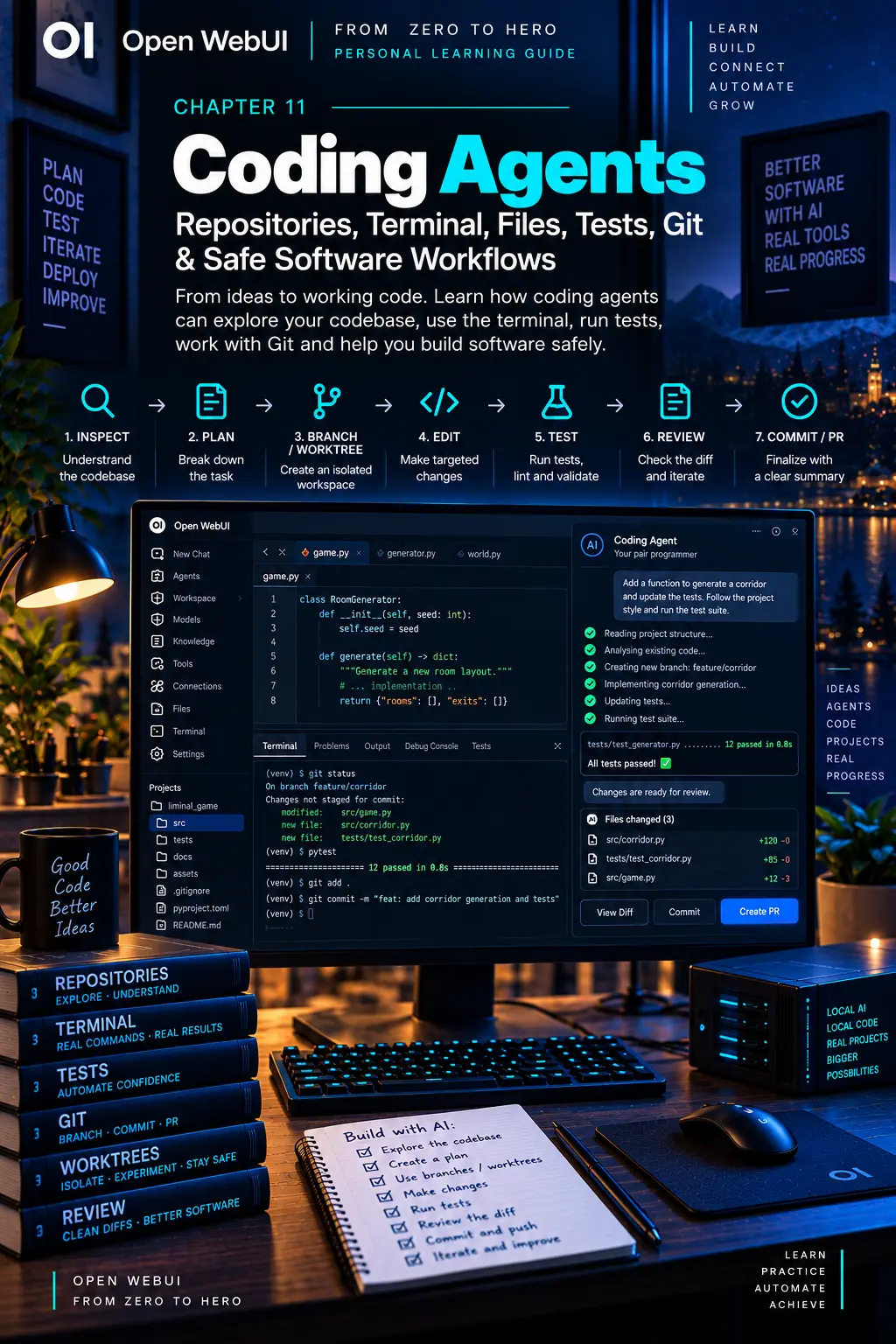
CHAPTER 11
Coding Agents
Give an agent a workspace without giving up engineering practice.
On this page
Faithful English web edition · Original chapter, structure and illustrations from the learning guide.
LEARNING OBJECTIVES
Supervise a coding agent like an engineer
By the end, you should know what an agent must inspect before editing, how to isolate work, when to require a plan, how tests and diffs become evidence, and which workspace boundary gives the agent exactly the access it needs — no more and no less.
01. What makes a coding agent different
A chat model can produce code. A coding agent can operate on a real project: inspect files, execute commands, make edits, observe errors, retry and prove whether the result works.
coding model + repository + filesystem + terminal
+ tests + Git + feedback loop = coding agent
The environment matters as much as the model. A great model that sees one snippet cannot understand the project. A reader without a terminal cannot verify. An unrestricted root shell on a primary machine may have far too much authority.
Coding is an evidence loop. “The patch looks right” is not completion. Tests, types, lint, builds, bug reproduction, a working preview and the exact Git diff provide objective evidence.
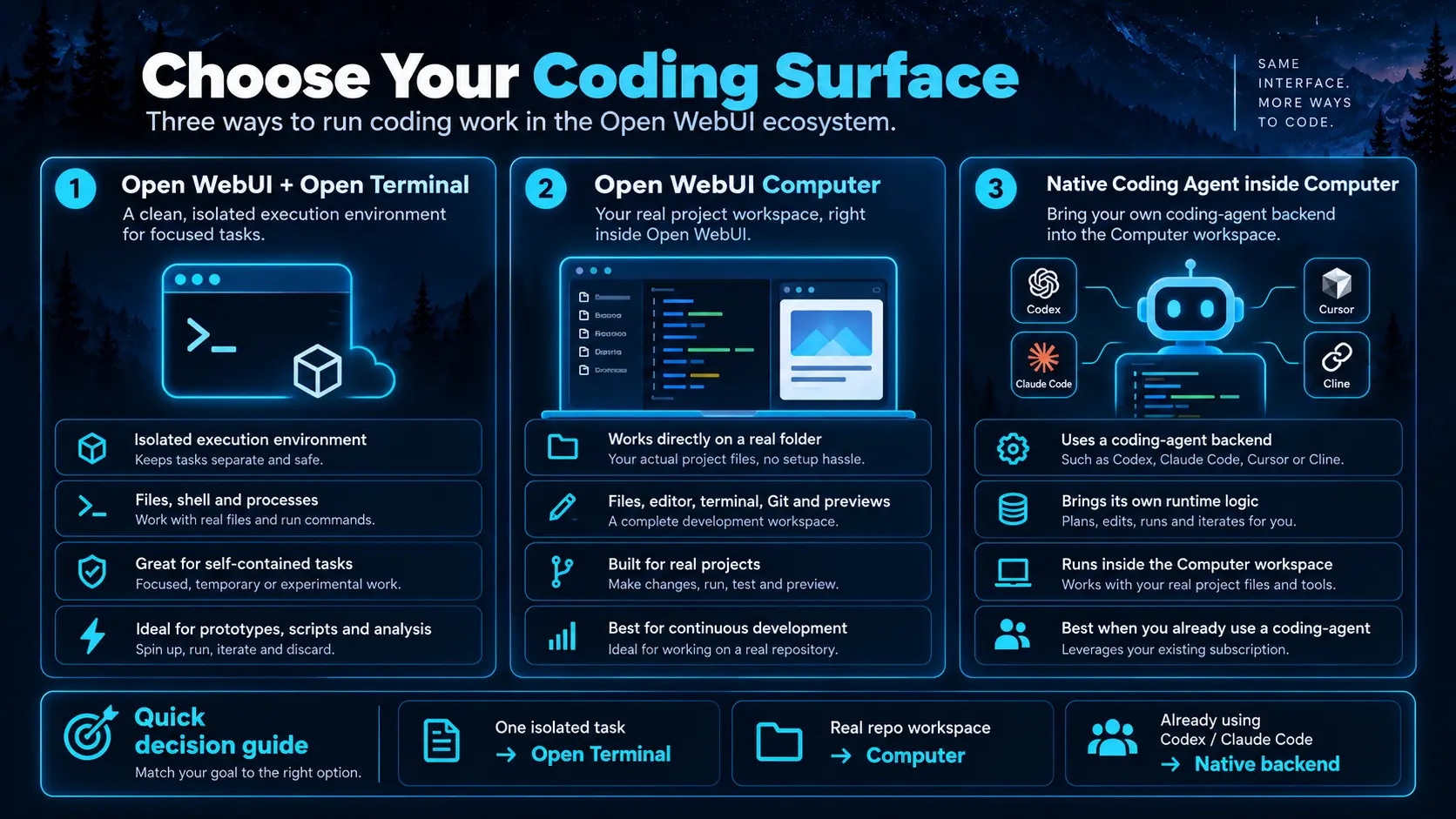
02. Three ways to run coding work
 Enlarge illustration ↗
Open WebUI plus Open Terminal
Open Terminal gives a chat an execution environment with files, shell, processes and packages. It can be isolated in Docker or deliberately connected to selected host paths. It suits self-contained transformations, prototypes, analysis and bounded repository work.
Open WebUI Computer
Computer serves a real workspace in the browser: file tree, editor, terminal, Git, previews and chats all point to the same directory. Instead of uploading a copy into chat, the agent moves to the project where the checkout and dependencies already live.
Native coding-agent backend
Computer can use authenticated CLIs such as Codex, Claude Code, Cursor, Grok, OpenCode, Cline or Pi as chat backends. The external agent provides its runtime and session logic; Computer provides workspace, interface, approval policy and remote access.
| Need | Starting choice |
|---|---|
| One isolated task from chat | Open Terminal. |
| Continuous work in a real repository | Open WebUI Computer. |
| Existing coding-agent subscription/CLI | Native backend inside Computer. |
| Computer workspace in the normal Open WebUI picker | Computer’s OpenAI-compatible gateway. |
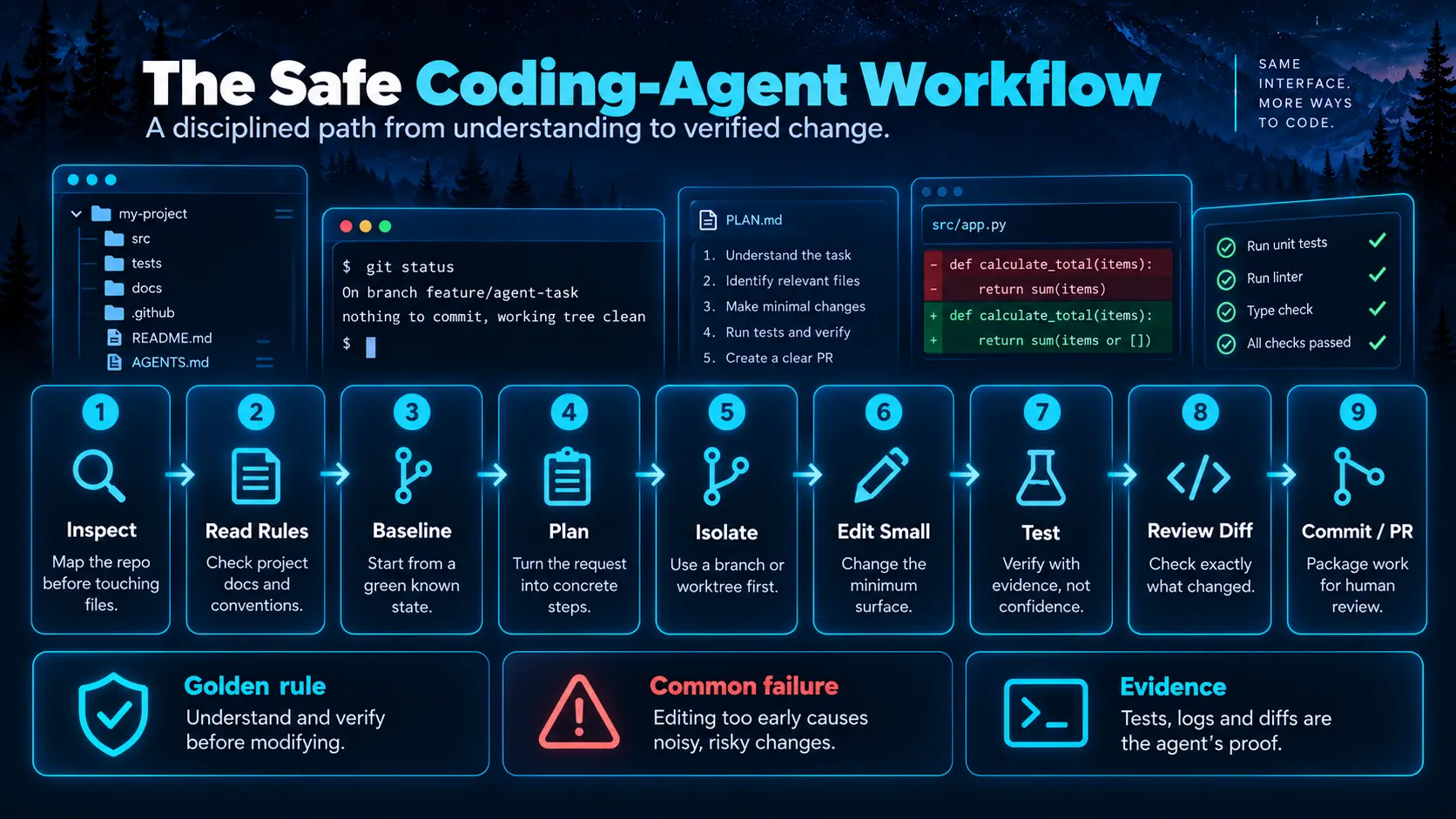
03. The safe coding-agent workflow
 Enlarge illustration ↗
Inspect → Read rules → Baseline → Plan → Isolate
→ Edit → Test → Review diff → Commit / PRThe order matters. Editing before understanding can fix the wrong symptom, duplicate an existing abstraction or violate a project rule hidden elsewhere. This sequence is language- and framework-independent.
04. Inspect the repository before touching it
 Enlarge illustration ↗
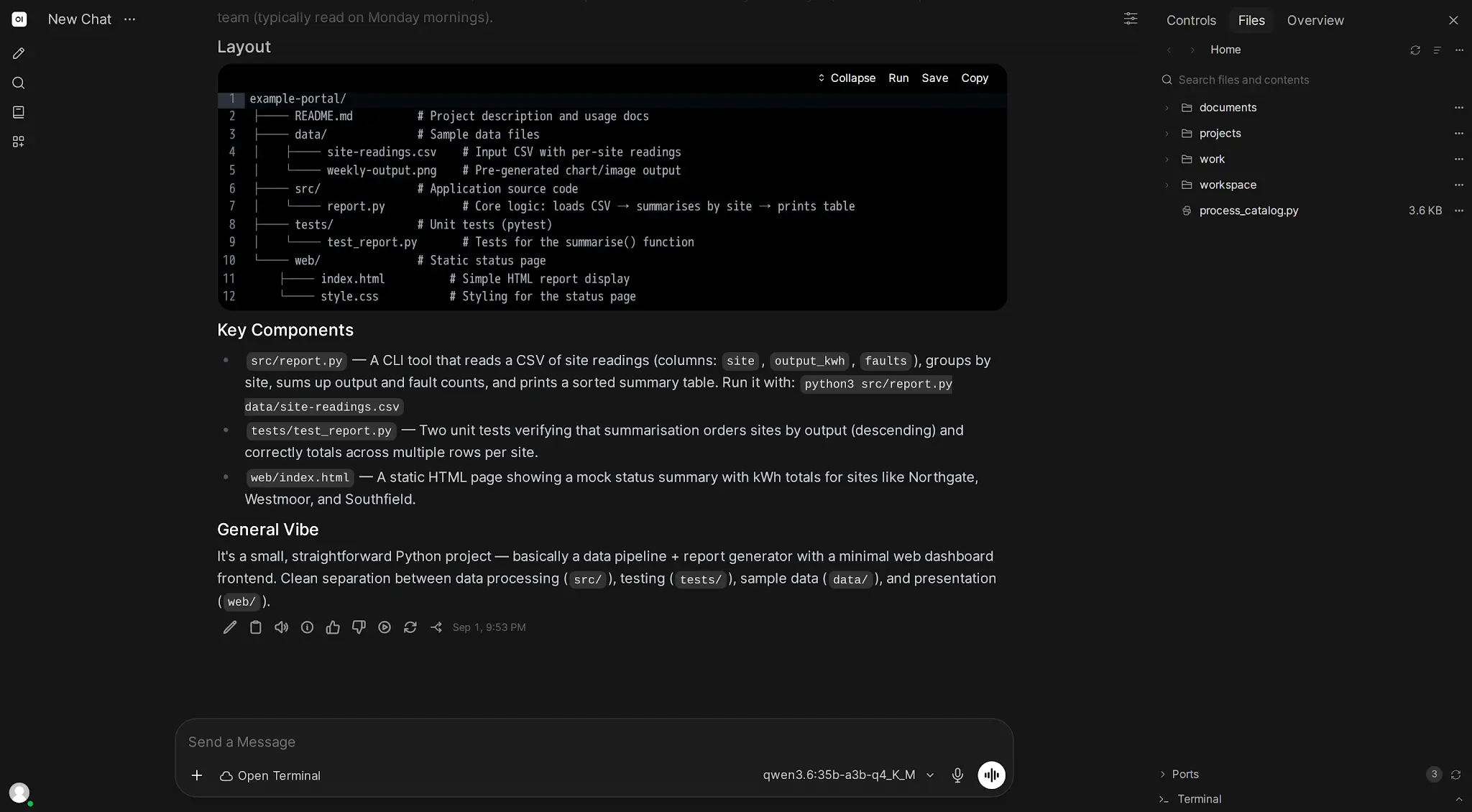
The agent does not need every file. It needs the repository root, languages and frameworks, source and test locations, dependency manager, project instructions, current branch and existing user changes.
pwd
find . -maxdepth 2 -type f | sort | head -200
git status --short --branch
git log --oneline -10
The exact commands vary. The invariant is to report what the project is, how it is organised and which surface is likely to change before editing.
05. Read project rules and establish a baseline
AGENTS.md, README.md, CONTRIBUTING.md, pyproject.toml, package.json, CI workflows and repository docs form part of the specification. If the project uses pytest and Ruff, do not introduce a different test runner and linter out of habit.
# Select checks from the project itself
pytest -q
npm test
npm run typecheck
npm run build
Run the cheapest meaningful check before making changes. If it already fails, record that baseline. Do not attribute an existing failure to the new patch or expand scope to repair unrelated breakage without authorisation.
06. Turn a vague request into a verifiable plan
“Fix login” is an objective, not a plan. A useful plan states the broken behaviour, reproduction evidence, affected surface, minimum proposed change, validation and risk.
Computer’s Plan Mode removes write Tools so the agent can investigate read-only and propose an approach before implementation. It is especially useful for migrations, schema changes and refactors with uncertain scope.
07. Branches and worktrees isolate work
# One isolated line of history
git status --short --branch
git switch -c fix/api-timeout

# A separate working directory and branch
git worktree add ../project-fix-api -b fix/api-timeout
A branch separates history. A worktree also provides a separate filesystem checkout, so another task cannot change the branch or files beneath this agent. For one supervised agent a branch may be enough; for parallel agents, one worktree and branch per task is the safer default.
08. Edit the smallest safe surface
A small focused diff is easier to understand, test, review and revert. Before changing a public function, endpoint, schema or configuration, search every caller and test that relies on its contract.
rg "calculate_total" .
rg "POST /api/v1/orders" tests src docs
Existing uncommitted changes belong to the user unless proven otherwise. Work around them or ask if they overlap. Never translate “leave the repository clean” into permission to delete work with aggressive reset or clean commands.
09. Terminal, dependencies and the execution environment
Use the project’s existing virtual environment and package manager: virtualenv, uv or Poetry for Python; npm, pnpm or yarn for Node; equivalent tools elsewhere. Global installation may contaminate the host and hide reproducibility problems.
Docker limits the visible filesystem and network to what is mounted. Direct-host Computer access inherits the real machine’s Tools and projects but expands the blast radius. Choose intentionally.
Explain destructive operations
# Inspect first
git clean -nd

# Review every candidate before approving
# a destructive variant.
A short shell command can be more dangerous than a hundred-line source edit. Prefer dry runs and resolved explicit targets.
10. Tests, lint, types and builds
 Enlarge illustration ↗
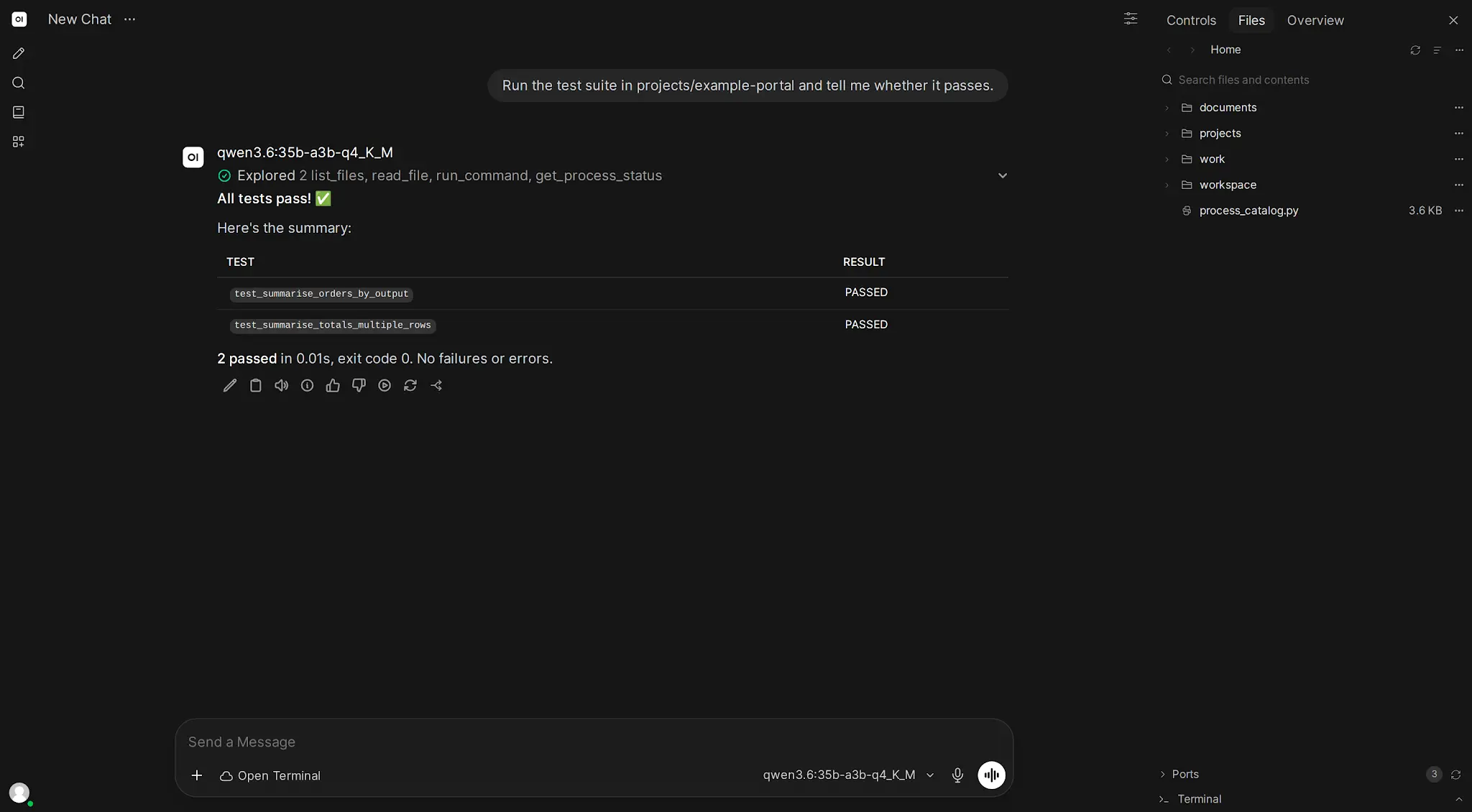
pytest tests/test_orders.py -q
pytest -q
ruff check .
mypy srcStart focused for fast feedback, then broaden. A bug-fix test is strongest when you observed it fail for the correct reason before applying the fix and then pass afterwards. An agent must not weaken, delete or rewrite tests merely to make its implementation green; a requirement change that legitimately updates tests must be explicit.
11. Git diff, staging, commits and pull requests
 Enlarge illustration ↗
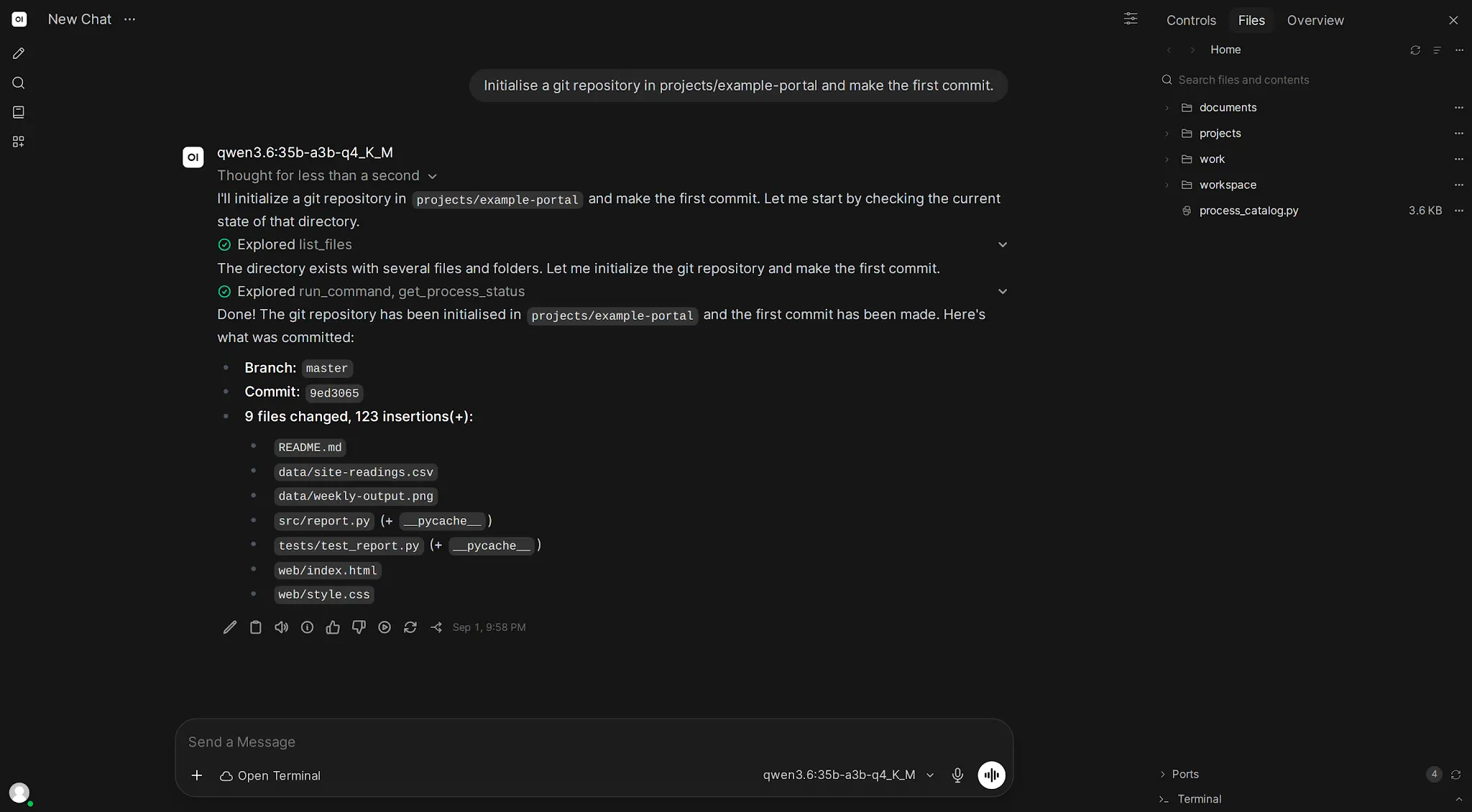
git status --short
git diff --stat
git diff
git add src/orders.py tests/test_orders.py
git diff --cached
git commit -m "FIX: handle upstream order timeout"Review unexpected files, mass formatting, debug statements, generated artifacts and secrets. Stage only the intended unit. Follow the repository’s commit convention rather than inventing one. In a team, the pull request is a useful human boundary: the agent prepares change, rationale, test evidence and risks; merge approval remains separate.
12. Approval modes and human supervision
 Enlarge illustration ↗
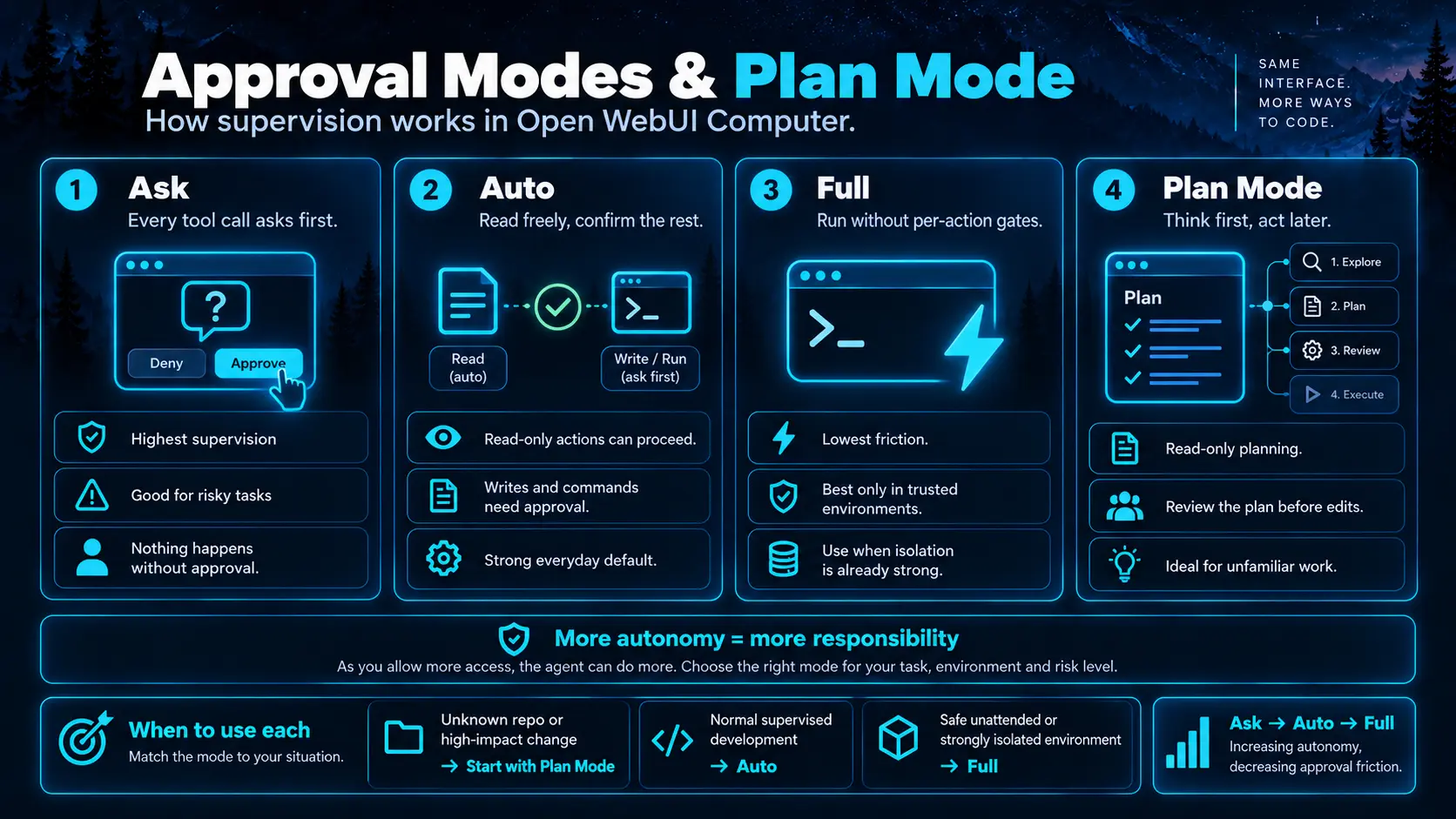
- Ask
- Every Tool call requires approval.
- Auto
- Read-only exploration runs automatically; writes and commands pause for confirmation.
- Full
- All operations allowed by the environment can execute without intervention.
- Plan Mode
- Write capabilities are removed while the agent investigates and proposes a plan.
Auto is a strong supervised-development default. Full is lower friction, not higher quality; use it only in an isolated environment where all permitted actions are acceptable. Unattended gateways, bots and scheduled tasks cannot wait for an approval button, so their environment and credentials must already be safe for unconfirmed execution.
13. Computer as a real project workspace
 Enlarge illustration ↗
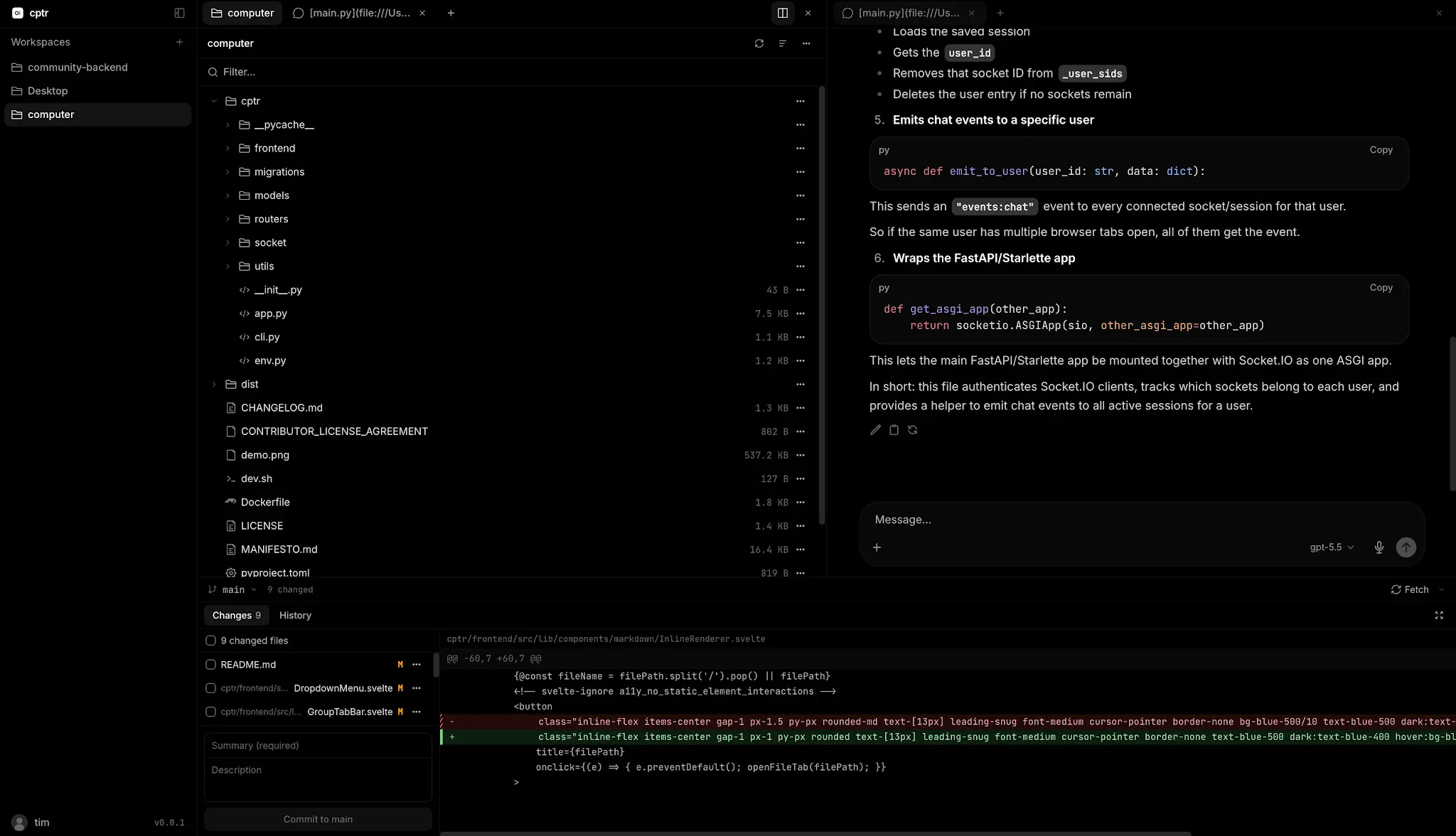
The file an agent edits is the file visible in the editor and tracked by Git. PTY terminals begin in the workspace and retain their process and scrollback while the Computer process remains alive. Integrated Git exposes status, diffs, staging, branches, stashes and worktrees.
When a development server starts, port preview can display the application beside code and logs. That closes a valuable loop for web work: edit → run → preview → inspect → fix.
14. Codex, Claude Code and other agent subscriptions
The CLI must be installed and authenticated on the machine running Computer, not on the phone or browser used to connect. Supported native profiles expose namespaced models and retain the external thread/session ID so work can resume across turns.
# Authenticate according to each CLI
codex login

# Claude Code uses its normal CLI login
claude

# Its Computer integration may also require:
pip install claude-agent-sdk
Another CLI can still run inside a terminal even without a native profile, but it may not receive the same selector integration, approval mapping or session resume semantics.
15. Connect a Computer workspace back to Open WebUI
Open WebUI chat
→ OpenAI-compatible Computer gateway
→ workspace
→ files / terminal / Git / coding agent
A workspace can appear in Open WebUI’s model picker as a cptr/<workspace> model. Open WebUI remains the central interface for chat, local models, RAG and shared policy while Computer owns persistent project execution.
Knowledge Bases, prompts and users do not automatically transfer between the two systems. They are connected control and action layers, not one invisible database.
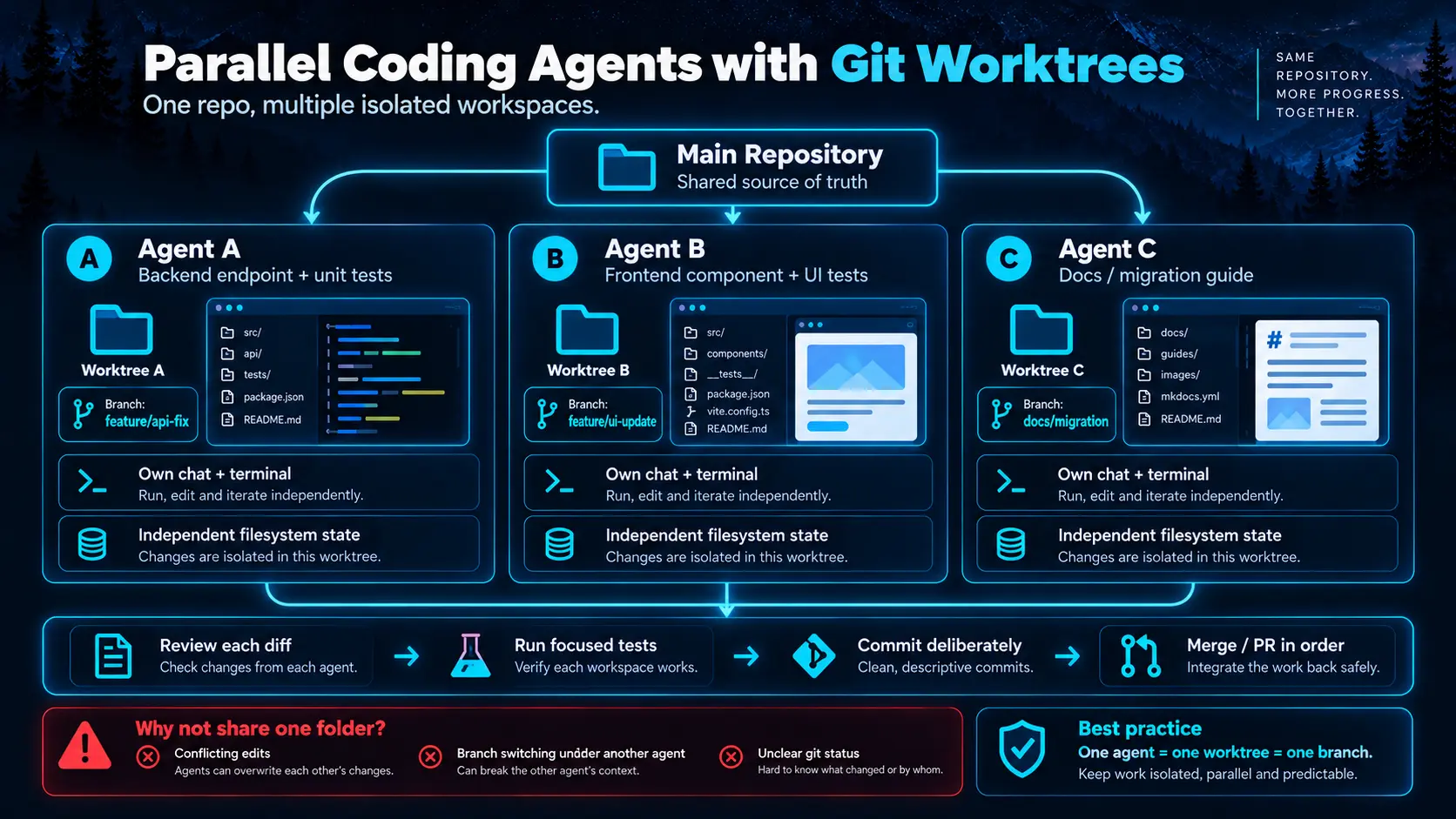
16. Parallel agents with Git worktrees
 Enlarge illustration ↗
Several agents in one folder can overwrite files, change the checked-out branch underneath each other and observe inconsistent git status. Separate worktrees give each task its own reality.
Parallel work does not mean merging everything at once. Review each diff, run focused tests, commit and integrate in a deliberate order. Good decomposition minimises shared files: backend endpoint and tests, frontend component, and documentation may proceed independently; three changes to the same central function should probably be sequenced.
17. Secrets, shell access and blast radius
A coding agent with shell is an operating-system actor inside the boundary you chose. Direct host access should be treated like remote shell access. A Docker deployment sees only mounted paths, but those paths and available credentials are still real.
- Mount only required project directories.
- Use development rather than production credentials.
- Make reference material read-only.
- Keep destructive deployment credentials outside the workspace.
- Use Ask or Auto for unfamiliar work.
- Review diffs and commands before landing changes.
Repositories may contain .env, SSH keys, cloud credentials or malicious instructions in README files, issues and fixtures. Prompt injection applies to code and documentation too; repository text does not outrank workspace policy or the user’s actual objective.
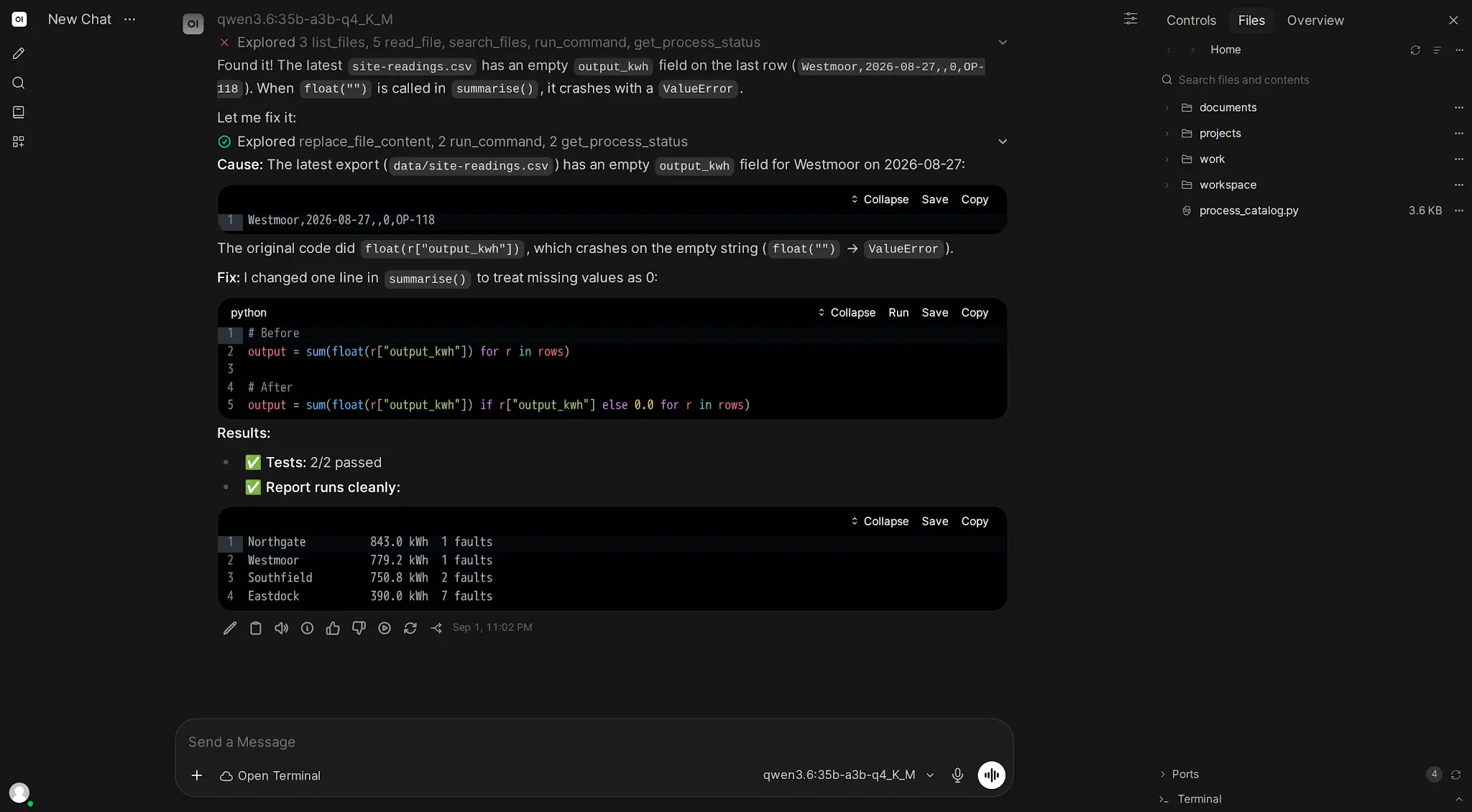
18. Worked example: repair a Django API timeout
 Enlarge illustration ↗
Inspect and reproduce
git status --short --branch
rg "timeout|requests|httpx" apps tests
pytest tests/test_api.py -q
The baseline passes. Add a test simulating an upstream timeout and confirm the current endpoint returns an unwanted 500.
Plan and isolate
- Catch the specific upstream timeout at the client boundary.
- Translate it into the project’s service exception.
- Map that exception to HTTP 504 using the existing response helper.
- Add regression coverage without changing unrelated retry behaviour.
git switch -c fix/upstream-timeoutEdit and verify
Modify only the client, view mapping and test. Then run the focused test, full suite and lint:
pytest tests/test_api.py -q
pytest -q
ruff check .
Review and land
git diff --stat
git diff
git add apps/api/client.py apps/api/views.py tests/test_api.py
git diff --cached
git commit -m "FIX: return 504 for upstream API timeouts"
The process does not depend on mystical intelligence. Its structure narrows mistakes and leaves reviewable evidence.
19. Troubleshooting unreliable coding agents
| Failure | Response |
|---|---|
| Edits before understanding | Start in Plan Mode; require repository map and affected surface first. |
| Changes unrelated files | Tighten scope, use a clean worktree and inspect git diff --stat. |
| Repeated guesses after failed tests | Classify the failure and require a new evidence-based hypothesis. |
| Says done without tests | Make executed validation part of acceptance criteria. |
| Cannot find CLI or dependency | Check PATH and tool detection on the Computer host. |
| Lost terminal session | PTYs end if the Computer process restarts; use an intentional long-process strategy. |
| Preview works only locally | Bind the dev server correctly and use authenticated port preview. |
20. Practical coding-agent checklist
- Repository inspected and project rules read.
- Baseline recorded before changes.
- Plan matches the requested scope.
- Work isolated in a branch or worktree where appropriate.
- Only intended files changed.
- Focused tests pass.
- Suite, lint, types and build pass where applicable.
- Git diff reviewed.
- No secret, debug artifact or unrelated change added.
- Commit or PR summary states change, evidence and limitations.
Before accepting completion, answer: what changed, why, what proves it works, what remained untouched and how can it be reversed?
21. Essential vocabulary
- Coding agent
- A system that can inspect, modify and verify software in a real workspace.
- Workspace
- The project folder, checkout, terminals and chats operated by Computer.
- Baseline
- The verified project state before a change.
- Branch
- An independent line of Git history.
- Worktree
- An additional working directory for the same Git repository.
- Diff
- The exact change set and primary review evidence.
- Plan Mode
- Read-only investigation before implementation.
- Approval mode
- The policy that determines which operations need human consent.
- Blast radius
- The maximum reachable scope of an unintended action.
Source and further reading
This edition preserves the chapter's teaching sequence and examples. Screenshots reflect the source edition; controls may move between releases.
Open the original chapter ↗Open Terminal ↗Open WebUI Computer ↗Coding-agent backends ↗Parallel worktrees ↗