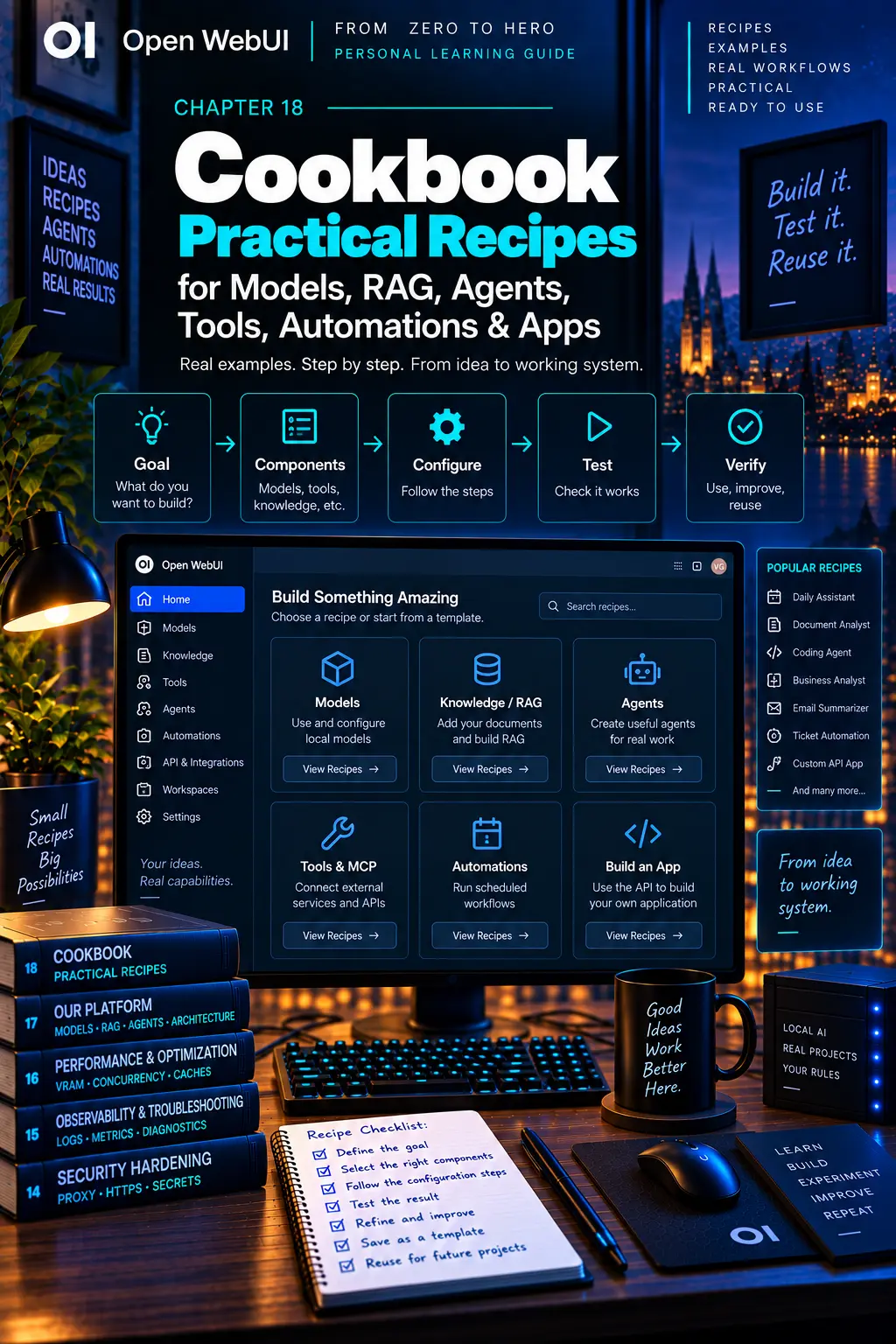
CHAPTER 18
Cookbook
Turn the guide into practical, repeatable outcomes.
On this page
Faithful English web edition · Original chapter, structure and illustrations from the learning guide.
COOKBOOK
Build the smallest version, then earn the next layer
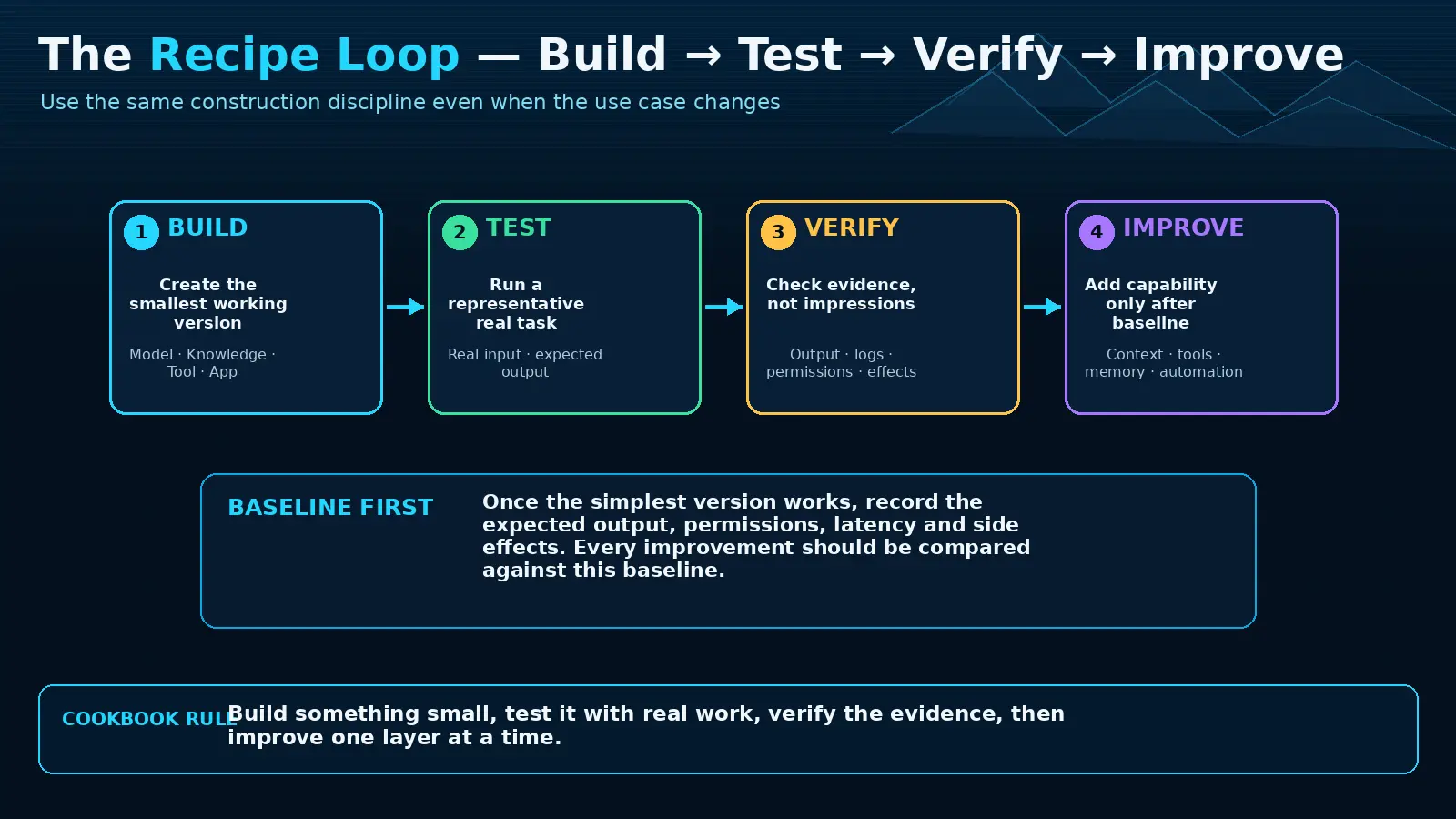
These recipes turn the guide into outcomes. Each follows the same discipline: define a goal, select only necessary ingredients, build a baseline, test one reproducible task, verify evidence and improve one dimension at a time.
00. How to use the cookbook
 Enlarge illustration ↗
- Goal: name the concrete outcome.
- Ingredients: choose only the components required.
- Build: configure the minimum working version.
- Test: run a small reproducible task.
- Verify: inspect output, logs, permissions and effects.
- Improve: add context, Tools, Memory or automation after the baseline.
 Enlarge illustration ↗
If a recipe fails, return to the last working step. Do not add another feature to repair a broken feature.
01. Build a Daily Assistant
Goal and ingredients
Create a baseline for conversation, writing and technical explanation using one reliable base model, one Workspace Model preset, a short system prompt and optionally Memory. Do not attach Knowledge or Tools yet.
You are a practical daily assistant.
Explain technical topics clearly and step by step when needed.
Do not invent facts when information is missing.
Prefer concise answers first, then expand when asked.
The current date is {{ CURRENT_DATE }}. Enlarge illustration ↗
Test and verify
Ask it to explain RAM versus VRAM for a beginner, then rewrite a short professional email. Verify tone, usefulness, reasonable first-token latency and completion without hidden Tool dependencies. Add suggestions, a style Skill, Memory or search only when the baseline shows a real need.
If it fails, test the raw base model, then the preset with its system prompt, then optional capabilities. This reveals whether the problem is inference, configuration or an added layer.
02. Build a Document Analyst with RAG
Build
- Create a Project Documents Knowledge collection.
- Upload one or two documents, not five hundred.
- Inspect extracted text; scanned PDFs may require OCR.
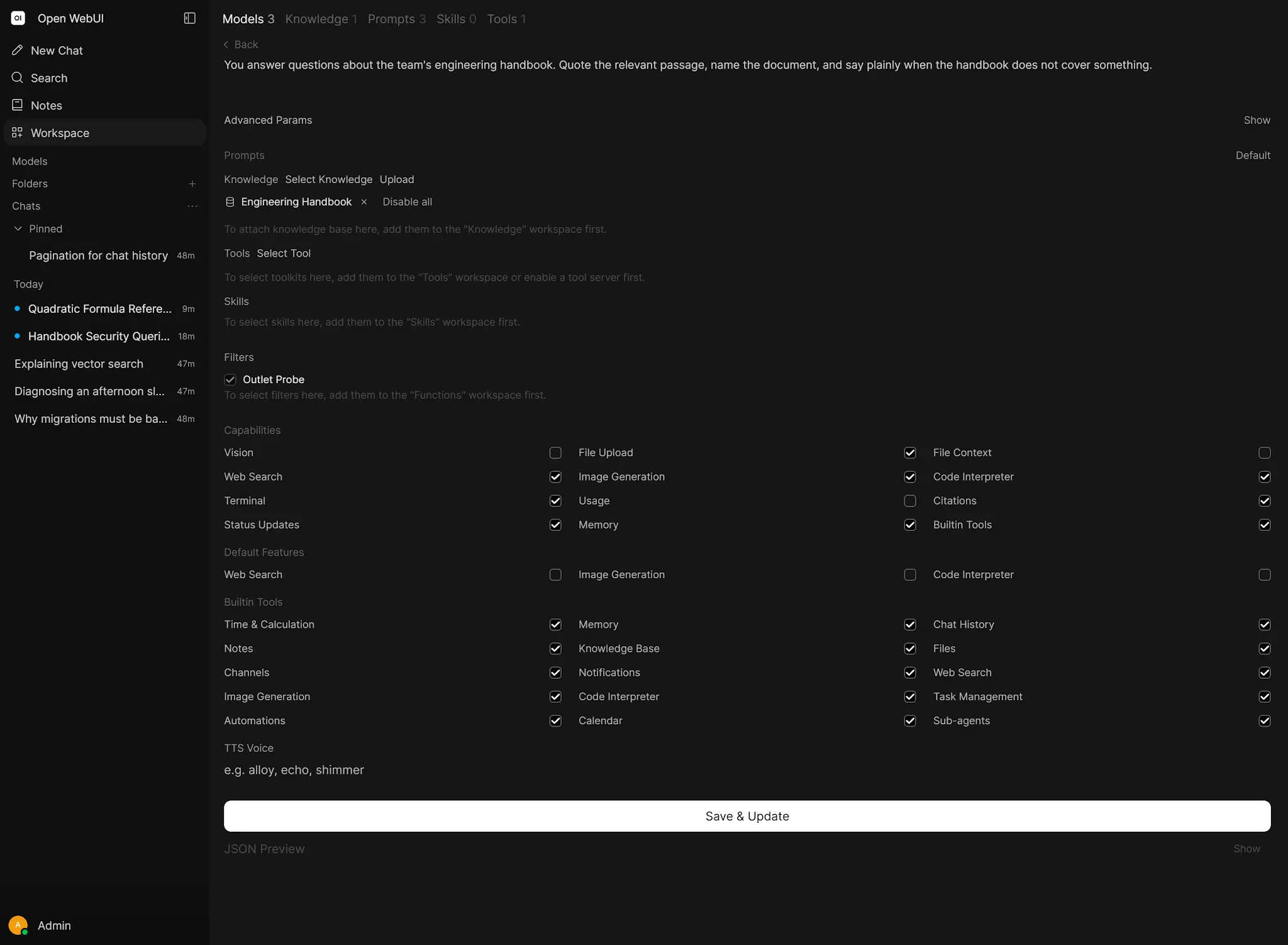
- Create Document Analyst and attach the collection.
- Use Focused Retrieval first; use Full Context only when the entire source reasonably fits.
Answer using the attached knowledge when relevant.
If the documents do not support a claim, say that evidence
is not available. Name the source document when possible.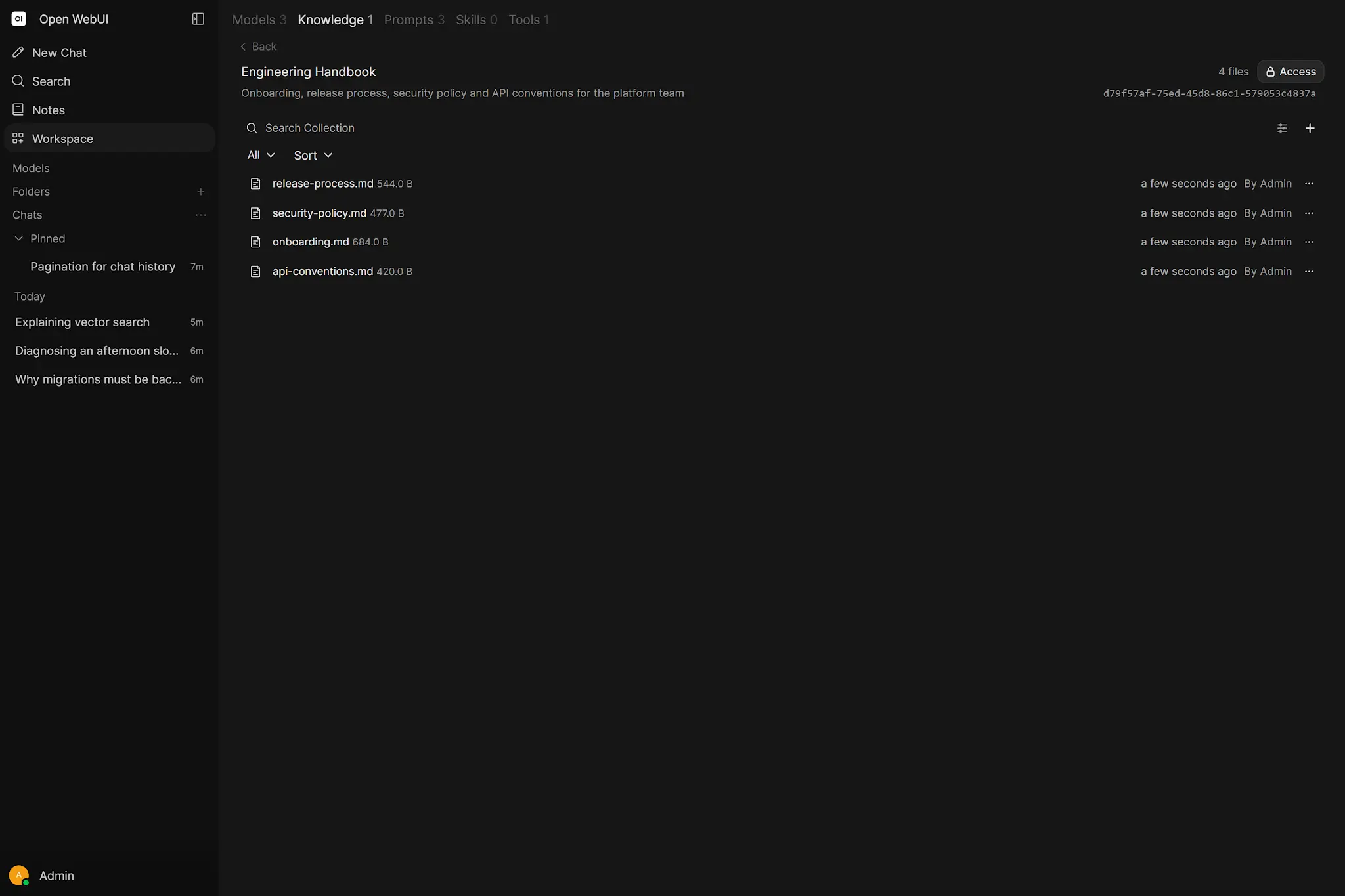 Enlarge illustration ↗
Test and verify
Ask one question whose answer appears literally in the source and one deliberately unsupported question. The first should retrieve the correct passage; the second should acknowledge missing evidence. Diagnose failures in order: extraction → chunks → embeddings → retrieval → context → answer.
03. Build a Business Analyst Assistant
Combine components by responsibility:
| Component | Responsibility |
|---|---|
| Knowledge | Approved PDDs, maps, templates and project facts. |
| Skill | Method: distinguish current/future state, expose assumptions, find rules and exceptions. |
| Prompt | The immediate command, such as /review-pdd. |
| Tool | Read-only live lookup for ticket owner, status or deadline. |
Separate collections by project and label drafts versus approved sources. A Skill teaches how to work; it should not masquerade as project evidence.
Review the selected PDD using the BA Review Skill.
Return: gaps, contradictions, missing inputs and outputs,
unclear rules, exceptions and follow-up questions.
Verify that facts come from Knowledge, methodology from the Skill and live status only from the Tool.
For professional work, require it to separate verified facts, inferred interpretation, missing information and questions. The output should preserve source terminology unless the user explicitly requests a rewrite.
04. Build a Coding Agent with Computer and Git
Open a repository as a Computer workspace. Confirm it starts and its relevant checks pass, then ask the agent to inspect instructions and structure before editing. Use Plan Mode for unfamiliar or high-impact work, a branch for implementation and separate worktrees for parallel tasks.
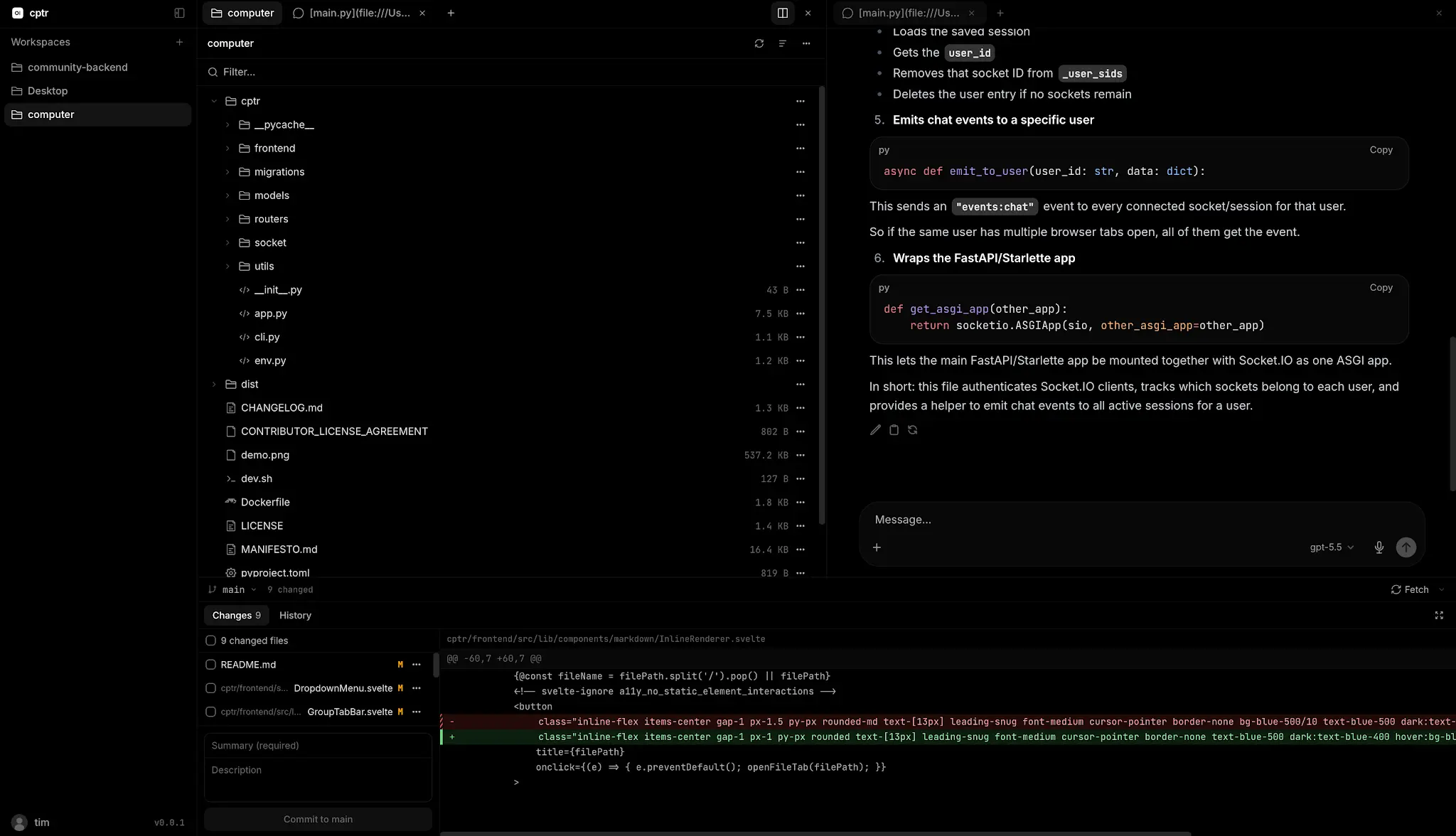 Enlarge illustration ↗
Reproduce this bug, add a failing regression test,
implement the smallest fix, run the focused tests,
then show me the diff.Verify that reproduction evidence exists, the test fails before the fix and passes after, the diff is focused and no user change was overwritten. Unattended scheduled or gateway tasks may not pause for interactive approval; isolate them accordingly.
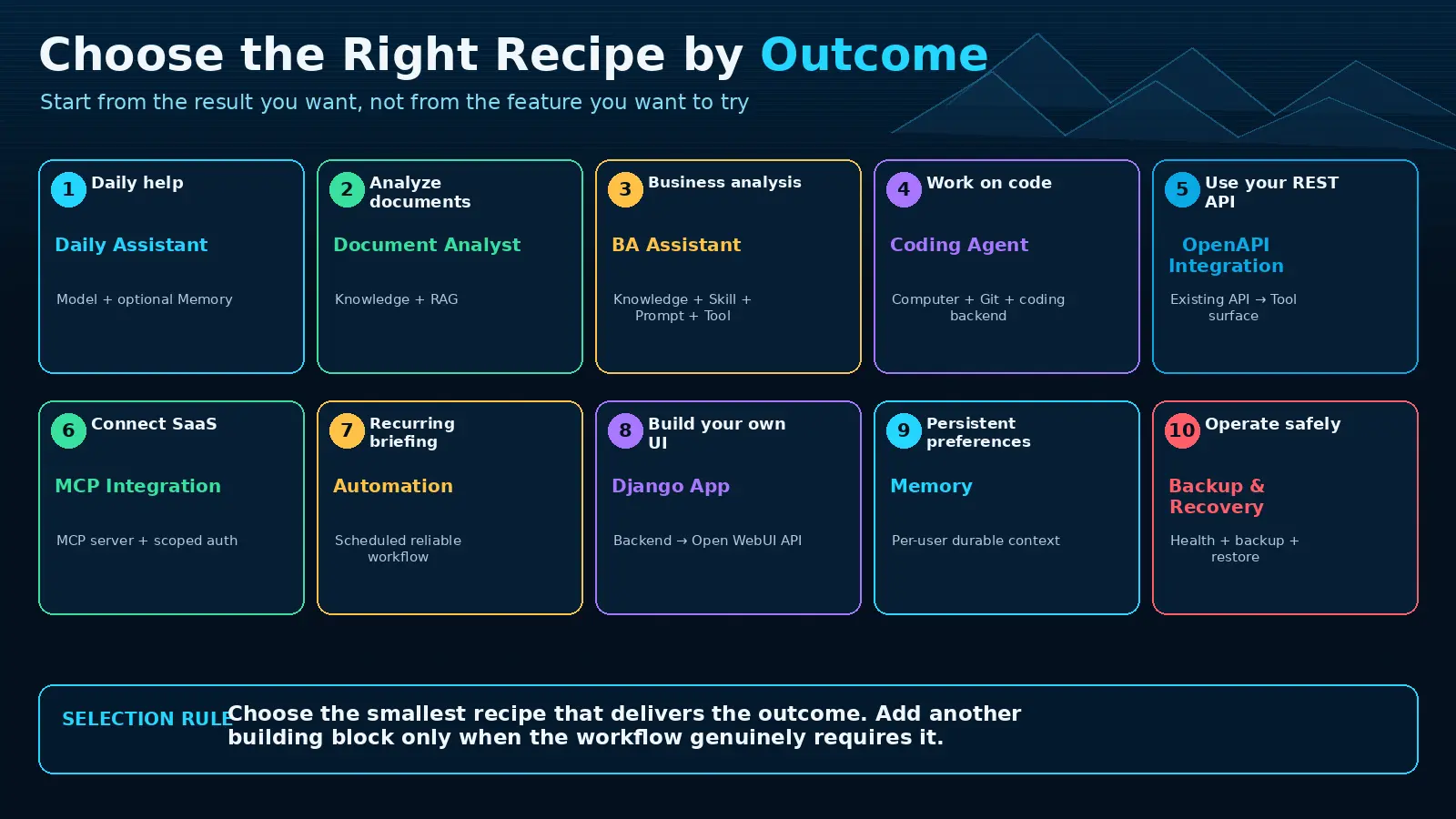
05. Connect your REST API with OpenAPI
Expose explicit operations rather than arbitrary database or shell access. Start with a tiny read-only FastAPI service:
from fastapi import FastAPI
from pydantic import BaseModel, Field

app = FastAPI(title="Support Tools", version="1.0.0")

class SearchRequest(BaseModel):
    query: str = Field(description="Text to search in tickets")

@app.get("/health", operation_id="health_check")
def health_check():
    return {"status": "ok"}

@app.post("/tickets/search", operation_id="search_tickets")
def search_tickets(body: SearchRequest):
    return {"query": body.query, "tickets": []}
Test the generated /docs directly, add the service under External Tool Servers, restrict access and enable only this Tool in a new chat.
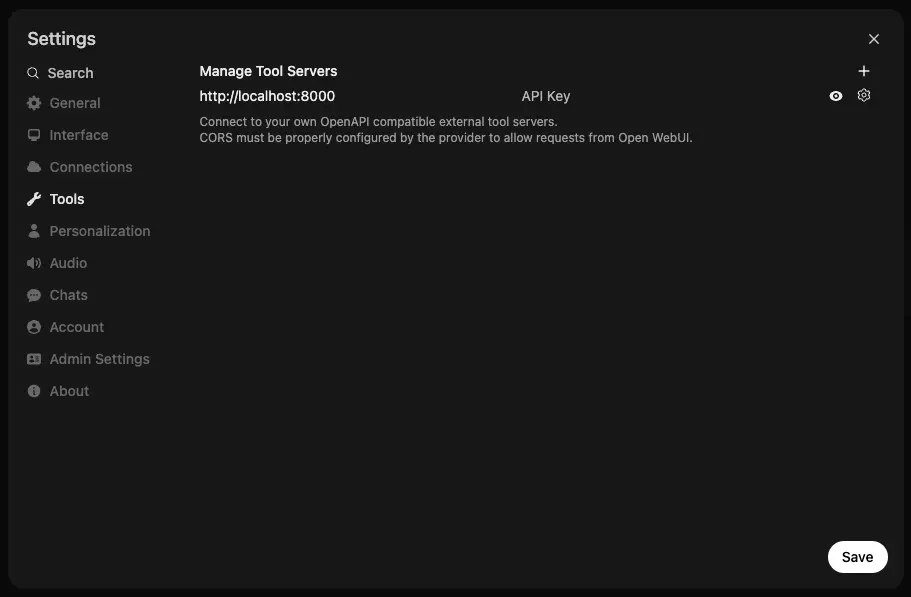 Enlarge illustration ↗
Ask for health, then a ticket search. Verify operation selection, valid arguments, structured JSON and correct use of the result. Add write operations only after authentication, timeouts and observability are proven. Security lives in the API server, not in a system-prompt sentence.
Before a write operation, add request validation, a narrow service credential, idempotency and an audit record. Use human confirmation when the outcome is difficult to reverse.
06. Connect a SaaS service with MCP
- Trust the server’s source and deployment.
- Add an External Tool Server using MCP Streamable HTTP.
- Configure server URL and authentication.
- Complete OAuth from the canonical Open WebUI URL where required.
- Keep
WEBUI_SECRET_KEYstable. - Limit access to the group that needs the connector.
- Run a read-only discovery request first.
List the resources available through the connected service.
Do not modify anything.
A healthy connection proves transport and authentication, not that the model will choose the right capability. Evaluate Tool descriptions, arguments and model behaviour separately.
If discovery works but execution fails, inspect the selected operation, user-scoped OAuth state and exact server response. If direct execution works but the model does not call it, improve Tool naming and description or choose a more reliable tool-calling model.
07. Create a Daily Automated Briefing
First make a normal chat succeed with a stable preset and read-only data. Then create an Automation using the same model and an optional Folder for generated run chats.
Create today's project briefing.
Include meaningful changes since the previous working day,
open blockers, deadlines needing attention and follow-up actions.
If there is no meaningful change, say so clearly.

RRULE:FREQ=DAILY;BYHOUR=8;BYMINUTE=0
Use Run Now. Verify a real chat is created, the run status succeeds, expected Knowledge and Tools remain available and history contains enough evidence to inspect the result.
Add selective delivery only after the briefing is stable: notify on new blockers or changed deadlines, not every routine success. Keep the generated chat as operational evidence.
08. Build a Django app on Open WebUI
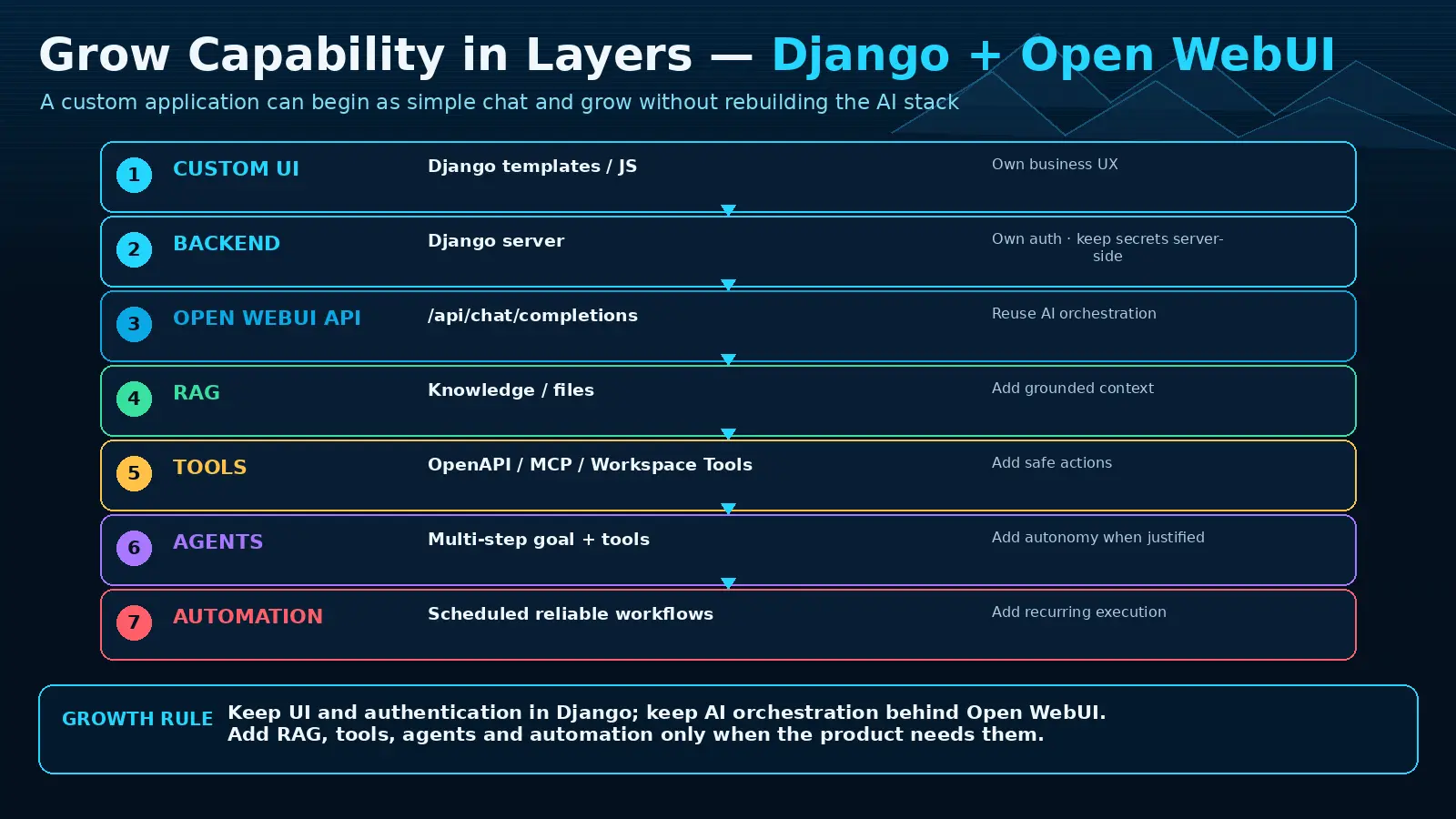 Enlarge illustration ↗
browser → Django → Open WebUI API
→ Model / Knowledge / Tools@require_POST
def ask_ai(request):
"""Keep the upstream credential inside the trusted backend."""
prompt = request.POST.get("prompt", "").strip()
if not prompt:
return JsonResponse({"error": "Prompt is required"}, status=400)
response = requests.post(
f"{settings.OPEN_WEBUI_URL}/api/chat/completions",
headers={"Authorization":
f"Bearer {settings.OPEN_WEBUI_API_KEY}"},
json={"model": "daily-assistant",
"messages": [{"role": "user", "content": prompt}]},
timeout=60,
)
response.raise_for_status()
return JsonResponse(response.json())The browser sends the prompt to Django and never receives the upstream key. Verify Django authentication and permission checks, safe error mapping and a successful answer from the preset. Add SSE, conversation state, rate limiting, collection IDs or server-side Tools only after the basic route works.
Keep ownership explicit: Django stores product-specific records; Open WebUI resolves AI capabilities; the provider performs inference. Avoid persisting the same conversation in both places unless one is the defined source of truth.
09. Add Memory and personalisation
 Enlarge illustration ↗
| Good memory | Wrong place |
|---|---|
| Preferred language or answer structure | Whole project document — use Knowledge. |
| Durable personal preference | Temporary task state — keep it in the task/chat. |
| Stable fact useful across chats | Password, key or secret — never conversational Memory. |
Enable the feature and user permission, then expose the Memory built-in category only to a model with reliable native tool calling.
Remember that I prefer a short explanation first,
then a detailed step-by-step section.
Start a new chat and ask how tutorials should be structured. Verify the memory is visible under Personalisation, belongs to that user and is retrieved appropriately.
10. Backup, health check and recovery drill
Daily quick check
curl -fsS http://localhost:3000/health
curl -fsS http://localhost:11434/api/tags
ollama ps
Also test the HTTPS URL people actually use.
Safe SQLite backup shape
docker stop open-webui
docker cp open-webui:/app/backend/data ./open-webui-data-backup
# Store WEBUI_SECRET_KEY separately in protected secret backup.
docker start open-webui
External PostgreSQL, object storage or vector services need their own dump or snapshot. For the drill, restore into an isolated instance with the same application secret, verify login, chats, Knowledge and connections, then perform a real completion. Record every step the written procedure missed.
A backup that has never been restored is hope, not a recovery strategy.
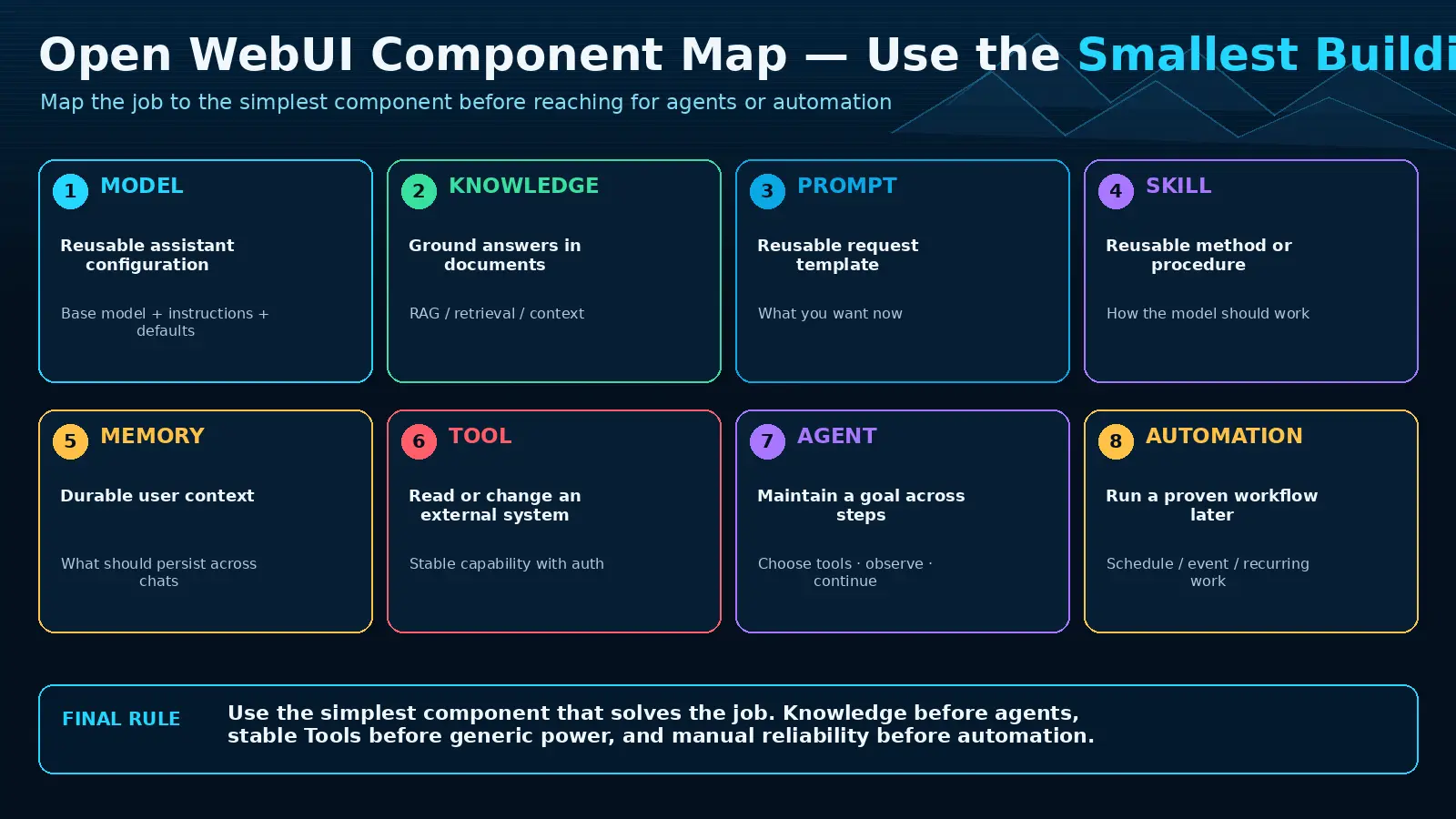
11. Final component map
 Enlarge illustration ↗
| I need… | Choose… |
|---|---|
| A reusable assistant | Workspace Model |
| Facts from documents | Knowledge |
| A repeated instruction | Prompt |
| A reusable method | Skill |
| A live action or lookup | Tool |
| An external service | OpenAPI or MCP |
| User facts across chats | Memory |
| Work later or on a schedule | Automation |
| Repository, files and terminal | Computer |
| My own product interface | Open WebUI API |
12. The final rule: grow capability in layers
Chat → Preset → RAG → Tools → Agent → AutomationThe most useful platform is not the one with the most components. It is the one that solves real workflows with the fewest necessary layers. Every added layer brings permission, state, cost, latency and failure modes.
At the end of each recipe, record its owner, configuration, success test, known limitation and rollback. That small operational note is what turns an experiment into a reusable platform component.
Build it. Test it. Verify it. Document it. Then reuse it.
Source and further reading
This edition preserves the chapter's teaching sequence and examples. Screenshots reflect the source edition; controls may move between releases.
Open the original chapter ↗Workspace ↗Knowledge ↗OpenAPI tools ↗MCP ↗Automations ↗API endpoints ↗