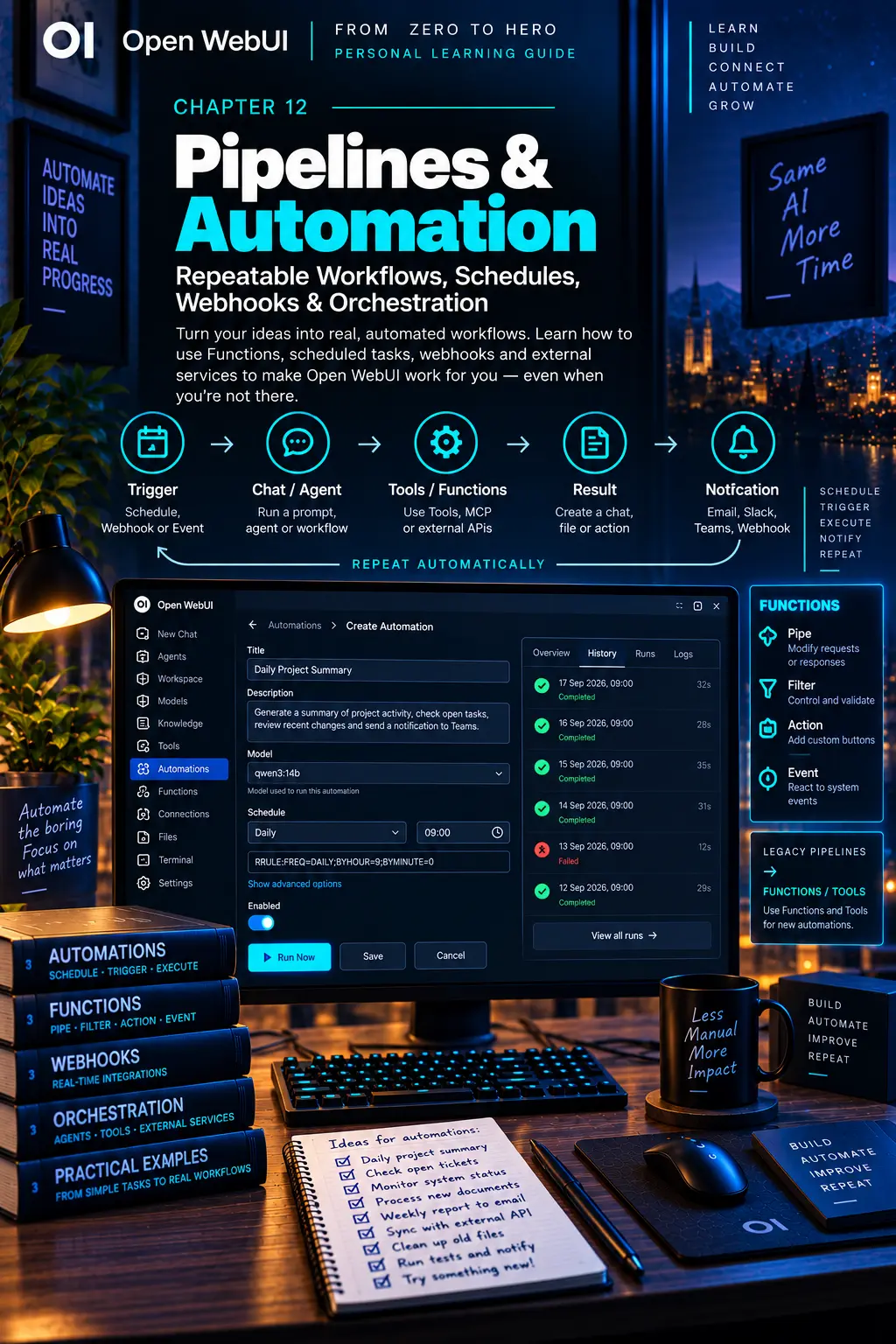
CHAPTER 12
Pipelines & Automation
Turn repeatable work into a system you can trust.
On this page
Faithful English web edition · Original chapter, structure and illustrations from the learning guide.
LEARNING OBJECTIVES
Turn repetition into a workflow you can trust
By the end, you should be able to define what starts a workflow, which model or agent runs it, which capabilities it may use, where results go, how failures are observed and which controls prevent an unattended mistake from repeating forever.
01. What automation really means
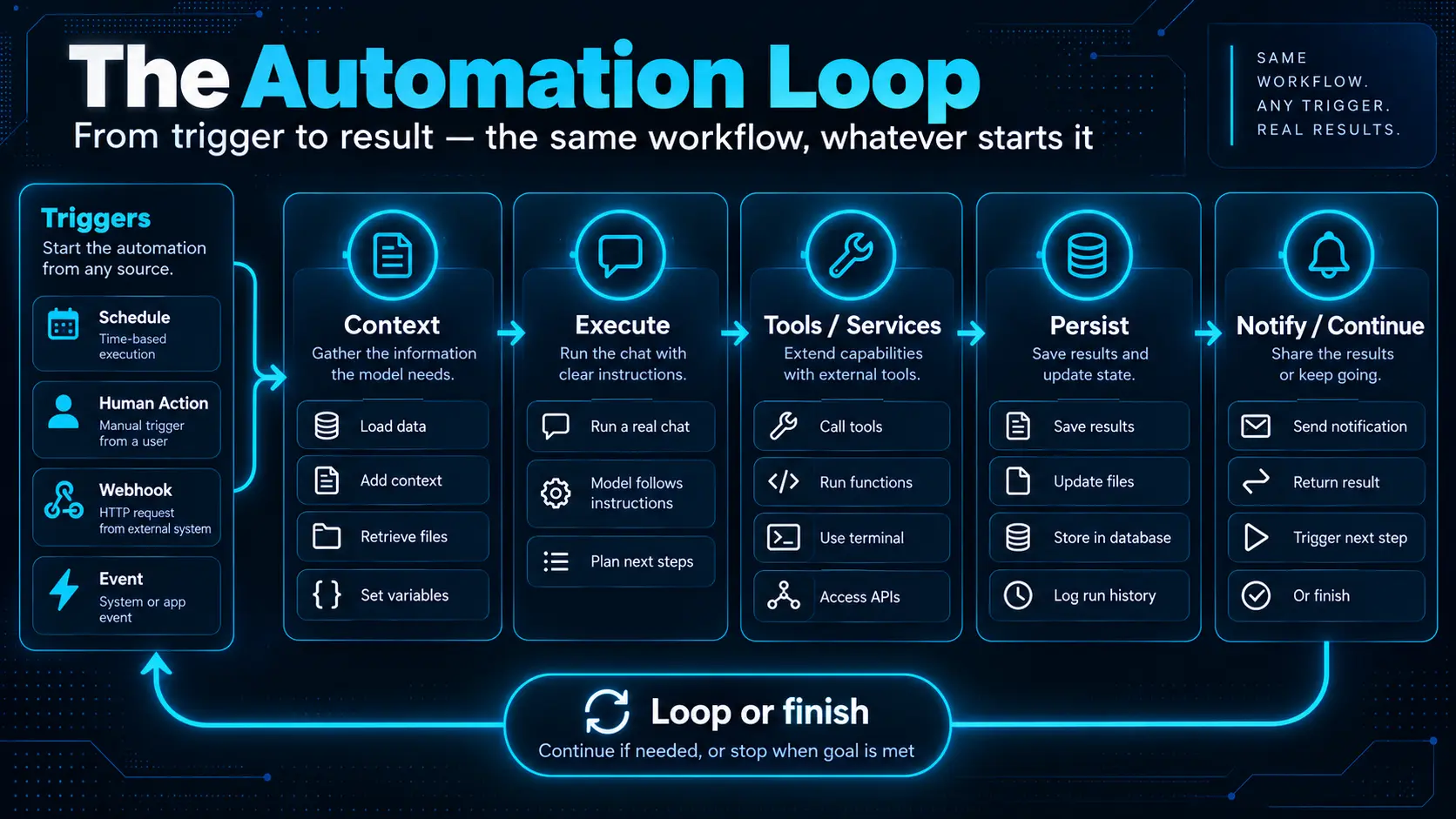 Enlarge illustration ↗
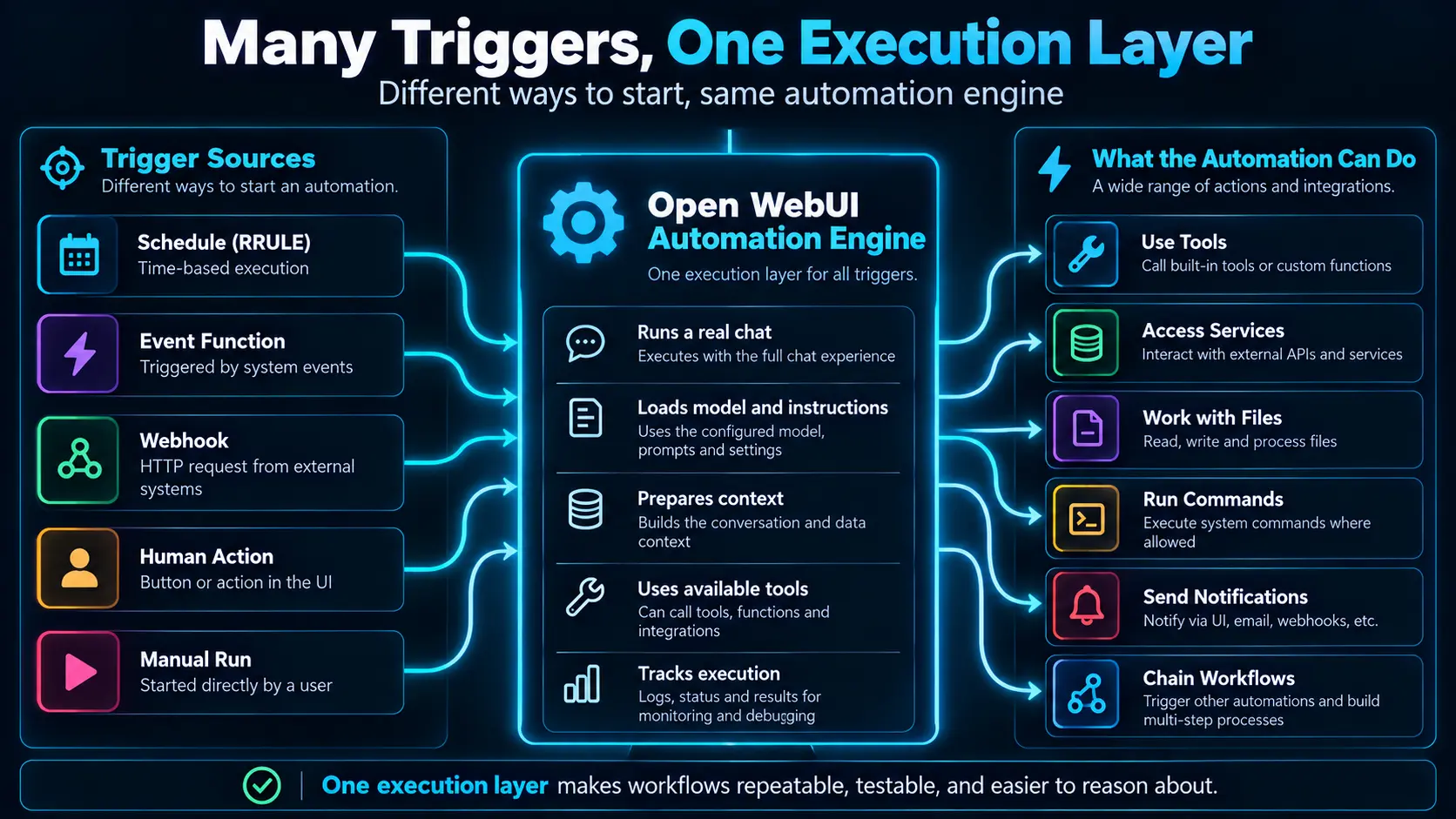
Automation is not simply “put cron in front of a chatbot.” It turns an intention into a repeatable process with explicit inputs, rules, capabilities, output and evidence. A trigger may be temporal, human, external or internal while the underlying workflow stays the same.
Manual work can depend on judgment at every run. Automated work must encode that judgment. “Review the project every morning” is ambiguous. “Run the test suite, change no files, report only failures and notify me only when attention is required” is operable.
A flawed automation does not make one mistake. It can make the same mistake every hour. Frequency and authority must increase the quality of boundaries, validation and logs.
02. The modern Open WebUI automation stack
 Enlarge illustration ↗
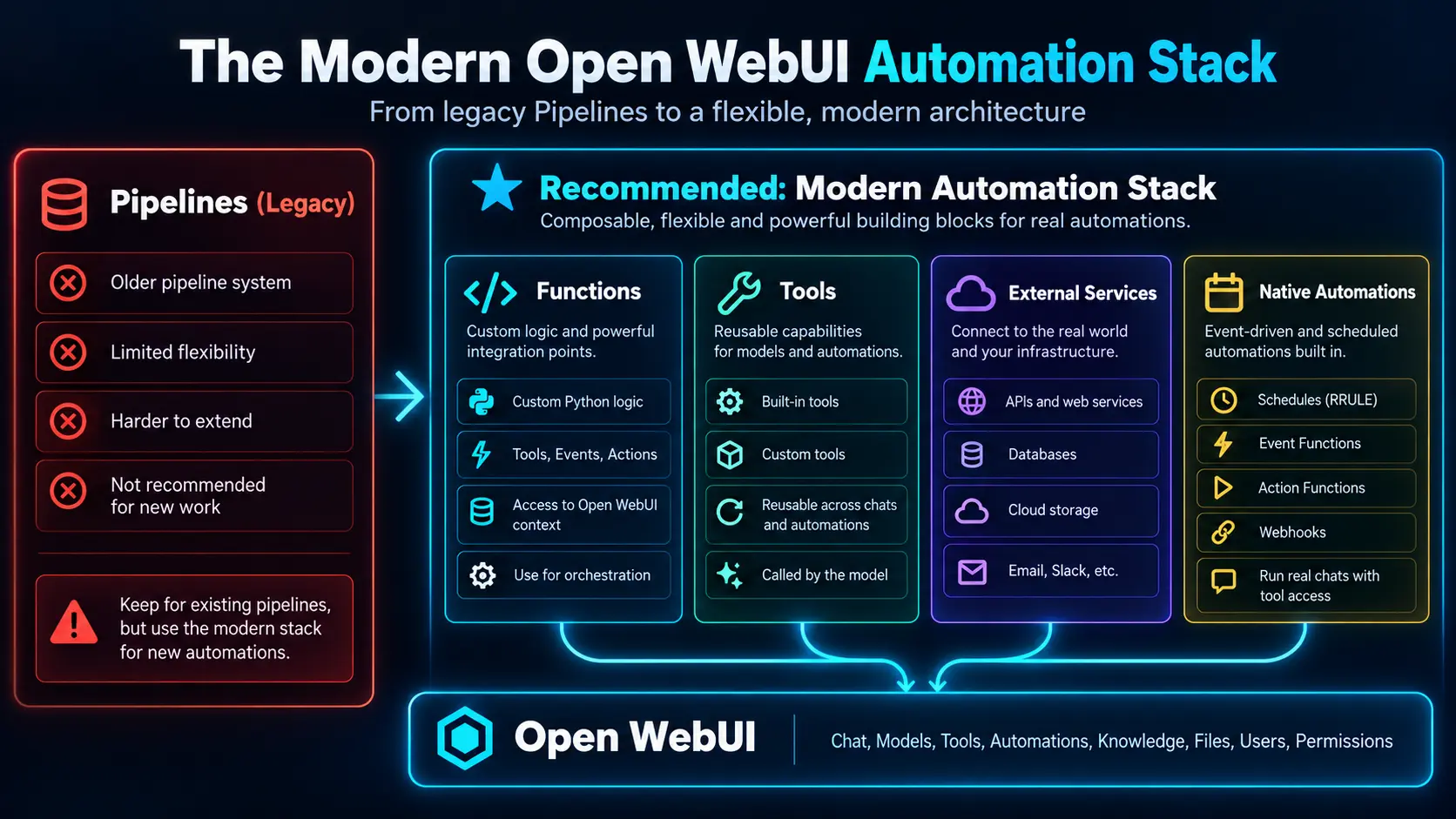
Automation does not replace Tools, Functions, agents or connectors. It arranges them around time and events. Pipelines remains documented for existing installations, but it is the legacy framework: use a Pipe Function for an old pipeline pipe, a Filter Function for an old filter, OpenAPI or MCP for external HTTP services, a Tool for model-invoked work, an Action for a user click and an Event Function for system activity.
| Intent | Modern component |
|---|---|
| Own the complete request flow | Pipe Function |
| Validate or transform traffic | Filter Function |
| Let the model call a capability | Tool |
| Require a deliberate human click | Action Function |
| React to an internal event | Event Function |
| Connect a remote service | OpenAPI or MCP |
03. Native Automations create real chats
An Open WebUI Automation runs a prompt on a schedule. Each run creates a normal chat and passes through the usual conversation pipeline, including the selected model’s defaults, Tools, Filters and Knowledge.
- Title: a name an operator will recognise.
- Instructions: the precise prompt for every run.
- Model: a base or Workspace Model with the required capabilities.
- Schedule: once, hourly, daily, weekly, monthly or a custom RRULE.
- Folder: optional storage and shared project context for generated chats.
Use Run Now before leaving a schedule enabled. Then inspect the generated chat, not merely the final notification.
 Enlarge illustration ↗
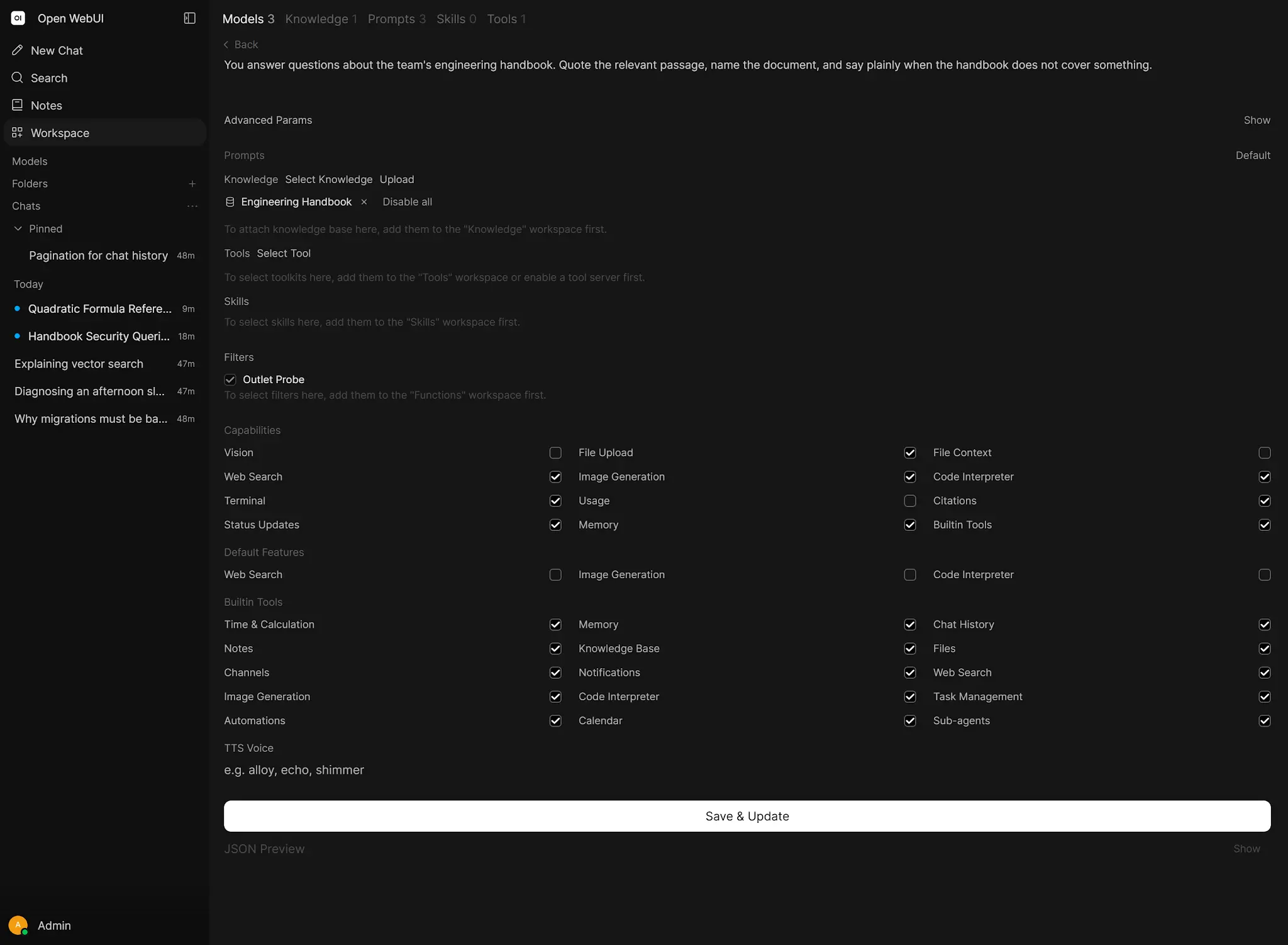
Automations belong to their creator. The administrator can enable the feature and set limits; the Automations permission does not grant access to another user’s definitions. Models with native function calling can also use built-in tools such as create, update, list, toggle and delete automation.
04. RRULE scheduling without the mystery
RRULE:FREQ=DAILY;BYHOUR=9;BYMINUTE=0
RRULE:FREQ=WEEKLY;BYDAY=MO;BYHOUR=8;BYMINUTE=30
RRULE:FREQ=HOURLY;INTERVAL=2
RRULE:FREQ=DAILY;COUNT=1
Read each rule from left to right: frequency, optional interval, day, hour and minute. Sub-daily rules may align to the clock when no DTSTART exists. If the phase matters, define an appropriate start time.
05. What happens during a run
 Enlarge illustration ↗
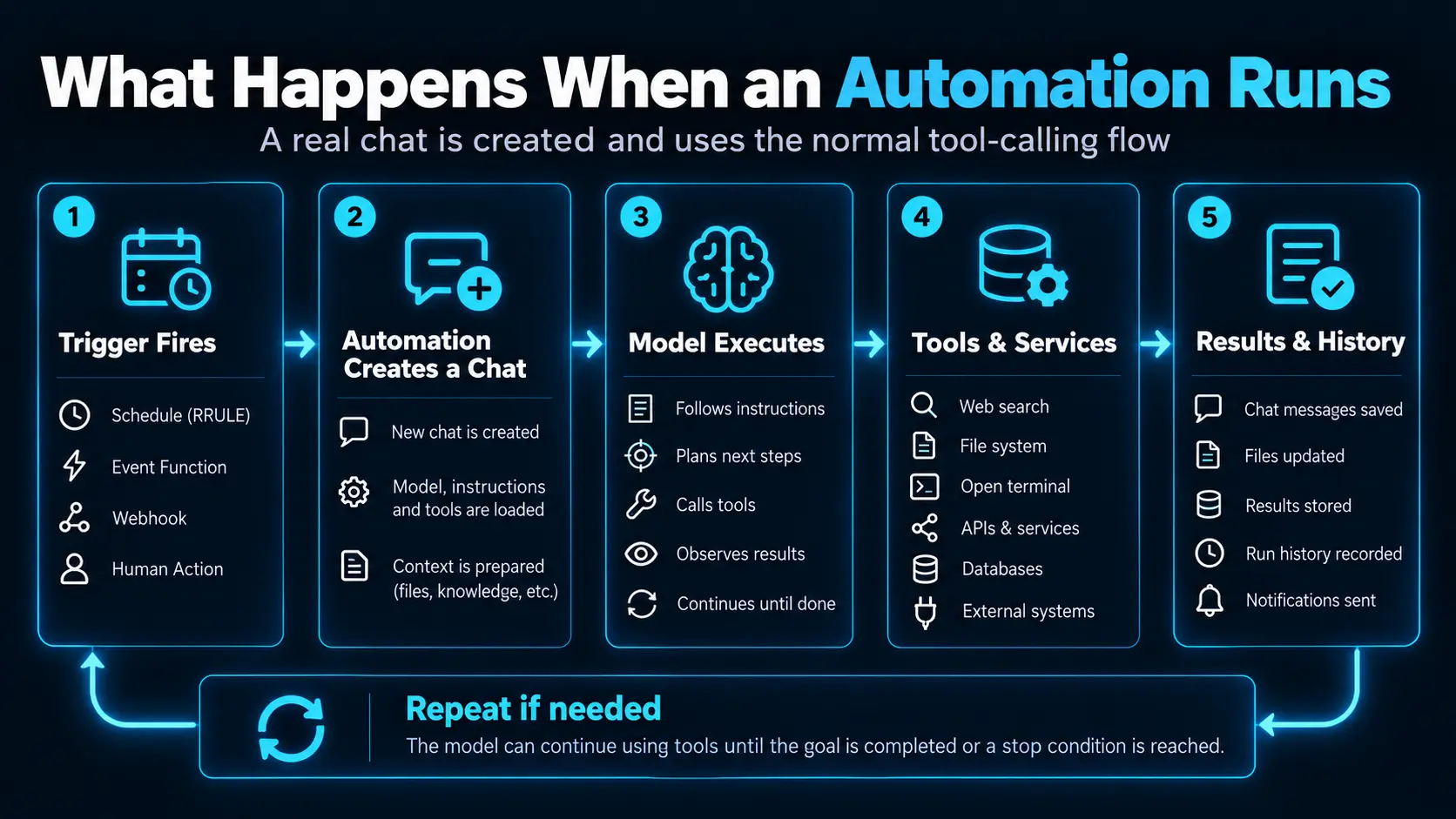
The scheduler marks a definition due, creates a run and associated chat, loads its model and context, permits the resolved capabilities to operate, then records success or failure. The retained chat is the audit trail: tool calls, sources, commands, errors and decisions remain inspectable.
A Folder is more than organisation. Its system prompt and Knowledge may become the recurring project context. Automation export is different: JSON export preserves definitions but not IDs, timestamps or past run history. Treat it as portability, not forensic backup.
06. Functions are orchestration building blocks
- Pipe
- Owns the request and can implement a complete deterministic workflow or agent.
- Filter
- Transforms, validates, redacts or observes traffic at shared policy boundaries.
- Action
- Adds a user-triggered button to a message.
- Event
- Runs server-side Python in response to selected system events.
 Enlarge illustration ↗
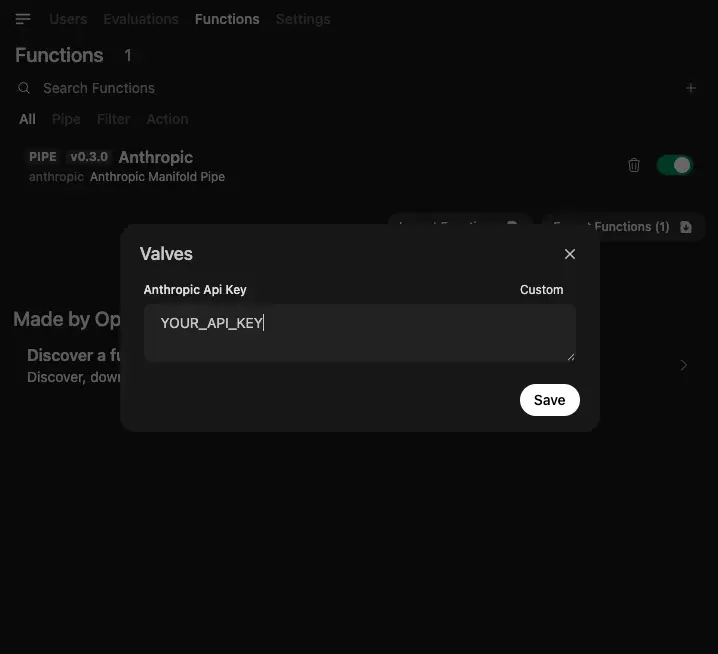
A Pipe is useful when the order and conditions belong in code rather than in an LLM’s discretion. Filters suit cross-cutting controls such as PII redaction, rate limits, prompt-injection checks and logging.
 Enlarge illustration ↗
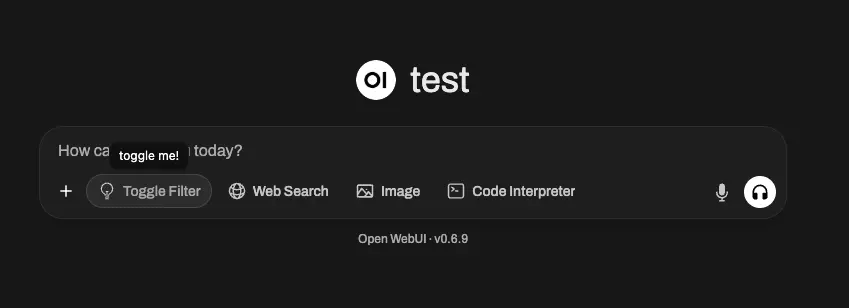
Use deterministic code for rules that must not depend on model interpretation. Reserve agentic judgment for genuinely ambiguous decisions.
07. Events and human-triggered Actions
 Enlarge illustration ↗
Event Functions can react to startup, signup, configuration, channel, calendar, automation, memory and terminal events. Filter aggressively so an event listener does not convert every platform event into expensive work.
class Event:
    async def event(self, event: dict,
                    __event_name__: str = None, **kwargs):
        if __event_name__ == "system.startup.completed":
            print("Open WebUI is ready")
Actions sit at a safer human boundary. They let a person validate a model’s result and deliberately choose when it crosses into an external system — for example, “Export to project system,” “Create ticket” or “Deploy.”
 Enlarge illustration ↗
Actions can request input or confirmation while the user is present, making them strong approval gates for publishing, sending, deployment and costly operations.
08. Webhooks and notifications
Direction matters. An outbound webhook tells another system that something happened; an inbound webhook lets another system trigger work or post a message. Channel webhook URLs contain a token and must be protected as credentials.
curl -X POST "https://webui.example/api/channels/webhooks/ID/TOKEN" \
  -H "Content-Type: application/json" \
  -d '{"content":"Build failed: unit tests did not pass."}'
Computer scheduled tasks can expose a secret webhook URL and use JSON payloads as execution context. This makes CI failure investigation possible, but it also gives possession of the URL operational authority.
Pair every useful recurring task with a delivery path. Notification targets can subscribe to completion or failure events, while a model with a notification Tool can apply a condition such as “notify only when a blocker appears.”
proactive assistant = recurring trigger
                    + useful work
                    + selective notification
09. Scheduled work inside a real Computer workspace
 Enlarge illustration ↗
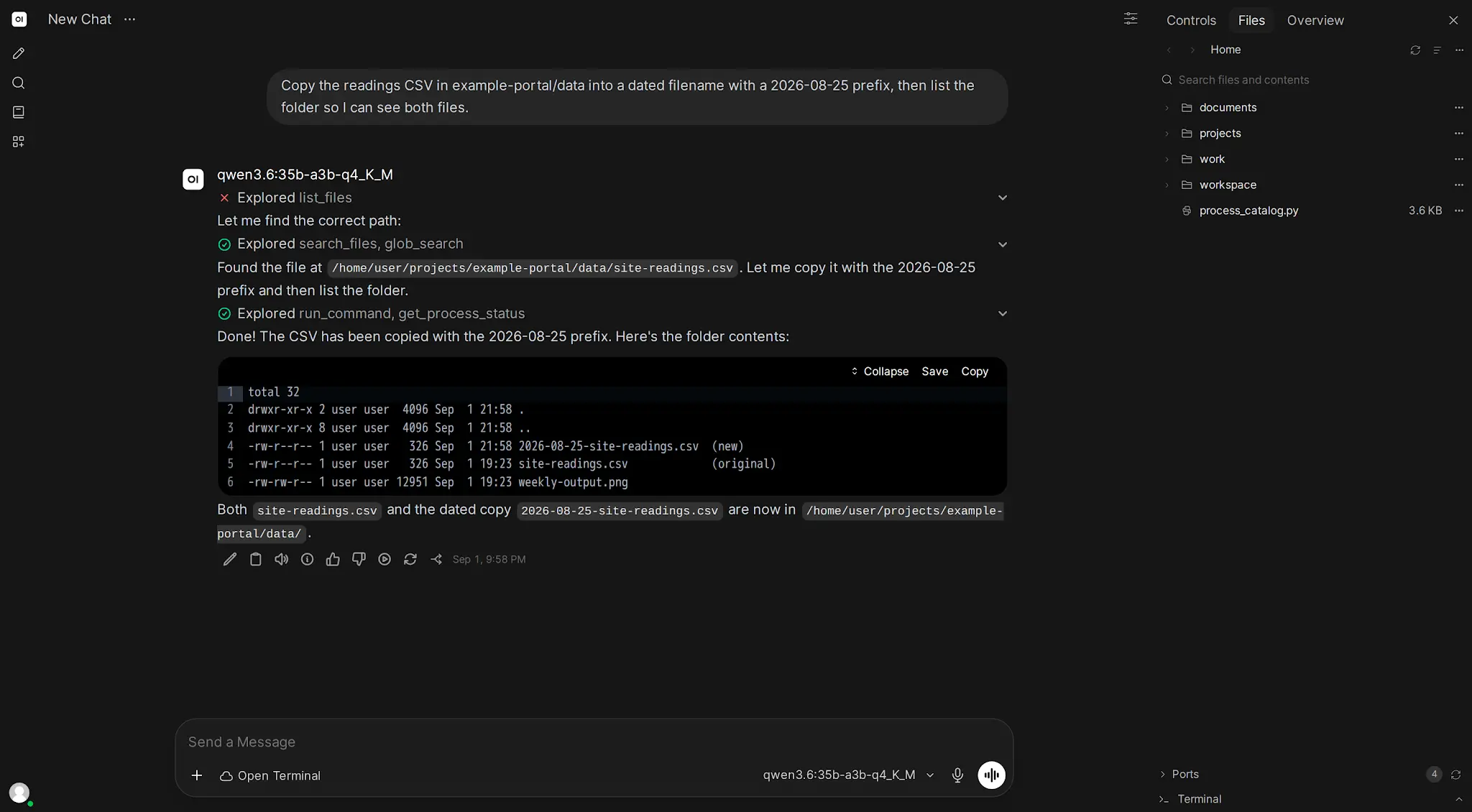
Open WebUI Computer adds scheduled and webhook-triggered tasks to a workspace with filesystem, terminal and Git. Every run becomes a chat with an activity log.
Name: Morning test check
Schedule: RRULE:FREQ=DAILY;BYHOUR=9;BYMINUTE=0

Run the test suite in this workspace.
Do not change any files.
If tests fail, report the failing test and error output.
“Do not change any files” is a real boundary, not decoration. The same task can run every morning and immediately after a CI webhook without duplicating its underlying instructions.
10. Unattended execution changes the safety model
At three in the morning nobody is present to press Allow. Bot messages, scheduled runs, webhook triggers and gateway requests may need full tool approval to function. Design the environment so every permitted operation is acceptable without a per-action confirmation.
- Use a dedicated workspace, not an entire home directory.
- Prefer read-only credentials for monitoring.
- Exclude destructive APIs unless the task truly needs them.
- State what the agent must and must not do.
- Test with Run Now and harmless destinations.
- Keep output, chats and logs easy to review.
Automate monitoring before remediation: detect, diagnose and notify first. Add self-healing only after the classification and fix have proved stable.
11. Reliability is part of the workflow
| Control | Design question |
|---|---|
| Idempotency | If the response is lost after success, can a retry safely recognise the previous operation? |
| Timeouts | How long may an external call hold the run open? |
| Backoff | Which temporary errors justify a small, bounded retry sequence? |
| Observability | Can an operator reconstruct when the run began, what it touched and how it ended? |
Use operation IDs, deduplication keys or pre-flight checks before repeatable side effects. Do not retry destructive work automatically unless you can prove the operation is idempotent.
12. Practical patterns
Daily project brief
Weekday schedule; approved project Knowledge; read-only ticket APIs; generated chat; notify only for moved deadlines, new blockers or missing owners.
CI failure investigator
CI posts a failure payload to a Computer webhook; the agent inspects repository and logs, reports probable cause and recommended next step, but does not auto-fix at first.
Weekly documentation freshness check
Compare documentation against repository and configuration; create a report containing only mismatches and links to supporting evidence.
Click-to-export
An Action validates model output, asks for confirmation and sends it to the project system. The human click remains the approval boundary.
13. Troubleshooting an automation
| Symptom | First checks |
|---|---|
| Never runs | Enabled state, owner permission, RRULE, timezone and minimum interval. |
| Tools are missing | Selected model, Workspace Model defaults and user access. |
| Terminal works in chat only | Automation context support and unattended approval behaviour. |
| Wrong result | Open the generated chat; inspect prompt, context, sources and tool calls. |
| Duplicate side effects | Retry path and idempotency key. |
| Webhook is silent | URL/token, routing, request log and payload format. |
14. Practical checkpoint
- Choose one repeated task and write its exact trigger.
- Define inputs, model, allowed capabilities and persistent output.
- Write a dry-run instruction that performs no side effects.
- Choose its timeout, retry policy and deduplication key.
- Name the evidence an operator will inspect after a failed run.
A workflow is ready for autonomy only when its success and failure are both observable.
15. Essential vocabulary
- Automation
- A repeatable workflow started by time, a person, a webhook or a system event.
- RRULE
- The iCalendar recurrence syntax used for advanced schedules.
- Action Function
- Code deliberately run through a user-interface control.
- Event Function
- Server-side code run automatically in response to a platform event.
- Idempotency
- The property that makes repeating an operation safe from duplicate effects.
- Backoff
- An increasing delay between bounded retries.
- Unattended run
- Execution with no user present to approve individual actions.
Source and further reading
This edition preserves the chapter's teaching sequence and examples. Screenshots reflect the source edition; controls may move between releases.
Open the original chapter ↗Automations ↗Functions ↗Pipelines (legacy) ↗Webhooks ↗Computer automation ↗