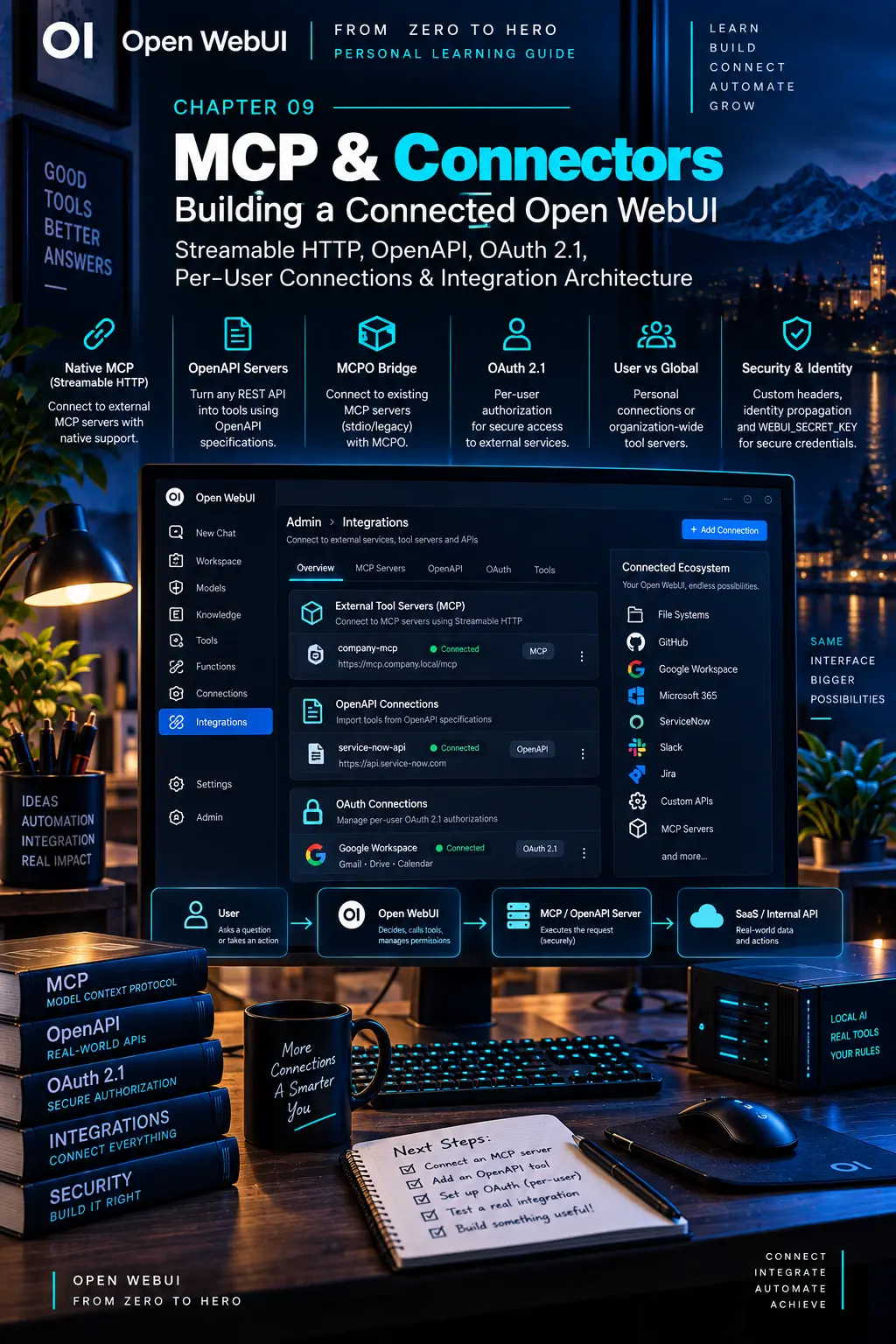
CHAPTER 09
MCP & Connectors
Connect services without losing control of what can happen.
On this page
Faithful English web edition · Original chapter, structure and illustrations from the learning guide.
LEARNING OBJECTIVES
Connect live systems without losing the trust boundary
By the end, you should be able to choose between MCP, OpenAPI and a Workspace Tool; identify where requests originate; design authentication and per-user identity; connect a small API; and explain which users may see, configure and execute each capability.
01. What a connector really is
Here, connector means any integration that lets Open WebUI read or act in another system. It may be a native feature, OpenAPI server, MCP server, MCPO proxy, Workspace Tool or an API you build.
RAG       → bring information into searchable context
Connector → reach the live system at request time
Uploading a ticket export into Knowledge is RAG. Asking ServiceNow for today’s open incidents is a live integration. Creating a new incident is an action.
Read versus act
A read-only connector can search documentation, list incidents or inspect metrics. A write connector can create, update, delete, send or execute. Treat any capability that changes the world like a privileged human account: minimum permissions, strong identity, explicit approval where appropriate and durable logs.
02. MCP from zero: Host, Client, Server and capabilities
 Enlarge illustration ↗
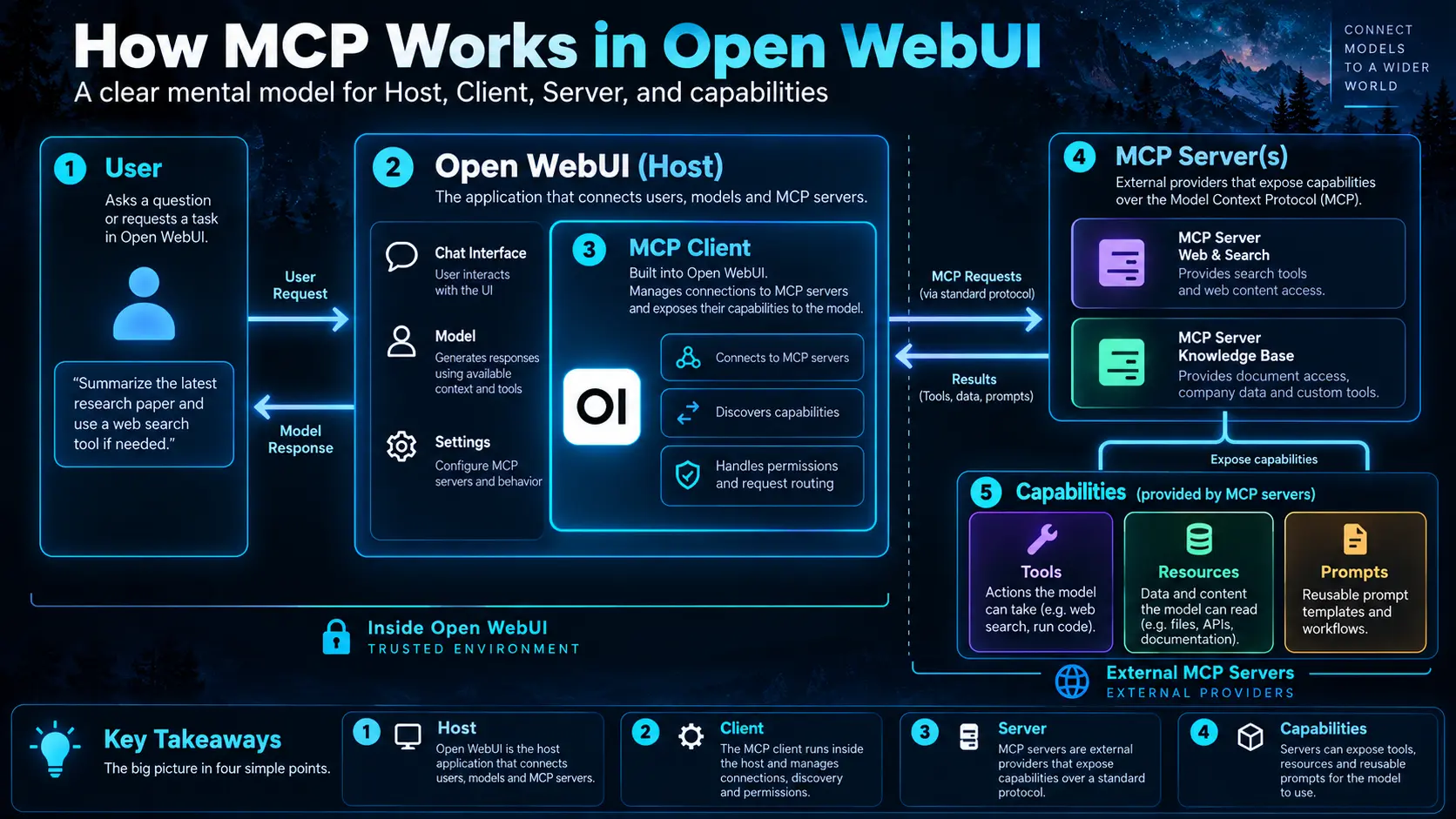
- Host
- The AI application. Open WebUI knows the user, chat, model and enabled integrations.
- Client
- The Host component that maintains the protocol relationship with one MCP Server.
- Server
- An external service that implements operations and decides what each request may do.
- Tool
- A verb the model can invoke, such as
search_tickets. - Resource
- Readable information, such as
ticket://INC123. - Prompt
- A reusable template exposed through the protocol.
The Server can run beside Open WebUI, in another container, on a private VM or as a vendor-hosted SaaS endpoint. A common protocol reduces bespoke integration, but does not remove the Server’s responsibility for authentication and authorisation.
03. MCP in Open WebUI
 Enlarge illustration ↗
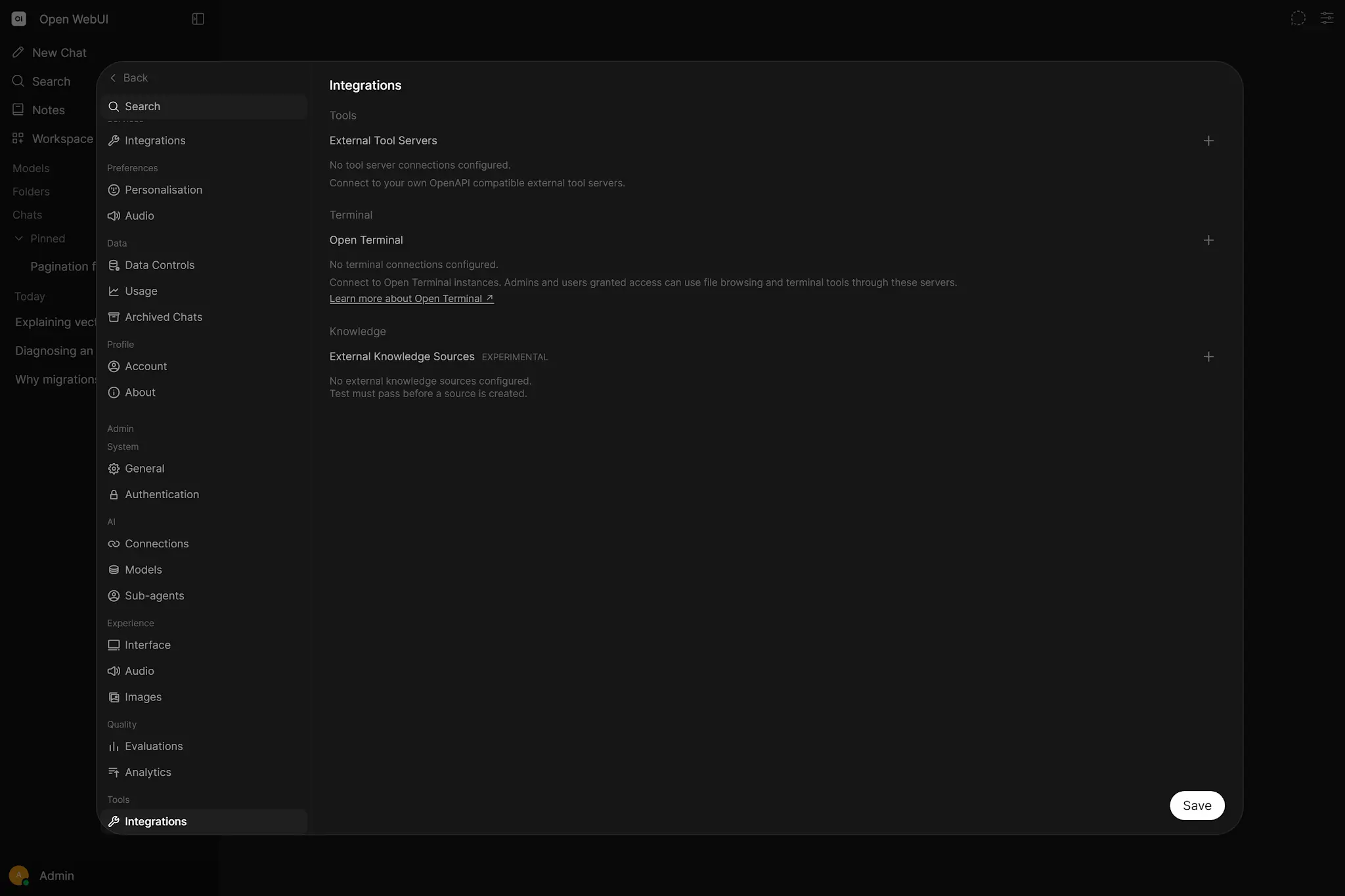
The native path uses Streamable HTTP. It does not launch stdio processes like a desktop application. A stdio-only or older server therefore needs an HTTP version or an adapter such as MCPO.
Why registration is admin-only
Administrators add native MCP Servers and then assign Access Control. Normal users cannot point the shared backend at arbitrary servers. This protects a powerful and potentially stateful boundary from becoming an unreviewed network and code-execution surface.
A fast-moving protocol
The MCP specification, transports and OAuth profile continue to evolve. When authorisation behaves unexpectedly, compare the exact Open WebUI release, Server version, discovery metadata and protocol assumptions instead of treating one screenshot as timeless.
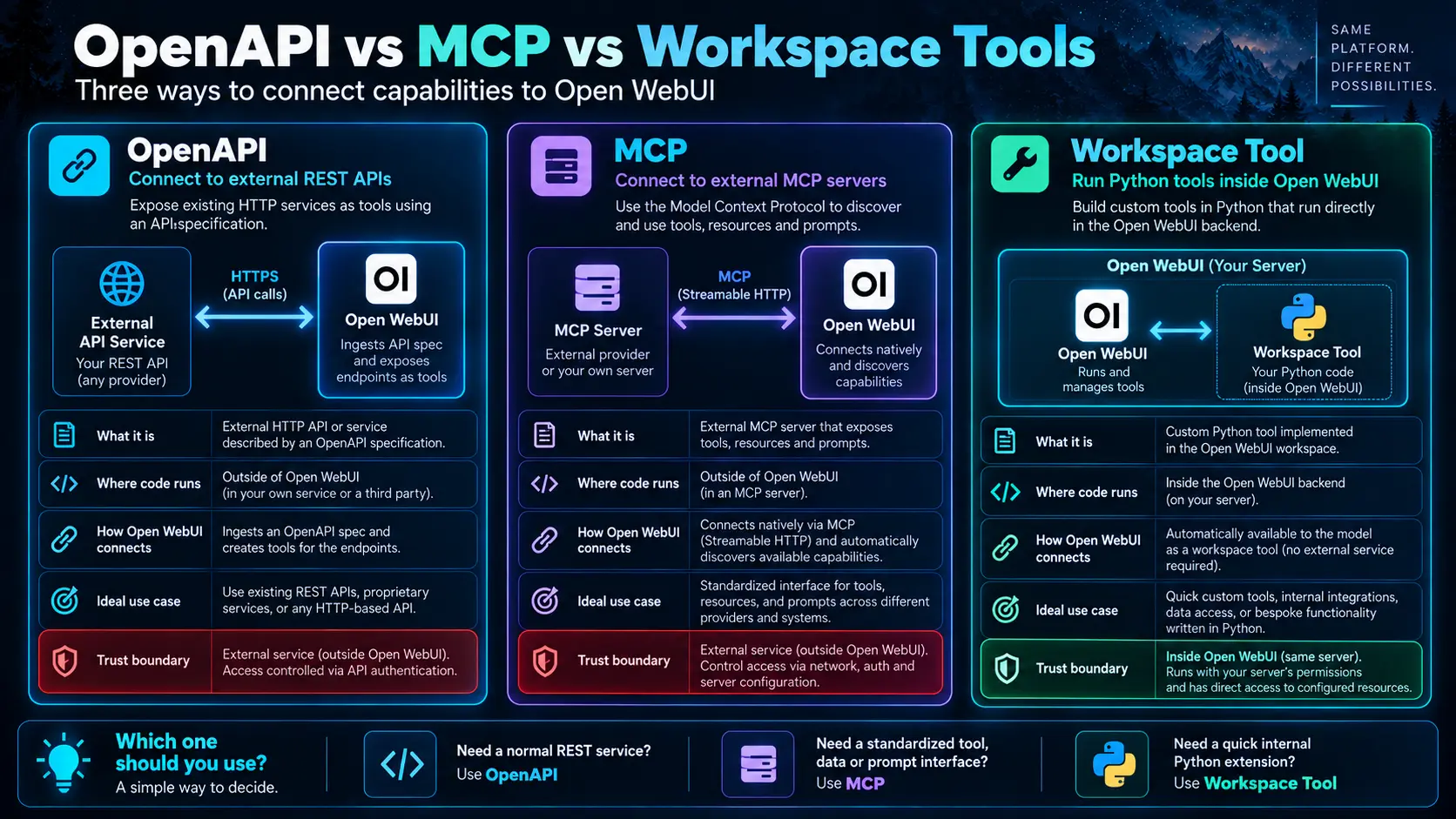
04. OpenAPI, MCP or Workspace Tools
 Enlarge illustration ↗
| Pattern | Choose it when |
|---|---|
| OpenAPI | An HTTP API already exists or enterprise gateways, tracing, JWT and quotas should remain authoritative. |
| MCP | The vendor already offers MCP or one AI-oriented Server should serve several Hosts. |
| Workspace Tool | Small, highly trusted logic needs deep access to the Open WebUI backend. |
| MCPO | An existing MCP Server exposes only stdio or an older transport. |
| Drive RAG integration | The goal is selecting documents for context, not manipulating live Drive state. |
05. User connections versus global connections
For OpenAPI, user and global connections differ not only in visibility but also in network origin.
User OpenAPI Server
A personal connection may call from the browser. It can reach a service on the user’s own localhost, but browser CORS and HTTPS mixed-content policy apply. Administrators must grant Direct Tool Servers. This path is OpenAPI-only; users cannot register arbitrary native MCP connections.
Global Server
A global connection is called by the Open WebUI backend. Here, localhost means the server or container running Open WebUI, not the user’s laptop.
Docker makes location explicit
browser localhost
≠ Open WebUI container localhost
≠ MCP/OpenAPI server localhost
Use a Compose service name, internal DNS, LAN address or host.docker.internal where supported. Test reachability from the component that will make the real request.
06. Authentication: None, Bearer and OAuth 2.1
- None
- No application token. Suitable only when a private network, proxy or another layer already enforces access.
- Bearer
- A shared API key or token sent in the Authorization header. If no token is required, choose None rather than an empty Bearer value.
- OAuth 2.1
- Delegated authorisation where each user grants scopes without giving Open WebUI their password.
- OAuth 2.1 (Static)
- Uses a pre-registered Client ID and Client Secret instead of dynamic client registration.
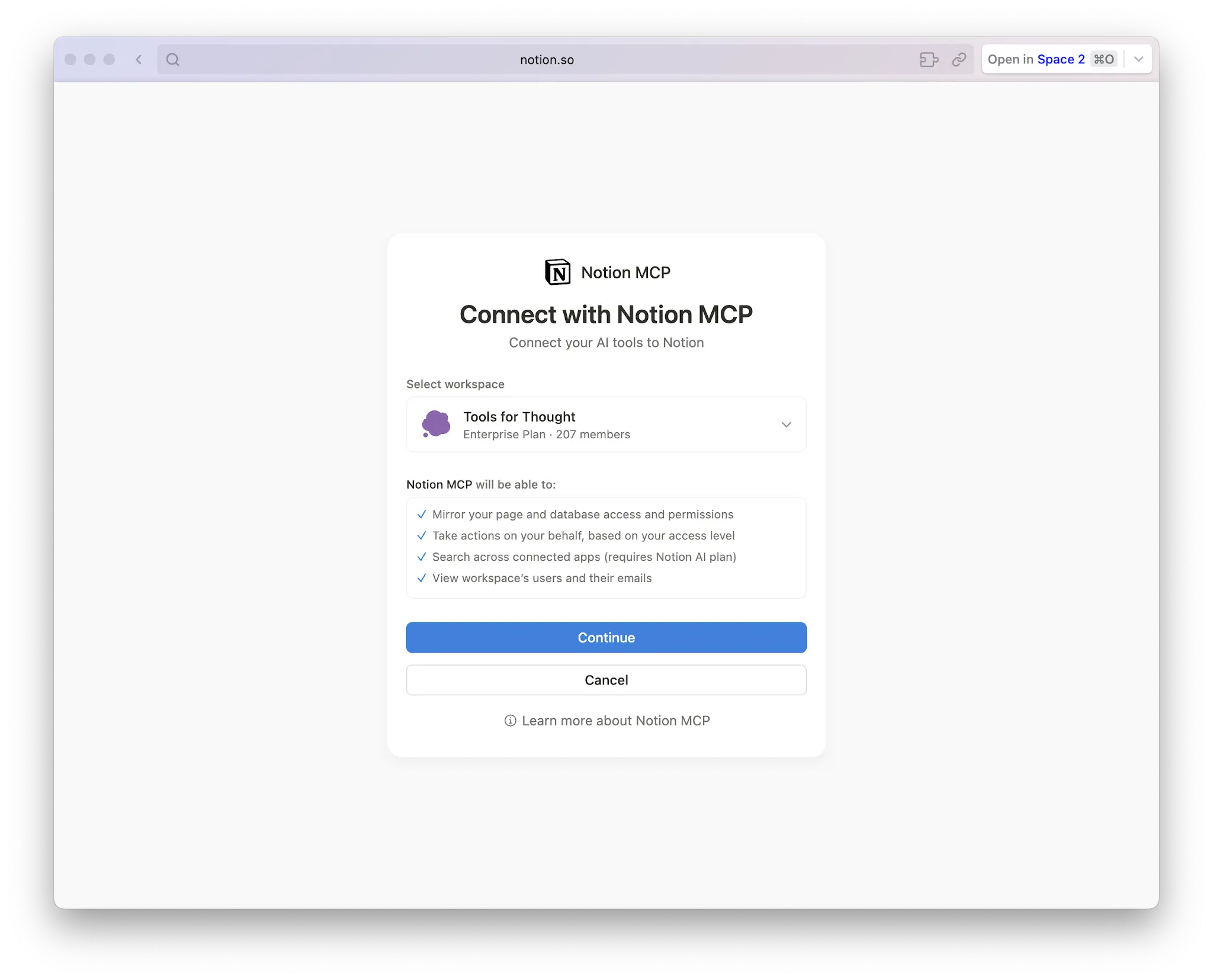 Enlarge illustration ↗
OAuth is not merely a longer API key. It models who is authorising, what the client may do and how that permission expires or is revoked.
07. Per-user OAuth and persistent secrets
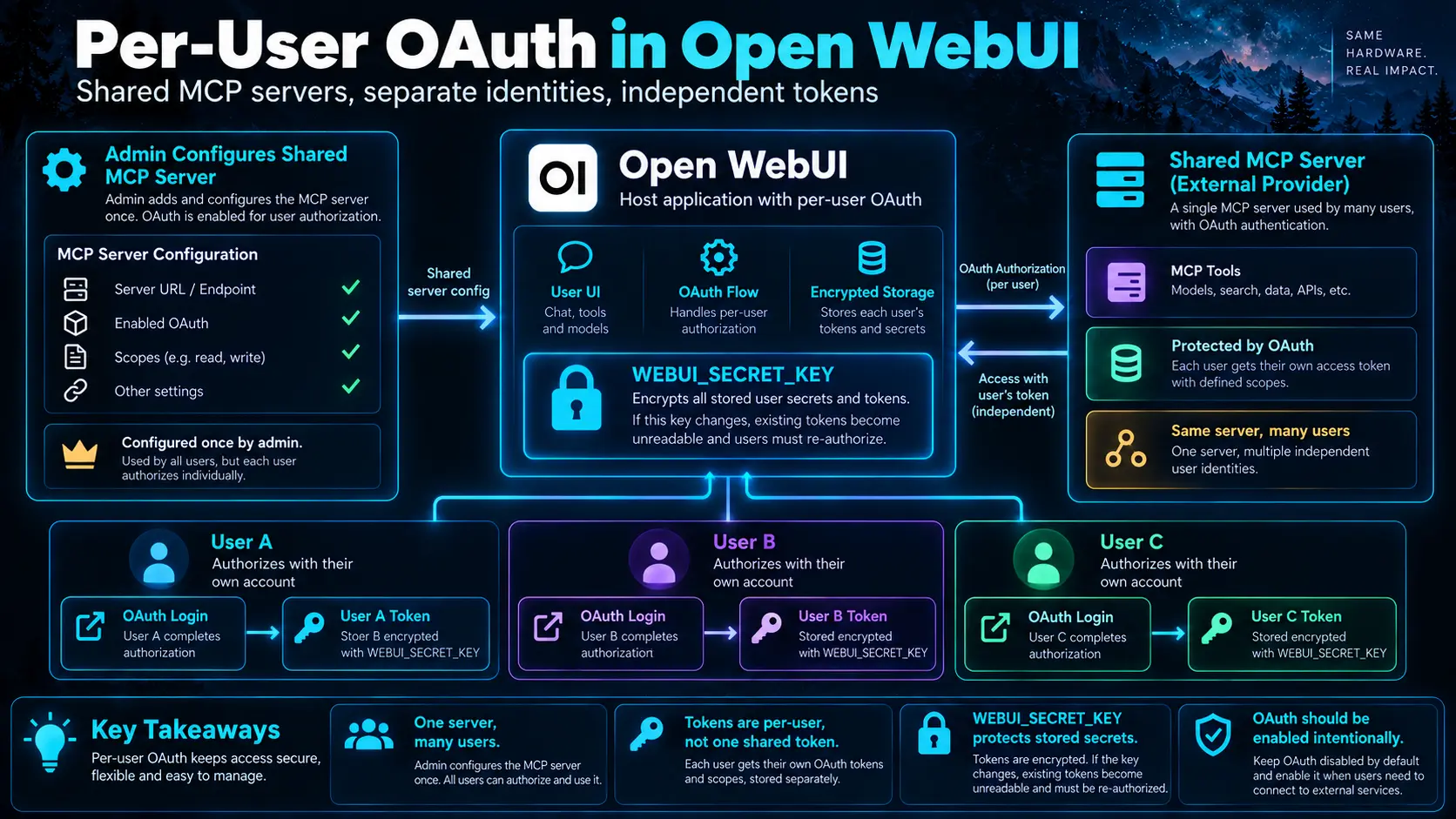 Enlarge illustration ↗
An administrator can register one MCP Server while each user authorises an independent SaaS account. One person’s grant does not automatically become another’s.
WEBUI_SECRET_KEY is data architecture
Open WebUI derives encryption for stored OAuth material from this secret. If it changes when the container is recreated, stored tokens may become unreadable. Backing up the database without retaining the encryption secret may not restore working integrations.
WEBUI_URL must be canonical
OAuth callbacks depend on the browser origin and state. Start and finish authorisation from the same canonical URL configured for the instance, rather than beginning on localhost and returning to another domain.
Do not pre-enable interactive OAuth invisibly
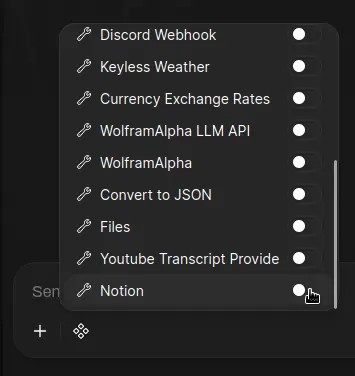
A first-time grant requires the user’s browser redirect and consent. Let the user enable the Tool and complete OAuth before the model attempts a call; do not hide it as a default capability that fails midway through a response.
08. Identity propagation and access control
Custom headers can carry server-substituted context to an internal API:
{
  "X-OpenWebUI-User-ID": "{{USER_ID}}",
  "X-OpenWebUI-Email": "{{USER_EMAIL}}",
  "X-OpenWebUI-Role": "{{USER_ROLE}}",
  "X-OpenWebUI-Groups": "{{USER_GROUPS}}",
  "X-OpenWebUI-Chat-ID": "{{CHAT_ID}}"
}
This enables one service to authorise and audit requests per person. The receiving service must accept those headers only from an authenticated proxy/network path or verify identity cryptographically. A header called “User” is not trustworthy merely because of its name.
Use Access Control and a Function Name Filter List to expose only the necessary Tools. Fewer Tools reduce both risk and model confusion.
09. MCPO: bridge stdio MCP into HTTP
Desktop-oriented MCP Servers often communicate through stdin/stdout because the Host launches a local process. Open WebUI is a multi-user web application, so MCPO can launch that process and publish an OpenAPI/HTTP surface.
# Expose a stdio time server through HTTP
uvx mcpo --port 8000 -- \
  uvx mcp-server-time --local-timezone=Europe/London
Inspect the generated /docs first, then connect the appropriate route. Protect a proxy listening on 0.0.0.0 with an API key, firewall, private Docker network, VPN or reverse proxy. Otherwise a private local action can silently become a LAN-wide API.
10. Build a small OpenAPI connector
FastAPI generates an OpenAPI contract automatically, making a read-only support service a useful first connector.
from fastapi import FastAPI
from pydantic import BaseModel, Field

app = FastAPI(title="Internal Support Tools", version="1.0.0")

class SearchRequest(BaseModel):
    query: str = Field(description="Text to search in support tickets")

@app.get("/health", operation_id="health_check")
def health_check():
    return {"status": "ok"}

@app.post("/tickets/search", operation_id="search_tickets")
def search_tickets(body: SearchRequest):
    return {
        "query": body.query,
        "tickets": [
            {"id": "DEMO-001", "title": "Example result", "status": "open"}
        ],
    }
uvicorn main:app --host 0.0.0.0 --port 8000Test /docs manually before adding an LLM. Then add authentication, server-side validation, separate write operations, small structured responses, timeouts, useful HTTP errors and audit logs.
11. Real integration patterns
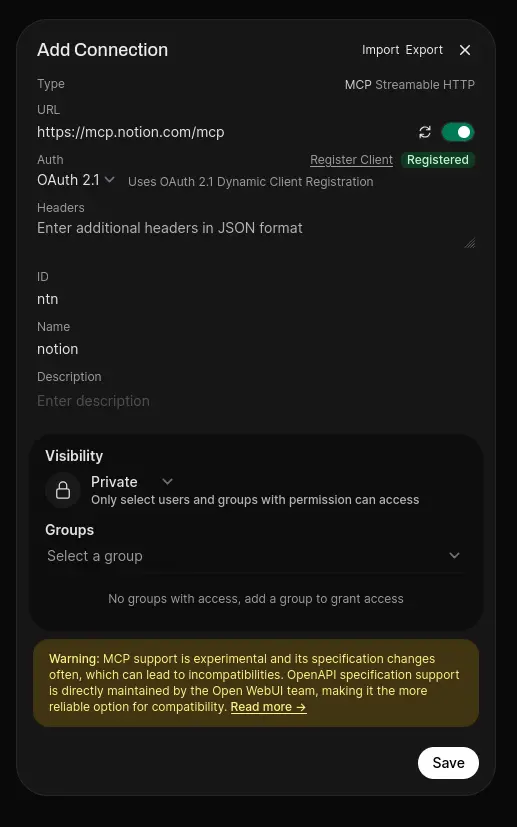
Notion through native MCP
 Enlarge illustration ↗
 Enlarge illustration ↗
The durable pattern is more important than Notion itself: one globally reviewed Server, per-user provider grants and explicit Tool activation.
Drive
Use document selection and RAG when the goal is to ask questions about files. Use a live connector when the assistant must create, move or update Drive content.
GitHub, Gmail and business systems
GitHub may use MCP, an OpenAPI wrapper or a narrow Tool depending on read/write needs and identity. Gmail requires an actual Google API integration with scoped OAuth; reading, drafting and sending are different permissions. ServiceNow, Jira and internal APIs often fit OpenAPI because existing gateways and service accounts remain authoritative.
Databases
Do not give the model a general production SQL credential. Expose parameterised operations or read-only views such as get_customer_orders(customer_id).
12. Security architecture and least privilege
User → Open WebUI access → connector identity
→ external service permissions → data or action- Separate connection administration from Tool use.
- Start read-only and prove identity, network, schemas and logs.
- Prefer per-user grants over one giant shared token.
- Treat every model-generated argument as untrusted input.
- Filter sensitive fields before a response enters model context.
- Keep create/update/delete/send behind narrower operations and approval.
Once a secret, private note or PII enters the prompt, an important boundary has already been crossed. Minimise data at the service response, not in a sentence asking the model to ignore it.
13. Troubleshooting connections
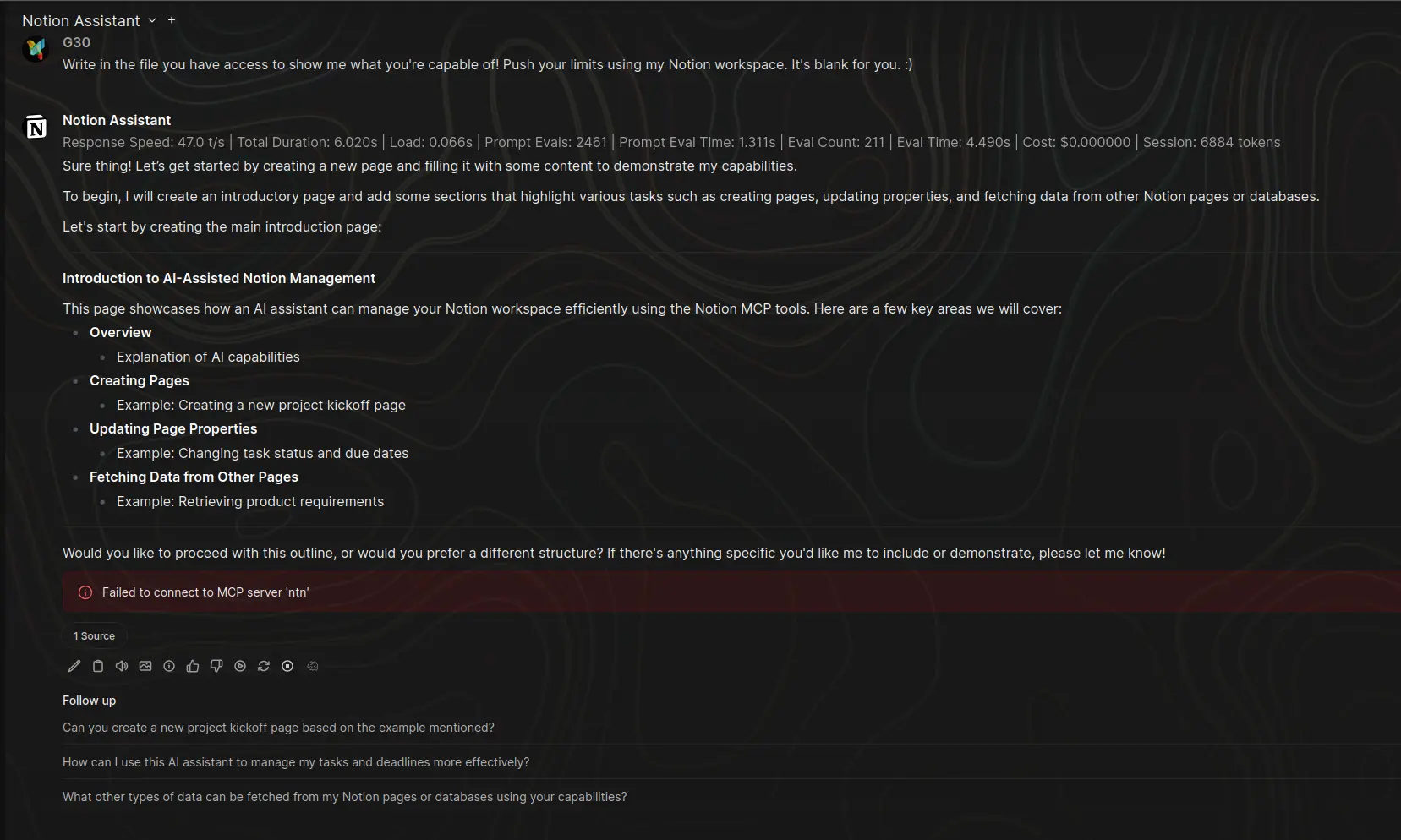 Enlarge illustration ↗
| Symptom | Diagnosis |
|---|---|
| Failed to connect to MCP Server | Test URL from the backend; verify MCP type, auth, OAuth discovery/scopes and initialisation timeout. |
| Infinite loading | Disable the connection and confirm MCP configuration was not pasted into an OpenAPI entry. |
| Connection works; model ignores Tool | Use one simple Tool in a new chat with a reliable native tool-calling model. |
| Personal OpenAPI works in curl only | Inspect browser CORS, HTTPS mixed content and origin policy. |
| Global Tool cannot reach localhost | Use a hostname reachable from the Open WebUI container. |
| OAuth broke after container update | Check whether WEBUI_SECRET_KEY changed and reauthorise if needed. |
14. Design a connected Open WebUI
Begin with a workflow, not a catalogue of Servers. A Business Analyst assistant might combine approved process Knowledge, read-only ticket status, current project metadata and an optional document source. A coding assistant might combine repository browsing, an isolated terminal, architecture Knowledge and read-only CI logs.
- Connect one read-only capability.
- Verify it manually without a model.
- Test one Tool with a simple chat.
- Add per-user identity or resource access control.
- Add logs, timeouts and explicit errors.
- Introduce narrow writes only after read behaviour is reliable.
- Evaluate realistic multi-Tool tasks.
Three reliable connectors with clear ownership beat twenty ungoverned ones.
PRACTICAL CHECKPOINT
Can you name the protocol, network origin, identity and permission?
- When should an existing REST API use OpenAPI rather than MCP?
- Why does a personal connection see a different localhost than a global one?
- What problem does MCPO solve?
- Why does OAuth depend on a persistent
WEBUI_SECRET_KEY? - How would an internal API receive the current user safely?
Check your answers
OpenAPI preserves a conventional HTTP contract. Personal calls may originate in the browser while global calls originate in the backend/container. MCPO adapts stdio MCP to HTTP. The secret encrypts persistent OAuth material. Identity headers must arrive through a trusted authenticated boundary and still be authorised server-side.
15. Essential vocabulary
- Connector
- An integration between Open WebUI and an external system.
- MCP Host / Client / Server
- The AI application, its protocol component and the external capability service.
- Streamable HTTP
- The transport used by native MCP in Open WebUI.
- OAuth scope
- A bounded permission requested from the provider.
- Access token
- A short-lived credential used to call a service for the user.
- Refresh token
- A credential that obtains new access tokens.
- CORS
- Browser policy governing requests across origins.
- Operation ID
- A stable identifier for an OpenAPI operation exposed as a Tool.
- Least privilege
- Grant only the capabilities needed for the task.
Source and further reading
This edition preserves the chapter's teaching sequence and examples. Screenshots reflect the source edition; controls may move between releases.
Open the original chapter ↗MCP ↗OpenAPI Tool Servers ↗MCPO ↗Notion MCP ↗