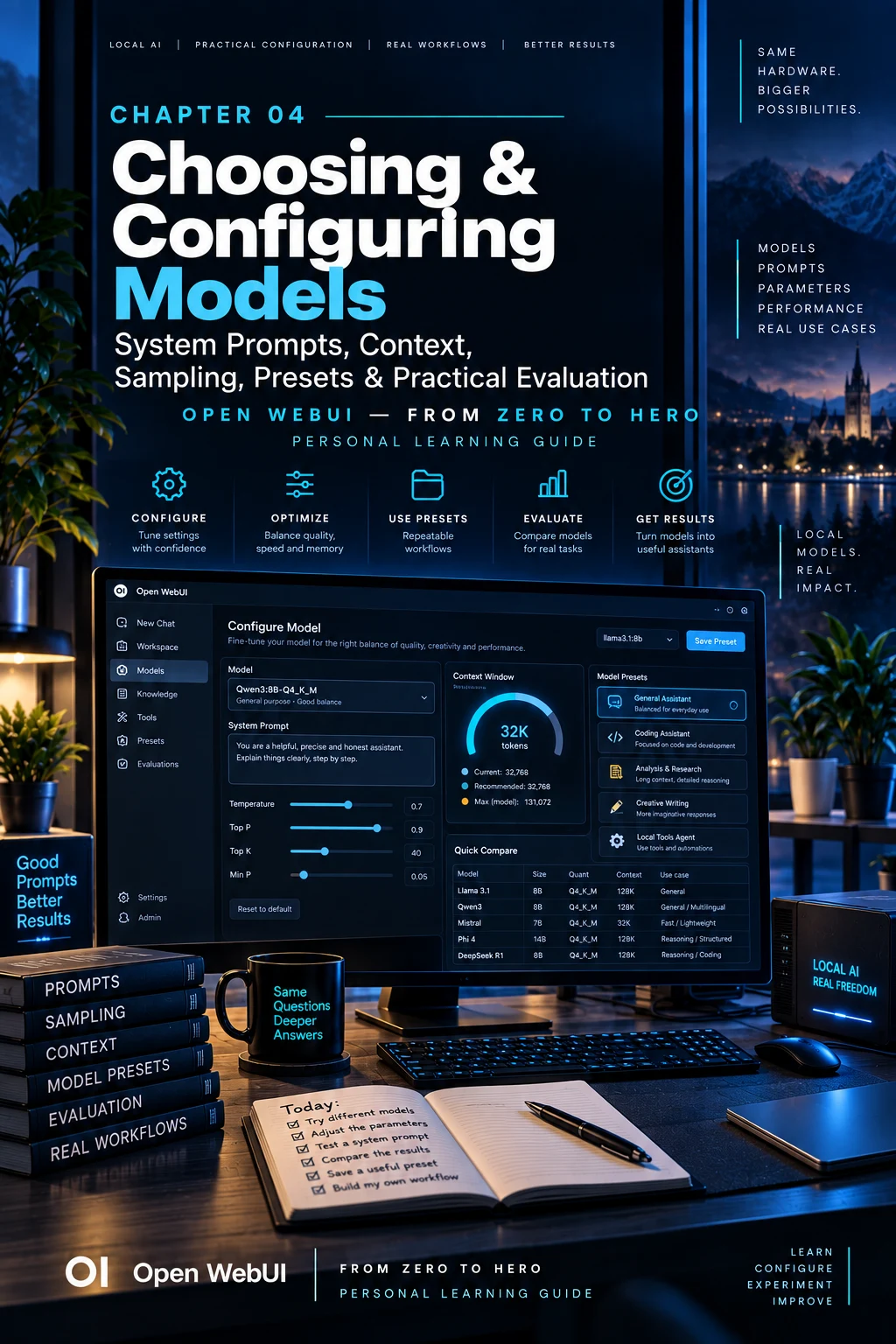
CHAPTER 04
Choosing & Configuring Models
Turn a capable model into an assistant with a clear role.
On this page
Faithful English web edition · Original chapter, structure and illustrations from the learning guide.
LEARNING OBJECTIVES
Configure from a task and prove the result
By the end, you should be able to choose a model for a defined job, locate the setting that controls a behaviour, budget context, use sampling deliberately, write testable instructions and preserve the winning configuration as a Workspace Model.
01. Choose for the task, not the reputation
The most common selection error is downloading the model with the loudest reputation. A useful choice begins with the work.
- General chat
- Conversation, explanation, brainstorming and mixed tasks.
- Coding
- Generation, review, debugging, tests and repository understanding.
- Reasoning
- Problems requiring deliberate multi-step analysis.
- Tool calling
- Agents that must invoke functions, MCP, web or APIs reliably.
- Vision
- Screenshots, photographs, diagrams and scanned documents.
- Embeddings
- Vectors for RAG; not a chat model.
- Task model
- Small background jobs such as titles, tags and query rewriting.
A benchmark winner can still be the wrong product if it is too slow, does not support your language, fails tool calls or exceeds the hardware budget.
02. Five questions before downloading a model
- What exact job must it perform? Write two or three representative prompts.
- Which capabilities are non-negotiable? Tool calling, vision, long context, language and licence are functional requirements.
- What will it cost locally? Estimate weights, context and headroom, then verify with the runtime.
- How quickly must it respond? Interactive coding and overnight batch analysis tolerate different latency.
- How will success be measured? Decide what a correct, useful output looks like before seeing it.
This converts model selection from browsing into a small engineering decision.
03. Where configuration lives
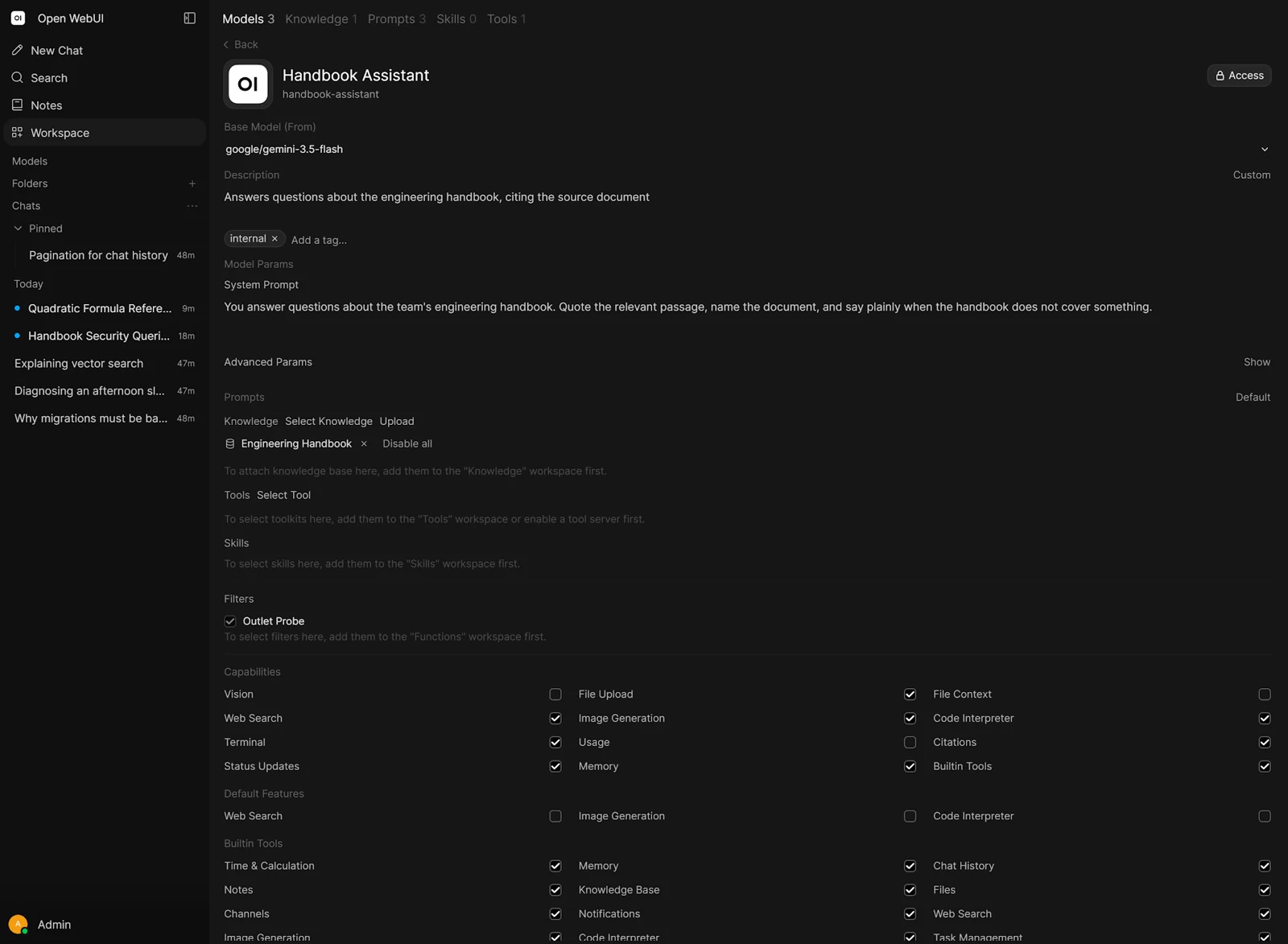
A surprising output often comes from changing the right setting at the wrong level.
 Enlarge illustration ↗
| Layer | Use it for | Scope |
|---|---|---|
| Global Model Defaults | A shared baseline when nothing more specific is set. | Instance |
| Workspace Model | Reusable instructions, parameters, Knowledge, Tools and Skills. | One configured assistant |
| Account | Personal preferences and compatible instructions. | One user |
| Chat Controls | A deliberate experiment or temporary override. | Current conversation |
For advanced parameters, a more specific value usually wins:
per-chat → per-account → per-model → global default → provider defaultSystem-prompt precedence can differ: an administrator-authored Workspace Model prompt remains authoritative over personal instructions. Avoid changing the same parameter at four layers; you cannot reproduce a result if you do not know which value was used.
04. Context length: the model's working table
Context contains the system prompt, conversation history, current request, tool schemas and results, retrieved passages and output. A large document library may exist on disk, but only the material placed in this request is on the model's desk.
Maximum support versus allocated context
A model may support 128K while the runtime allocates 4K or 8K. The advertised maximum is not free capacity, and reserving more increases KV-cache memory and prompt-processing work.
Ollama and num_ctx
Open WebUI can send num_ctx as an advanced parameter, overriding the server's context setting. Be especially careful with an interface default such as 2048: it can silently truncate long prompts and leave too little room for tool schemas.
For short chats, 4K–8K may be enough. Documentation work may need 16K–32K. Agents, web search and coding tools often benefit from more, but a 12 GB GPU must balance context against model size and offload.
Begin with the smallest context that supports the task. Measure, then increase.
05. Sampling: how the next token is chosen
Sampling parameters do not make the model know more. They alter which candidates are allowed to become the next token.
- Temperature
- Low values concentrate on likely choices; high values allow more variety and more risk.
- top_k
- Only the K most likely tokens remain candidates.
- top_p
- Candidates are accumulated until they cover the requested probability mass.
- min_p
- Very weak candidates are removed relative to the strongest candidate.
- repeat penalty
- Discourages loops but can damage valid repeated names, code and terminology.
- seed
- Helps controlled comparison when other conditions are equivalent.
Leave model defaults in place at first. If output is too variable, test a lower temperature while keeping everything else constant. If you change temperature, top_p and top_k together, you learn nothing about the cause.
06. System prompts that help
A system prompt defines durable role, process, constraints and output expectations. It is not a password or deterministic program.
Vague
You are the best AI assistant in the world.
Be smart, perfect and helpful.
There is no observable behaviour to evaluate.
Operational
You are a software-development tutor.
Teach the concept before presenting the final solution.

When code is requested:
1. Explain the approach briefly.
2. Provide a complete, commented example.
3. Explain key decisions and common mistakes.

Do not invent library APIs.
If uncertain, state what must be verified.
Now we can test whether the explanation came first, whether code was complete and whether uncertainty was handled honestly.
System prompt versus user prompt
Put stable behaviour in the system prompt and the current task in the user message. If every chat begins with the same thirty lines, those lines likely belong in a preset or Skill.
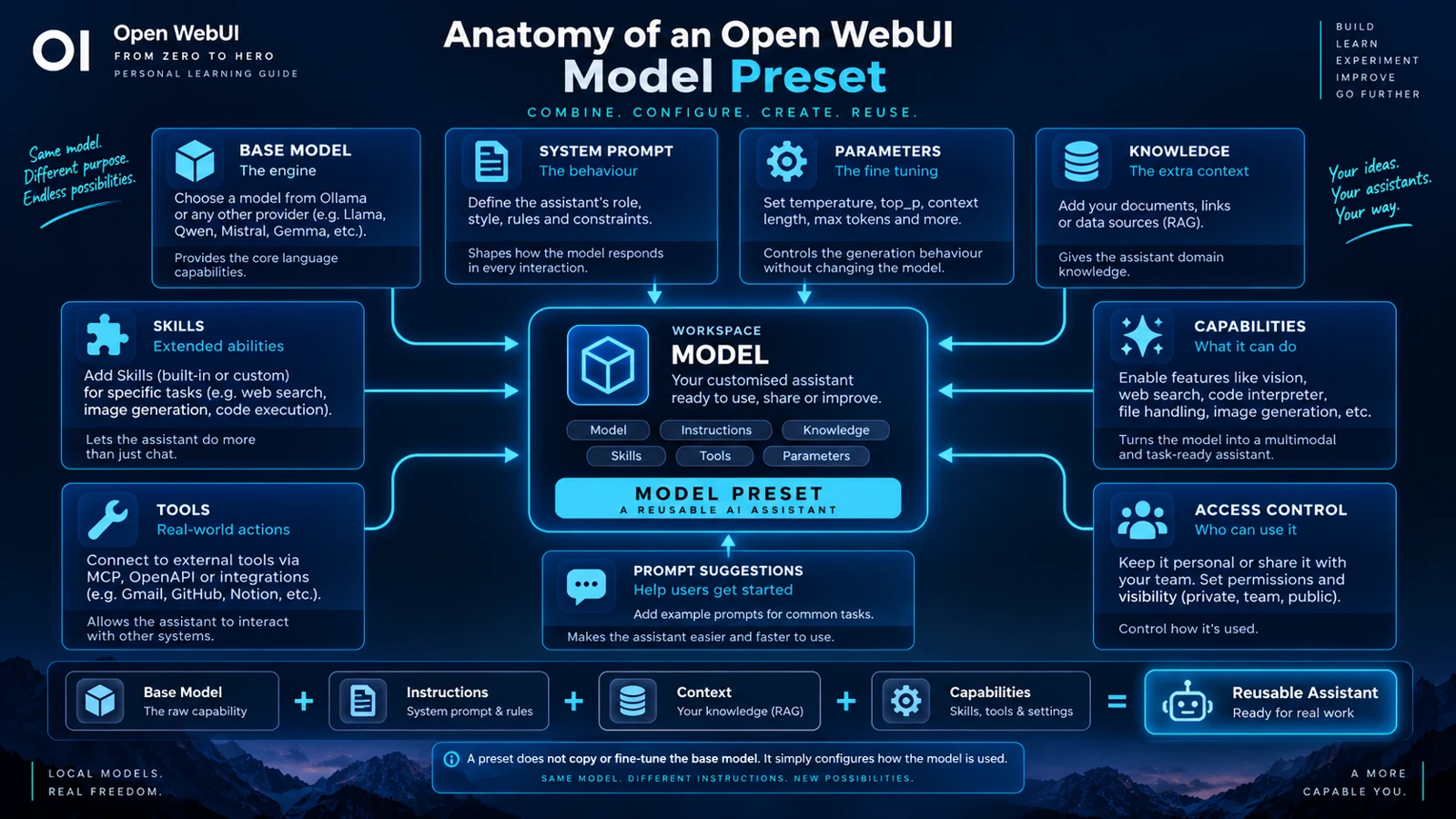
07. Workspace Models: reusable assistants
 Enlarge illustration ↗
A preset can include a name, ID, description, tags, base model, system prompt, parameters, Knowledge, Tools, Skills, capabilities, access rules and prompt suggestions.
Example: Code Reviewer
The base is a local coder model. The system prompt defines review behaviour. A Skill contains the security and architecture checklist. Knowledge contains internal standards. A repository Tool supplies approved code access. The picker shows the assembled experience as “Code Reviewer”.
The user still needs access to the base model and to connected resources. Updating that base may change every preset that depends on it, so regression tests matter.
Prompt suggestions are interface design
Good opening suggestions teach what the assistant is for: “Review this function”, “Find security issues” and “Suggest missing tests” are better than generic greetings.
08. Task Models: do not use a cannon for a title
Chat titles, tags, follow-up suggestions, autocomplete, query rewriting and context compaction can trigger background inference. By default these jobs may use the main conversation model.
A small, fast, non-reasoning Task Model reduces latency and resource contention. On modest hardware, autocomplete can fire on every keystroke and make the whole interface feel slow even when the chat model itself is acceptable.
The task model does not replace the main assistant. It handles small interface work that does not need the most expensive model.
09. Practical starting profiles for 12 GB of VRAM
| Profile | Model and context | Configuration emphasis |
|---|---|---|
| Daily Assistant | Modern 7B–9B Q4/Q5; begin around 8K. | Short prompt, defaults first, fast interaction. |
| Coding Assistant | A coder that remains mostly or fully on GPU; test 16K. | Controlled sampling, tests, no invented APIs. |
| RAG Assistant | Strong instruction following; 8K–16K as a baseline. | Low variation, citations and explicit “not in source” behaviour. |
| Tool Agent | Reliable native tool calling; size may be smaller. | More room for schemas and results, strict tool scope. |
Agentic work may favour a smaller model with more context over a larger model that offloads heavily to CPU.
10. Compare models without fooling yourself
One impressive answer is not an evaluation. Create a personal benchmark of 8–15 prompts drawn from real work.
- Explain a technical concept to a junior developer.
- Fix a small real bug and write tests.
- Extract facts from a document without inventing.
- Produce exact JSON.
- Call a Tool with valid arguments.
- Follow instructions across several turns.
- Respond in the required language and detail.
Keep prompts, files, context and comparable parameters fixed. Measure correctness, instruction following, code quality, tool behaviour, time to first token, generation speed, VRAM and error frequency.
Open WebUI's evaluation and arena features help compare outputs, but your personal benchmark represents the work that generic scores cannot know.
11. Diagnose poor results before tuning
| Symptom | Inspect first |
|---|---|
| Ignores rules | Prompt layer, conflicts and the model's instruction-following ability. |
| Forgets earlier turns | num_ctx, truncation and compaction. |
| Invents facts | Missing evidence and RAG retrieval before lowering temperature. |
| Repeats or loops | Conversation length, model/template fit and repeat penalty. |
| Tool calls fail | Native tool support, Function Calling mode and enough context for schemas. |
| Very slow | ollama ps, CPU offload, context size and competing Task Models. |
A slider cannot recover evidence that never reached the model, and a longer prompt cannot fix a model that follows instructions poorly.
12. A workflow that scales
- Define one task and three success criteria.
- Choose two or three candidates that satisfy capability and hardware constraints.
- Test each with defaults.
- Inspect VRAM, context and offload with
ollama ps. - Write the smallest system prompt containing stable rules.
- Change one parameter only in response to an observed failure.
- Run the benchmark and record results.
- Save the winning setup as a Workspace Model.
- Add Knowledge, Skills and Tools one layer at a time.
- Repeat the benchmark after any important change.
You are not merely trying models. You are designing, measuring and preserving a configuration you understand.
PRACTICAL CHECKPOINT
Can you defend every setting?
- Which five questions should be answered before downloading a model?
- Which layer currently owns
num_ctx? - Why can more context reduce performance?
- What makes an instruction testable?
- Why should a Task Model be small and fast?
- How will your benchmark distinguish the model from the configuration?
13. Essential vocabulary
- System prompt
- High-level instructions defining stable behaviour.
- Sampling
- The selection of a next token from model probabilities.
- num_ctx
- The context requested from the runtime for an inference.
- Workspace Model
- A reusable configuration over a base model.
- Task Model
- A small model used for background interface work.
- Personal benchmark
- A fixed test set representing your real use cases.
Source and further reading
This edition preserves the chapter's teaching sequence and examples. Screenshots reflect the source edition; controls may move between releases.
Open the original chapter ↗Workspace Models ↗Ollama Modelfile ↗