CHAPTER 17
Building Our Open WebUI Platform
Assemble the system from deliberate, observable parts.
On this page
Faithful English web edition · Original chapter, structure and illustrations from the learning guide.
LEARNING OBJECTIVES
Assemble a platform from clear responsibilities
This chapter turns the previous building blocks into one architecture: a model portfolio, curated assistants, governed Knowledge, bounded Tools, coding workspaces, Automations, APIs, security and operating discipline.
01. From installation to platform
An installation answers “can I chat with a model?” A platform also answers which model is appropriate, which sources are authoritative, which actions are allowed, how identity flows, where evidence is kept, what happens when a service fails and who owns the decision to expand capability.
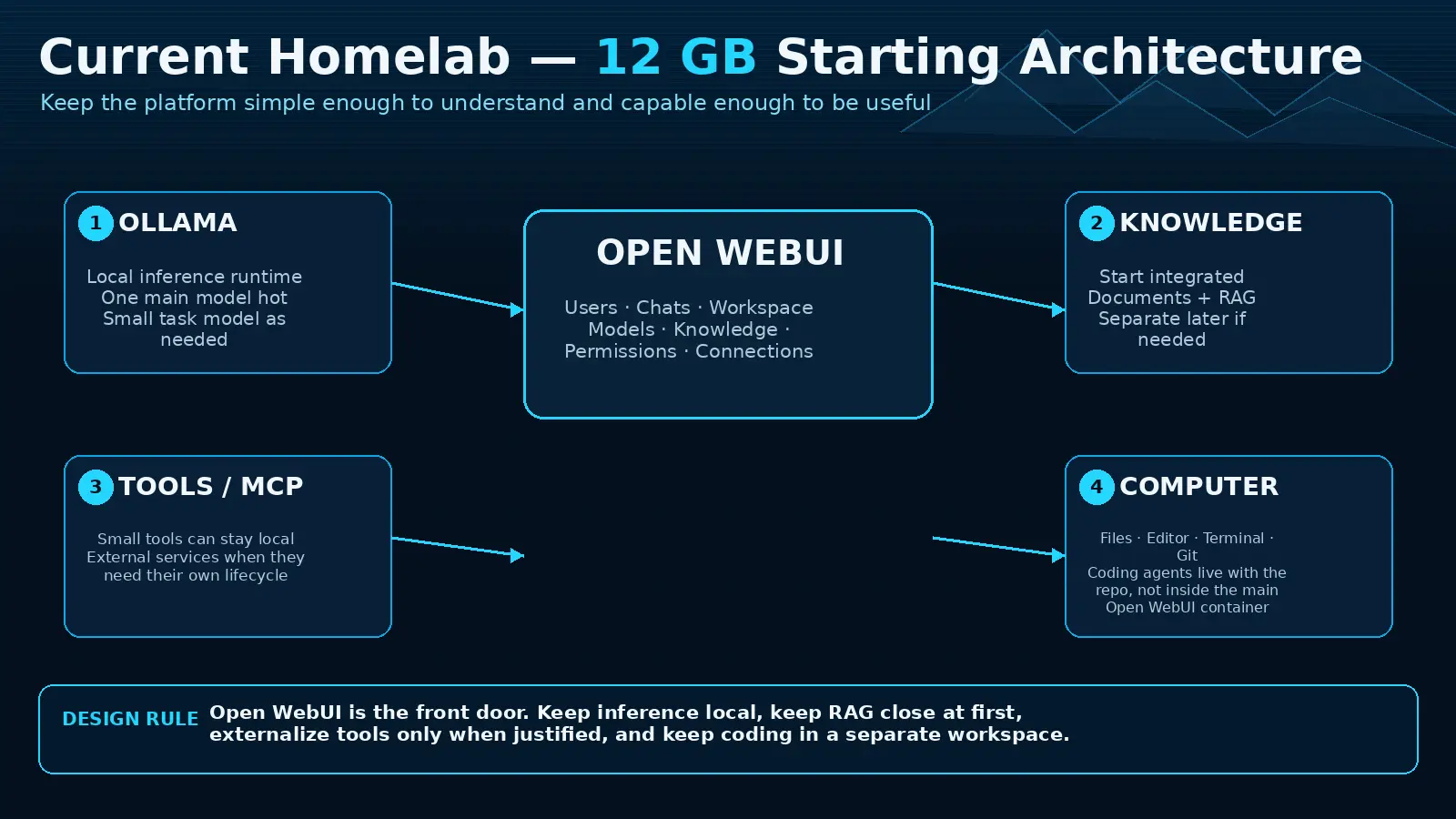
02. A realistic 12 GB starting architecture
 Enlarge illustration ↗
- Open WebUI
- The front door for chat, assistants, Knowledge and access policy.
- Ollama
- The local inference runtime serving a deliberately small model portfolio.
- Knowledge
- Focused, owned collections close to the user experience.
- Tools / MCP
- External services with separate lifecycle and credentials when appropriate.
- Computer
- A bounded workspace for files, terminal, Git and coding agents.
Keep the first version simple enough to understand and capable enough to be useful. Do not add a new service merely because it is available.
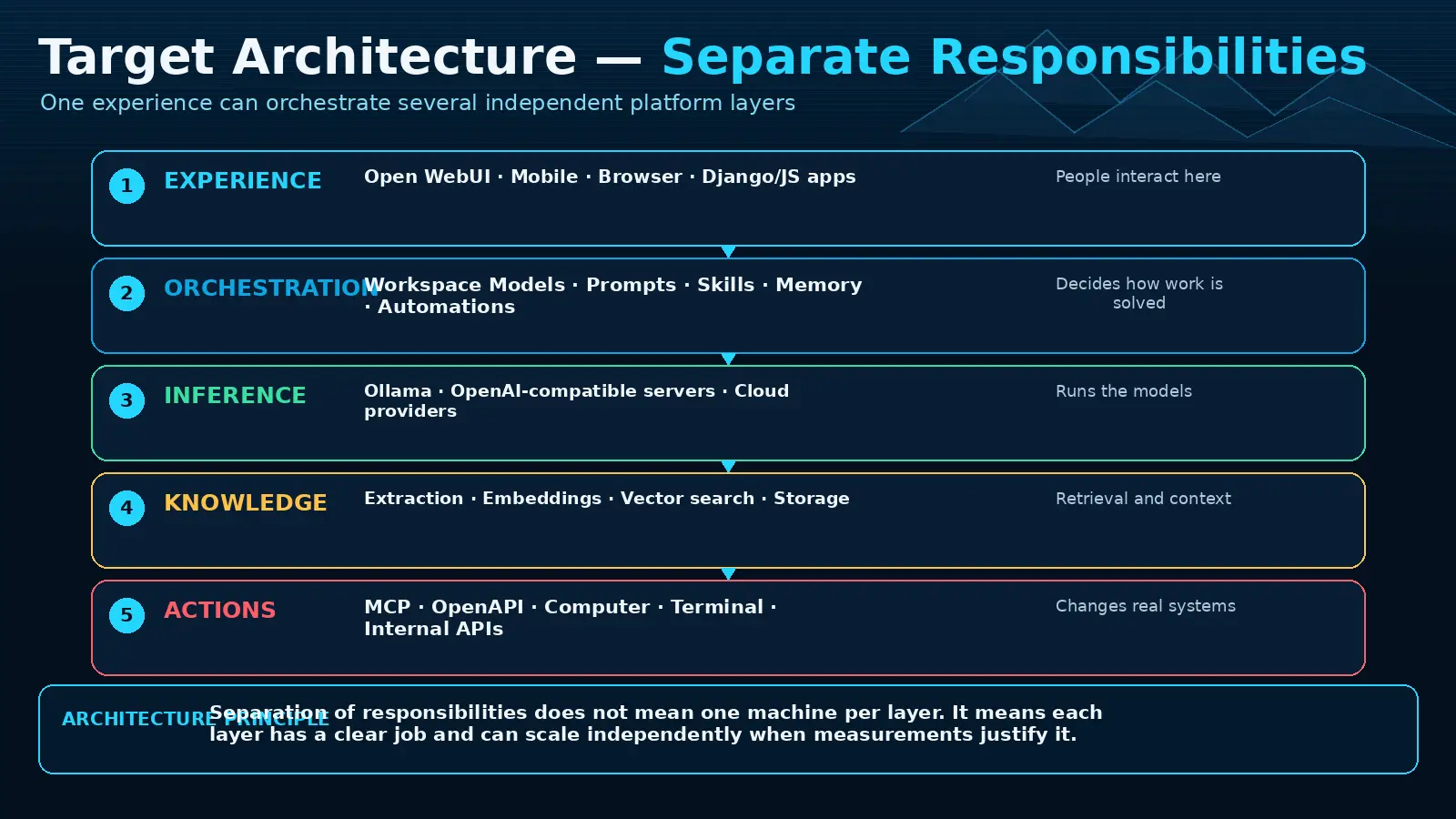
03. Target architecture: separate responsibilities
 Enlarge illustration ↗
| Layer | Responsibility | Examples |
|---|---|---|
| Experience | Human interaction and product workflow | Open WebUI, custom Django UI |
| Orchestration | Prompts, models, Tools, agents and automation | Workspace Models, Functions |
| Inference | Generate and embed | Ollama, remote providers |
| Knowledge | Sources, extraction, retrieval and citations | Collections, vector search, storage |
| Action | Read or modify external systems | MCP, OpenAPI, Computer, APIs |
 Enlarge illustration ↗
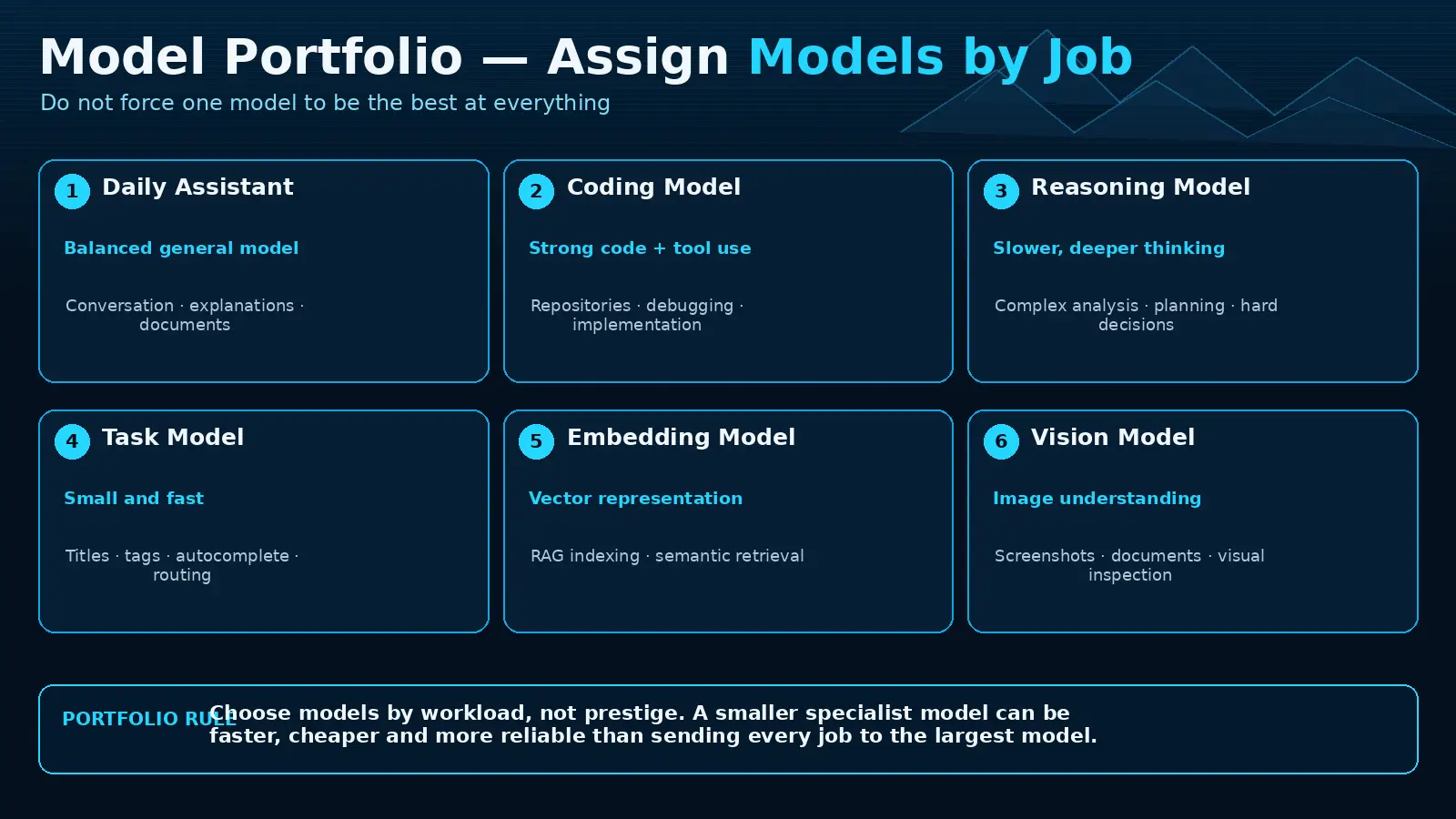
04. Assign models by job
 Enlarge illustration ↗
- Daily assistant
- Balanced quality and speed for normal conversation.
- Coding model
- Repository and tool-oriented work.
- Reasoning model
- Hard analysis where extra latency is acceptable.
- Task Model
- Small fast model for titles, tags and background tasks.
- Embedding model
- Stable vector representation for retrieval.
- Vision model
- Image and screenshot understanding when required.
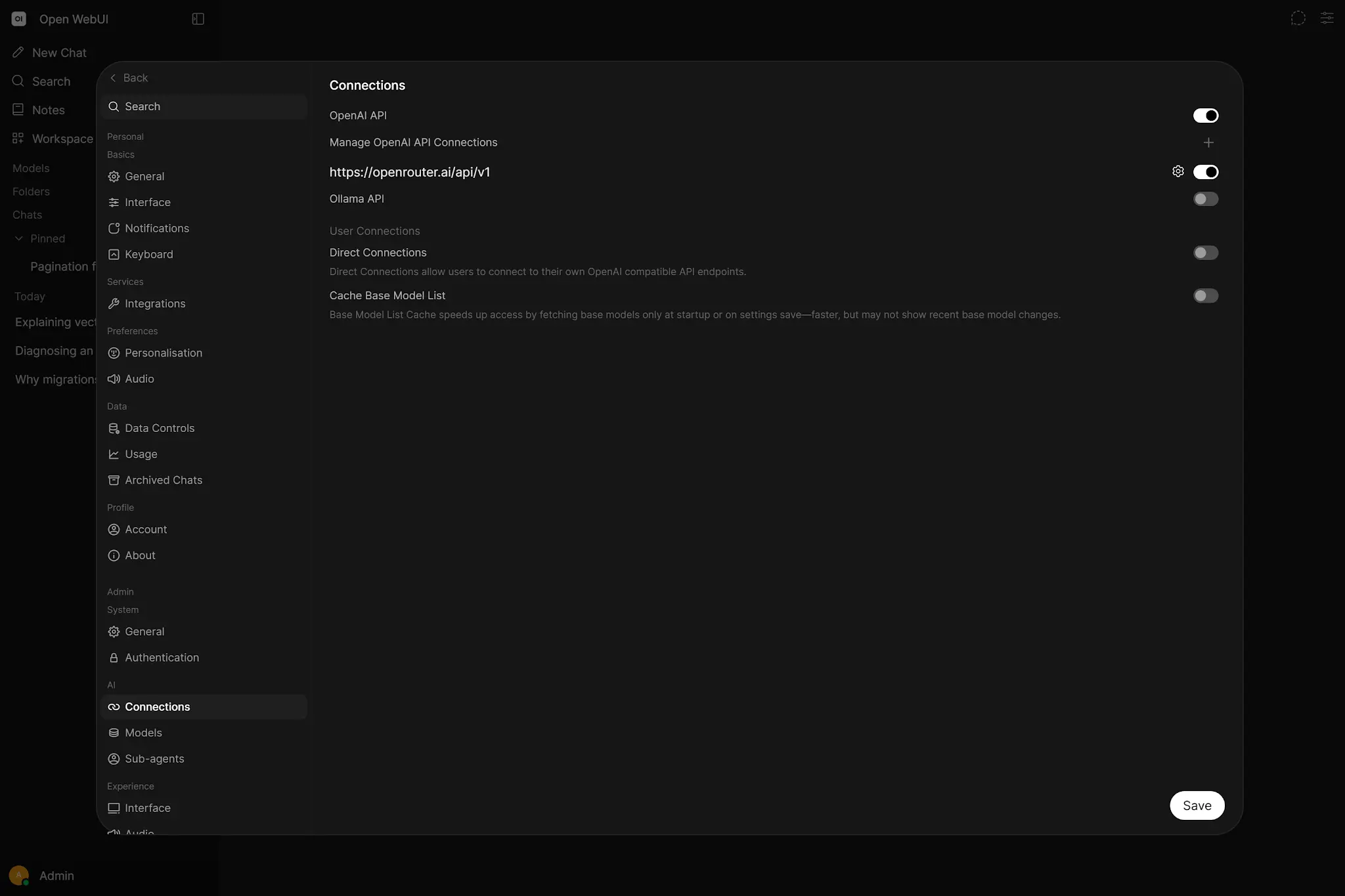
A 12 GB server may not host all roles simultaneously. A portfolio is a logical assignment; it can mix local and remote providers and use scheduled loading rather than permanent residency.
05. Workspace Models make the portfolio usable
 Enlarge illustration ↗
Each preset should have a clear name, short job description, focused system prompt, chosen base model, deliberate Knowledge and Tools, sensible parameters and explicit audience.
- Daily Assistant: concise, no privileged Tools, general model.
- Document Analyst: citation rules and one approved Knowledge collection.
- Business Analyst: analysis Skill, project templates and read-only work Tools.
- Coding Agent: coding model plus an isolated Computer workspace.
Opinionated presets reduce accidental complexity. A “do everything” assistant hides authority and makes failures difficult to attribute.
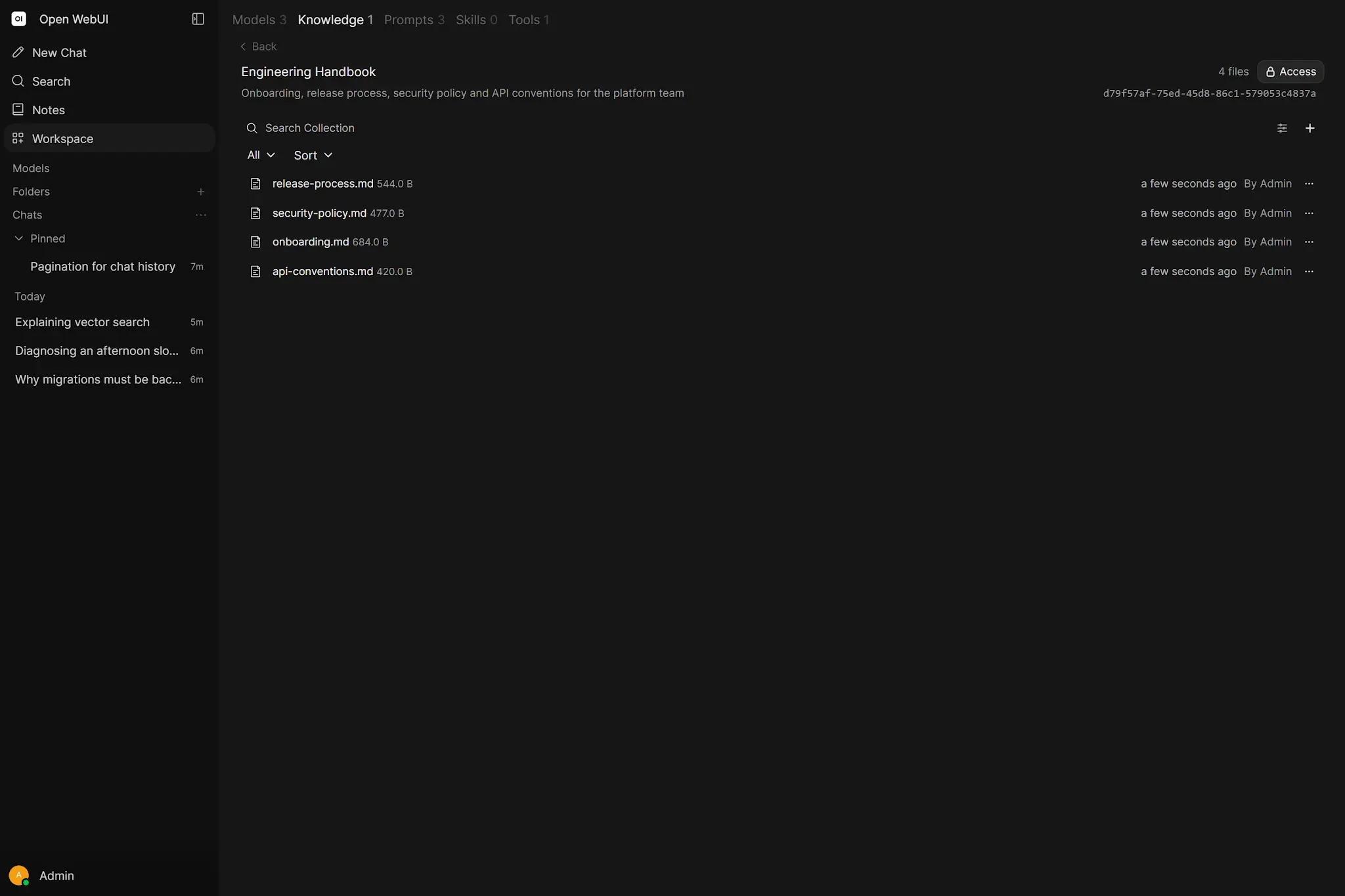
06. Design Knowledge as a source-of-truth system
 Enlarge illustration ↗
Recommended collections are bounded by purpose: platform operations, active project documentation, policy/reference material and personal notes should not become one anonymous corpus.
Focused Retrieval selects passages and scales to larger corpora. Full Context is appropriate only when the complete document fits and every part matters. The index is a retrieval aid, not the authoritative document. Record where originals live, who updates them and when re-indexing occurs.
Every collection needs a small golden set of questions with known answers and expected sources. RAG belongs to evaluation, not faith.
07. Memory, Prompts and Skills solve different problems
| Component | Use it for | Do not use it for |
|---|---|---|
| Memory | Stable user preferences and durable personal facts | Large documents or frequently changing operational data |
| Prompt | Reusable invocation text and structured input | Hidden authority or secret storage |
| Skill | Reusable instruction, method and supporting resources | Unreviewed code execution |
Choose the smallest component that matches the persistence and behaviour required.
08. Tools and connectors reach live systems
 Enlarge illustration ↗
Use OpenAPI first when an existing REST service already has a clear contract. Use MCP for a tool ecosystem designed for agents. Use Workspace Tools for small trusted extensions that genuinely belong inside the application process.
Begin read-only. Prove authentication, schema quality, observability and model selection before adding write operations. Grant one narrow credential per integration where possible and make every connector easy to disable.
For every operation, define the business owner, data classification, expected latency, retry safety and audit evidence. A technically healthy connector without ownership becomes an invisible production dependency.
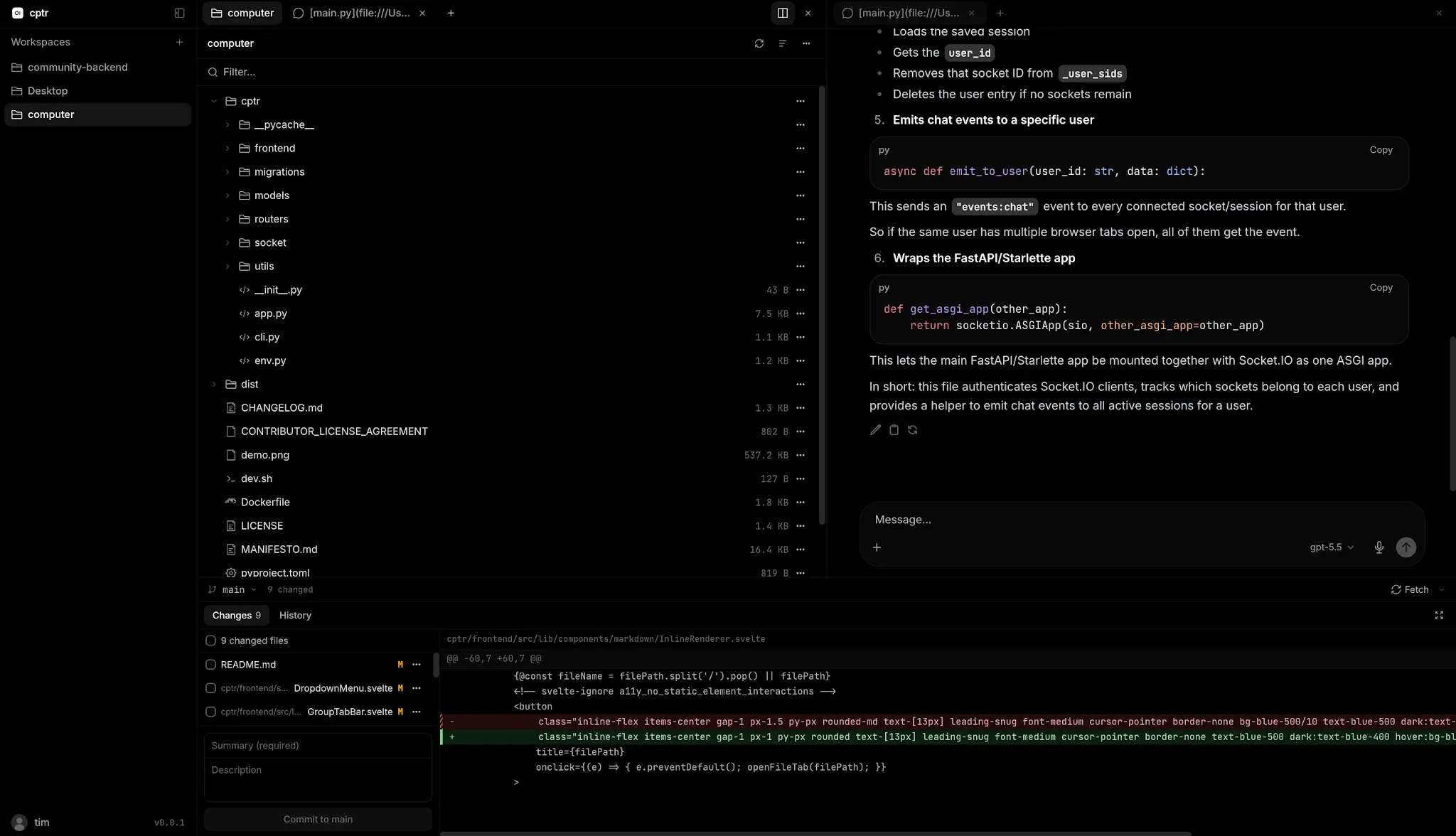
09. General agents and coding workspaces
A general agent reasons over a goal and calls bounded Tools. A coding agent additionally needs a persistent repository, filesystem, terminal, tests and Git. Do not confuse chat capability with safe operating authority.
 Enlarge illustration ↗
For parallel work, give each task its own worktree or checkout and branch. Decompose by independent files and contracts; shared mutable state is not useful parallelism.
10. Automate only stable work
Good candidates have a predictable trigger, bounded inputs, repeatable decisions, narrow side effects and inspectable outputs: daily briefs, health summaries, CI triage and document freshness checks.
If the manual process changes every time, automation will encode ambiguity and repeat it faster. Stabilise the human workflow, then schedule or expose it to a webhook.
Promote autonomy in stages: manual execution, a human-triggered Action, scheduled read-only work, notification-only response and finally a narrowly defined remediation. Each stage keeps the evidence and rollback of the previous one.
11. Treat Open WebUI as an internal AI platform API
A custom Django service can call Open WebUI for model resolution, RAG and Tools while owning its own interface and business data. Keep shared API keys in the backend and map product users to explicit permissions.
browser → Django product boundary
        → Open WebUI platform API
        → model / Knowledge / Tools
This makes the web app replaceable without duplicating every AI integration, and makes providers replaceable without rewriting the product UI.
The service account should expose only the model, Knowledge and Tool set the product requires. Django still authenticates its own users and applies business rules; one shared upstream key must not silently turn every product user into the same administrator.
12. Define trust tiers
- Conversation: model can answer but not act.
- Read-only context: approved Knowledge and read-only APIs.
- Human-approved actions: Actions with an explicit confirmation.
- Bounded agent: isolated workspace and narrow write authority.
- Unattended automation: pre-approved environment, idempotency and monitoring.
Movement upward should require evidence, an owner and a rollback path. Prompt wording alone is not a security boundary.
13. Minimum operational discipline
- Service, provider and deep functional health checks.
- TTFT, total latency, errors and queue depth.
- GPU memory, offload, disk and container restarts.
- RAG golden tests and source verification.
- Tool call failures and external dependency health.
- Backup age and last successful restore drill.
Keep an operations notebook containing versions, model digests, configuration decisions, change dates, incidents and rollback instructions. It turns future troubleshooting from archaeology into engineering.
Change one layer at a time where possible. Record the expected effect, validation and rollback before an upgrade, embedding change or permission redesign. The notebook is the bridge between architecture and daily operation.
14. Scale the bottleneck you can name
| Bottleneck | Likely response |
|---|---|
| Inference | Smaller models, shorter context, more suitable GPU or additional provider node. |
| RAG ingestion/search | Dedicated embedding capacity, external vector service, bounded workers. |
| Application | More workers plus externalised database and compatible shared state. |
| Agents | Queue, workspace isolation, concurrency limits and stronger supervision. |
Scaling one layer can move the bottleneck elsewhere. Re-run end-to-end measurements after each change.
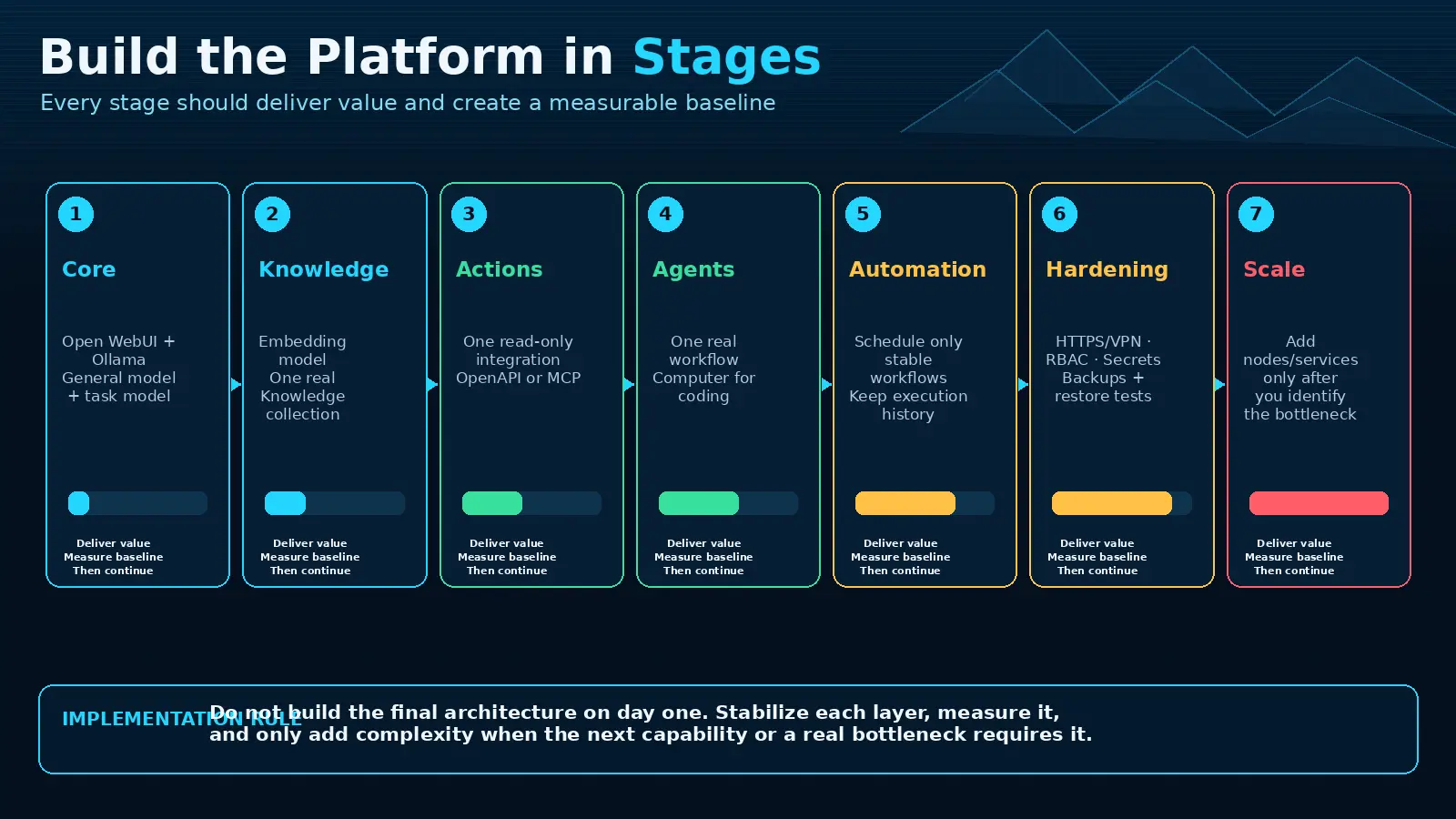
15. Build in a stable sequence
 Enlarge illustration ↗
- Core: reliable authenticated chat with a known model.
- Knowledge: one owned collection and a passing golden set.
- Actions: one read-only service with clear logs.
- Agents: one bounded workspace and objective verification.
- Automation: one proven workflow with selective notification.
- Hardening: public path, secrets, networks, backup and restore.
- Scale: capacity added only for a measured bottleneck.
16. Finished-platform assistants
- Personal Daily Assistant
- General conversation, safe preferences and no privileged Tools by default.
- Business Analyst
- Project Knowledge, analysis Skill and read-only ticket or reporting Tools.
- Coding Agent
- Repository workspace, coding model, tests, Git and supervised approvals.
- RAG Researcher
- Focused sources, citation requirement and an evaluation set.
- Operations Assistant
- Health and logs with read-only diagnosis before remediation.
17. Final architecture checklist
- Every component has one job and owner.
- Every model has a workload and resource profile.
- Every Knowledge collection has a source and test set.
- Every Tool has a credential, network boundary and disable path.
- Every agent has an isolated workspace and verification method.
- Every automation has safe failure and idempotency.
- Every public route uses the intended identity boundary.
- Every critical state has a tested restore.
- Every expansion begins from measured evidence.
A useful platform card also records version, last validation, next review, dependency owner and decommission condition. Architecture remains clear when obsolete components can be identified and removed.
18. Practical checkpoint
Create one platform card per component with its owner, inputs, outputs, secrets, permissions, monitoring signal and disable condition. Then choose the next unfinished layer and write the success test it must pass before anything else is added.
19. Essential vocabulary
- Platform
- A governed collection of reusable capabilities, not merely one application.
- Experience layer
- The interface and product workflow seen by people.
- Inference layer
- The runtimes that generate text, images or embeddings.
- Action layer
- Tools and agents able to affect live systems.
- Trust boundary
- A point where identity, authority or confidence changes.
- Task Model
- A smaller model assigned to background platform work.
- Golden test set
- A stable set of known cases used to compare behaviour.
Source and further reading
This edition preserves the chapter's teaching sequence and examples. Screenshots reflect the source edition; controls may move between releases.
Open the original chapter ↗Workspace ↗Models ↗Knowledge ↗MCP ↗Computer ↗Hardening ↗