
CHAPTER 16
Performance & Optimization
Improve speed by measuring the right constraint first.
On this page
Faithful English web edition · Original chapter, structure and illustrations from the learning guide.
LEARNING OBJECTIVES
Tune the system, not one impressive number
You will measure latency and throughput, budget VRAM for weights and context, recognise CPU offload, choose a keep-alive and concurrency policy, tune RAG separately and build a fair benchmark for a 12 GB-class GPU.
01. Performance is a system property
The experience is produced by browser, network, Open WebUI, retrieval, model loading, prompt processing, generation, Tools and concurrent users. Optimisation therefore means choosing a trade-off, not turning a universal “fast” setting on.
A faster response that becomes unreliable, loses evidence or blocks every other user is not an improvement.
02. Measure what a person actually experiences
 Enlarge illustration ↗
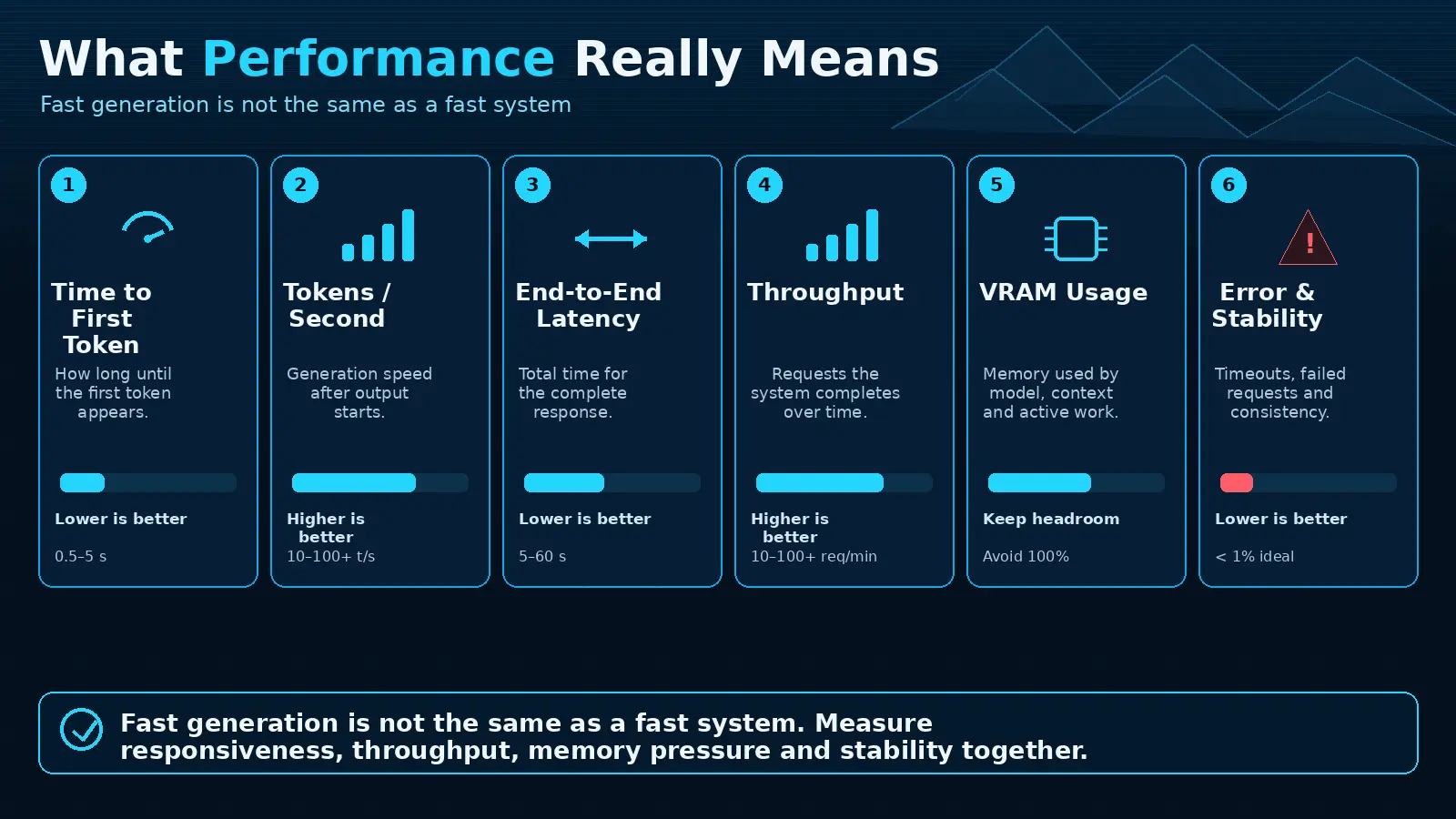
- Time to first token
- Waiting before visible generation begins: queue, cold load, retrieval and prompt processing.
- Tokens per second
- Generation rate after output begins.
- End-to-end latency
- Total time from send to complete answer.
- Throughput
- Total work completed across all users per unit of time.
- Error rate
- Reliability under the tested operating profile.
Record all five. A high token rate can coexist with a painful cold start; low single-user latency can coexist with collapsing throughput.
03. Build a VRAM budget
 Enlarge illustration ↗
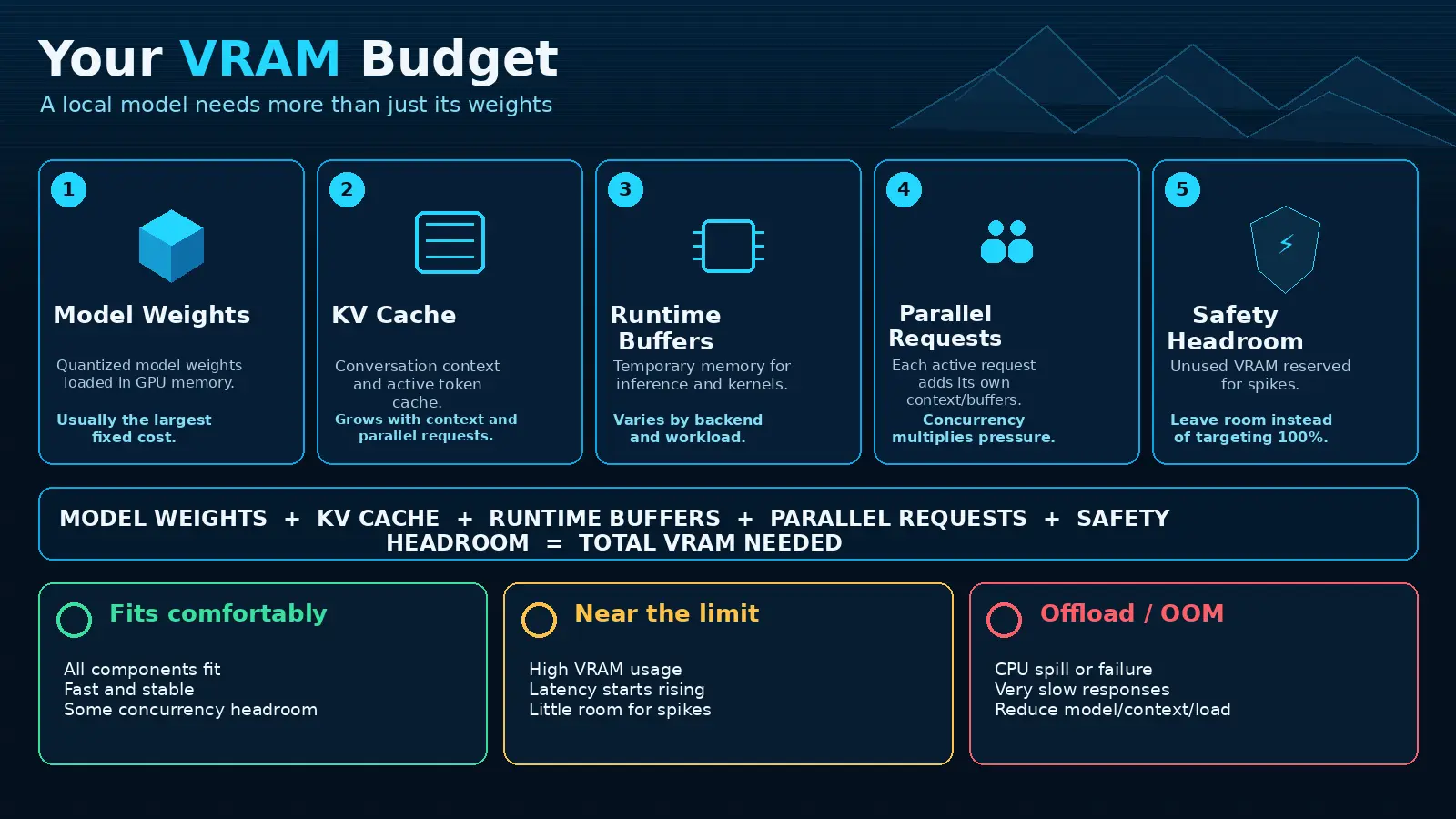
VRAM ≈ model weights
+ KV cache
+ runtime buffers
+ parallel request state
+ safety headroomDownloaded file size is not runtime use. Quantisation controls weight footprint, while context, batch behaviour and concurrency alter the rest. Leave headroom for spikes and other GPU processes.
ollama ps
nvidia-smi
Verify the actual processor split. A model that “fits” by offloading many layers to CPU can still miss its latency target.
04. Context length and KV cache
Every input token must be processed and its attention state may consume KV-cache memory. System instructions, history, RAG passages, Tool schemas and planned output share the same budget.
Agents are context-hungry because observation and tool results accumulate across rounds. A large advertised context window is a ceiling, not a recommended default. Trim old history, retrieve only relevant passages and reserve enough space for the answer and Tool loop.
When a tool schema or retrieved passage is injected, the user may not see its size. Inspect the resolved request or use controlled comparisons: fresh chat versus long history, Tool disabled versus enabled, and small versus large retrieval Top K.
05. CPU offload: fits does not mean fast
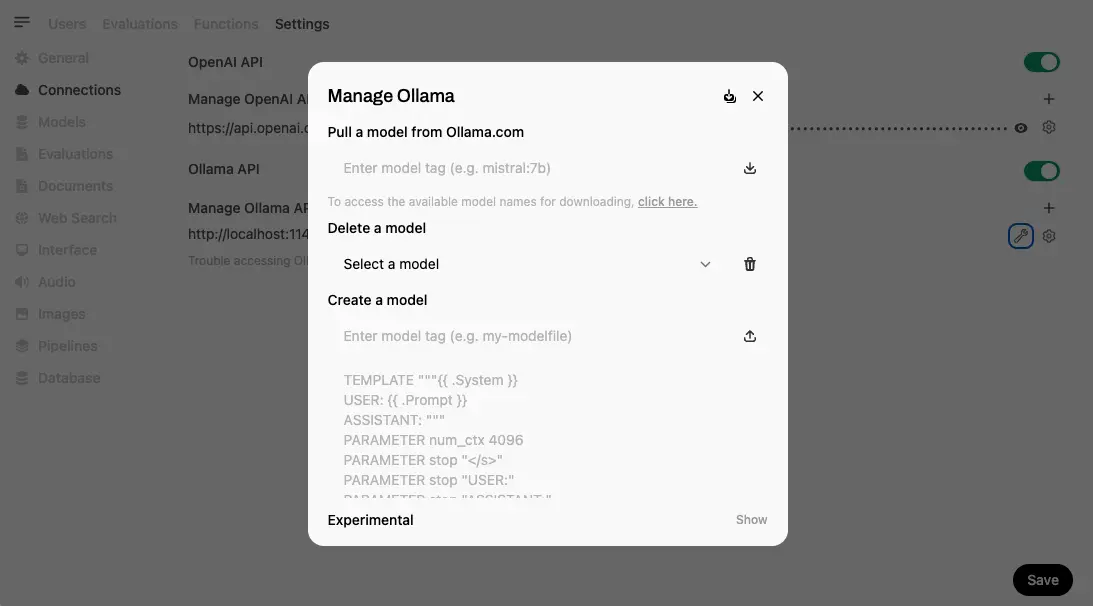
When the GPU cannot hold the full workload, Ollama may execute some layers with CPU and system RAM. This can prevent an out-of-memory failure but move inference across a much slower path.
| Evidence | Meaning |
|---|---|
Partial CPU/GPU split in ollama ps | The runtime is offloading model work. |
| High RAM and CPU, modest GPU utilisation | The CPU path may dominate. |
| Short context works, long context slows or fails | KV-cache growth is exhausting headroom. |
Possible responses are a smaller model, stronger quantisation, shorter context, fewer parallel requests or more suitable hardware.
06. Cold starts and keep-alive
 Enlarge illustration ↗
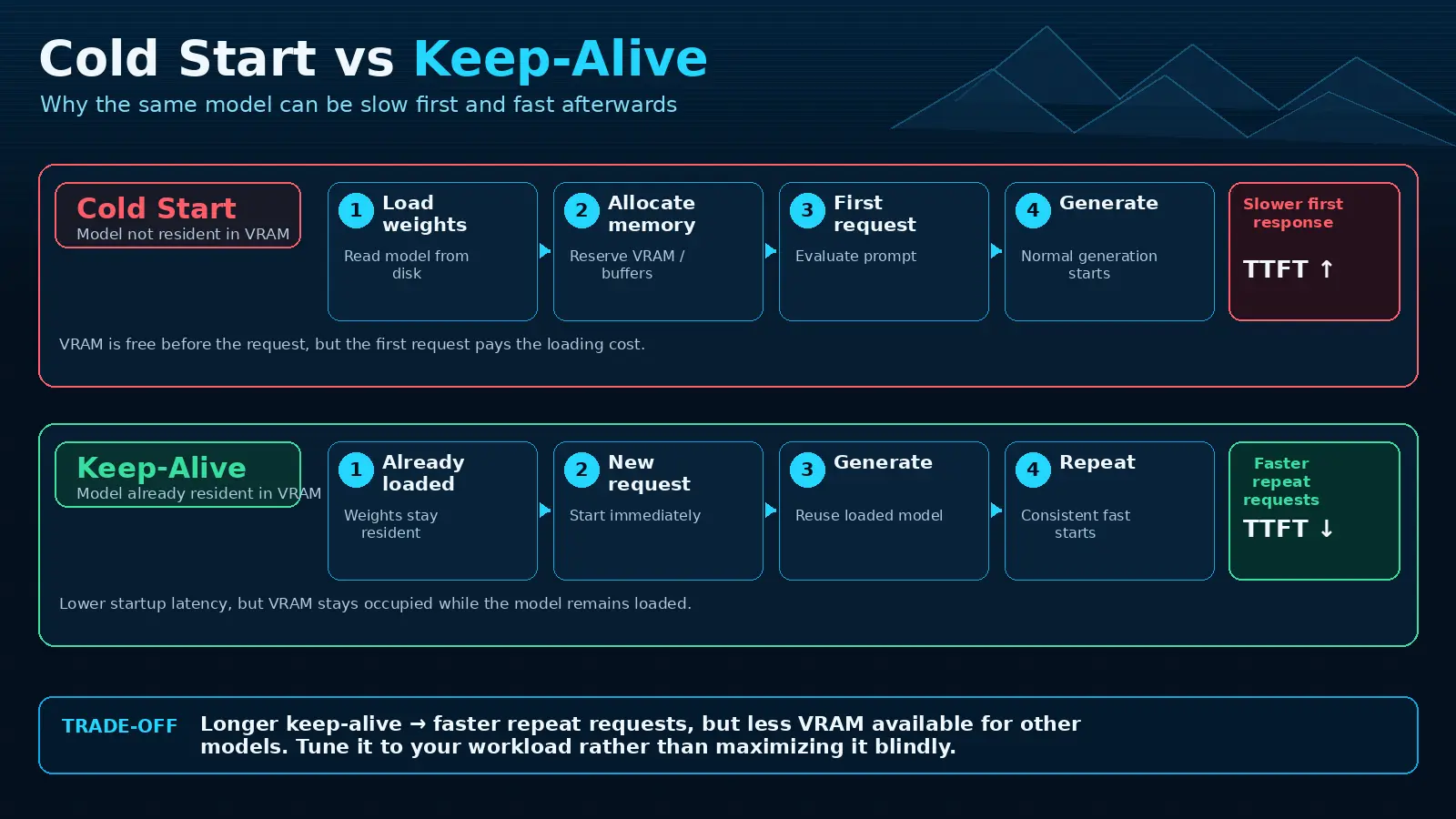
A cold request loads model weights before inference. Keep-alive leaves the model resident for later requests. Longer is not automatically better: a rarely used warm model may block a more important model from loading.
 Enlarge illustration ↗
Use a modest keep-alive for frequently used models, monitor evictions and cold starts, and unload deliberately before a heavy workload when required.
 Enlarge illustration ↗
07. Concurrency, queues and throughput
 Enlarge illustration ↗
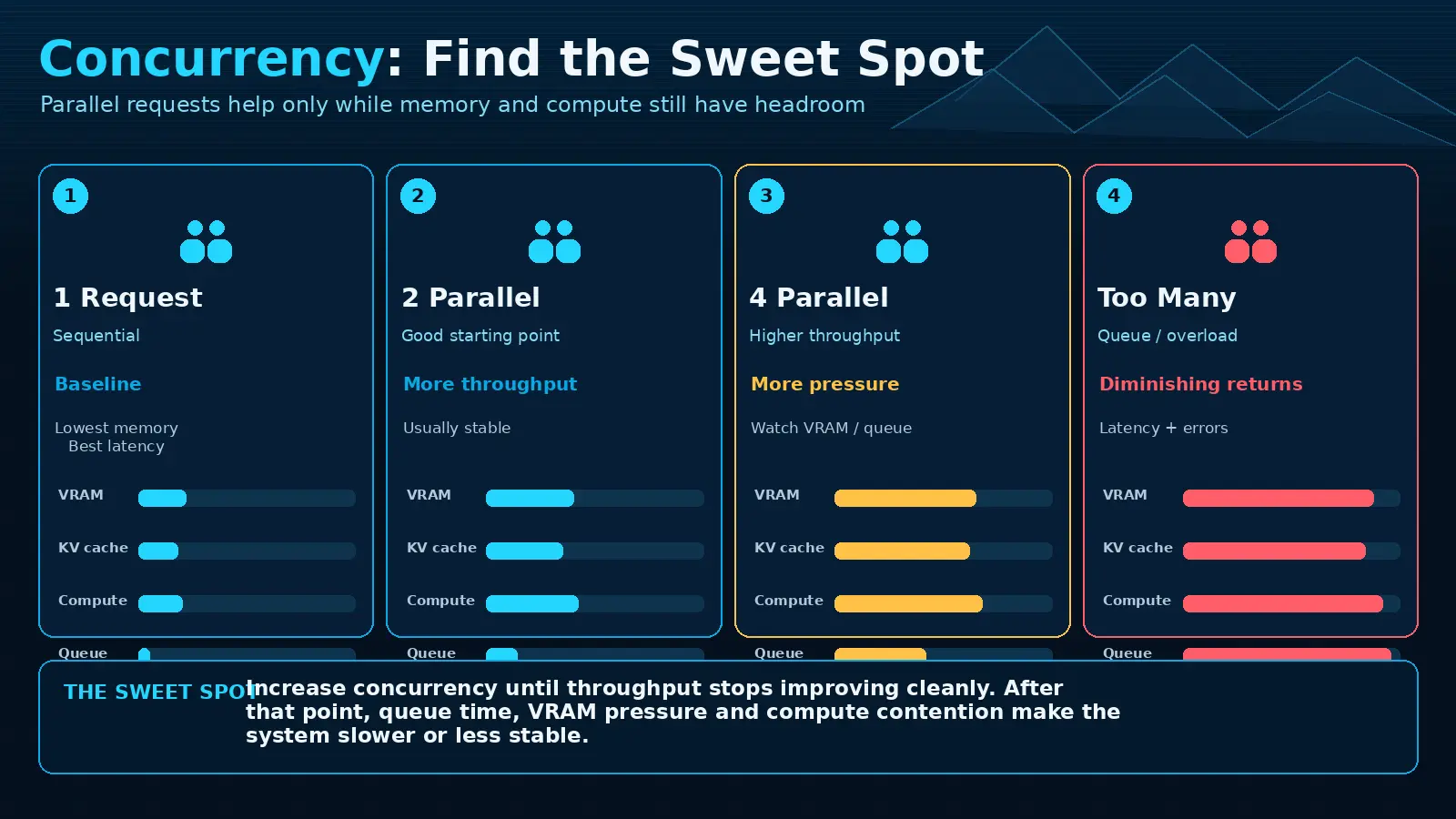
One request may have excellent latency while four simultaneous requests increase total throughput. Beyond the hardware’s useful parallelism, each request slows, memory pressure rises and failures appear.
A queue is not inherently bad. A bounded queue protects the runtime and makes overload visible. Start with one or two parallel generations on a 12 GB-class GPU, measure, then increase by one while observing latency, throughput, VRAM and errors.
Choose the target from the product need. An interactive assistant values low tail latency; overnight batch work may accept slower individual requests to complete more total work. Publish queue limits and return a controlled overload response instead of letting requests fail unpredictably.
08. Multiple loaded models compete
A general model, coding model and embedding model may each fit independently but not together. Unplanned model switching can create repeated load/evict cycles that feel like random slowness.
Prefer one primary generation model per constrained GPU. If possible, move embeddings to CPU, another GPU or an external service. Separate latency-sensitive chat from background jobs when their resource profiles conflict.
09. Know which setting is authoritative
 Enlarge illustration ↗
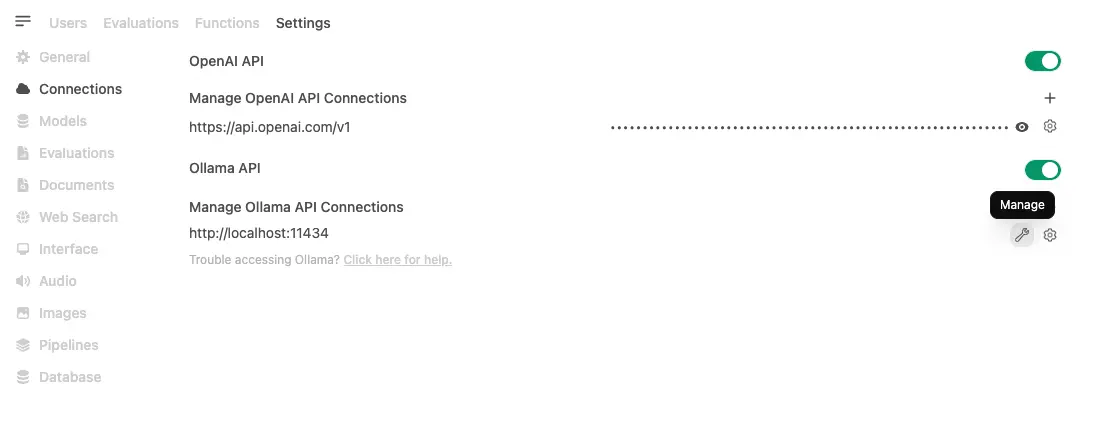
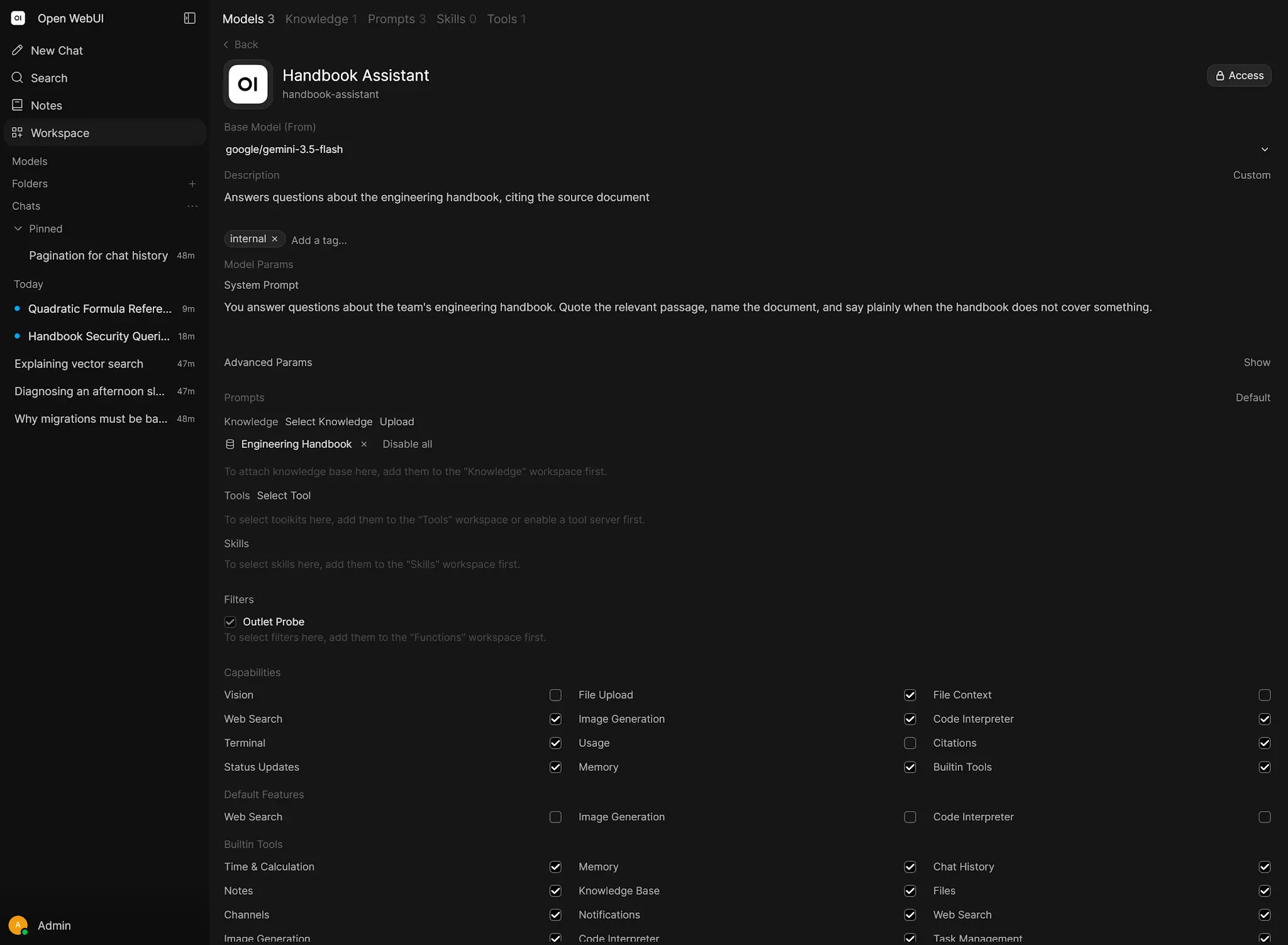
Provider environment variables, API request parameters, connection settings and per-model presets can all influence context and behaviour. Choose one source of truth for each setting and document overrides.
Per-model presets are valuable when deliberate: a fast daily assistant can use conservative context while a research profile accepts more latency for a larger evidence window.
Record the effective model ID, digest, context and parallelism with each benchmark. Otherwise a silent UI override can make two apparently identical tests exercise different runtimes.
10. RAG and embedding performance
 Enlarge illustration ↗
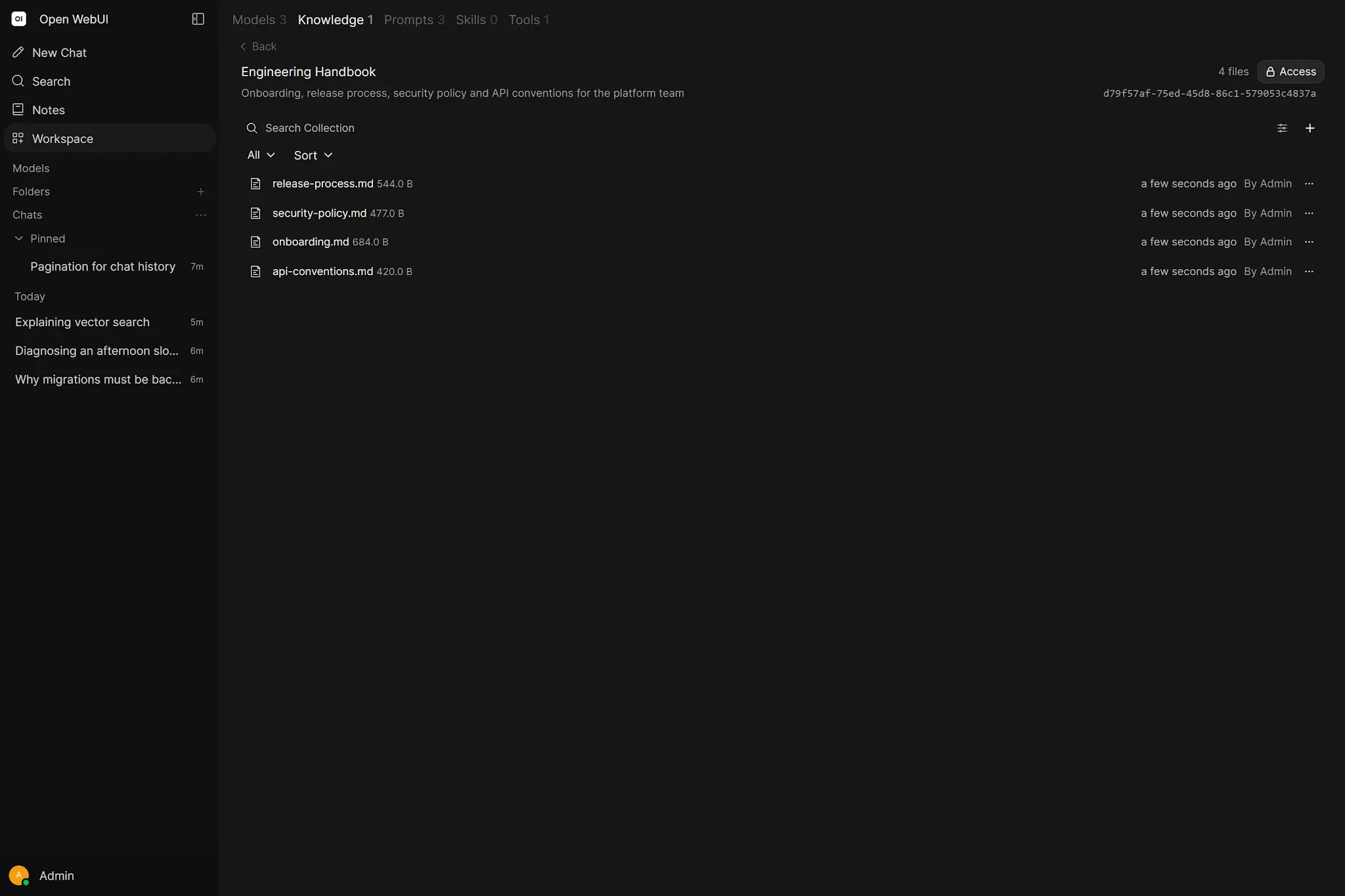
Document ingestion performs extraction, chunking, embedding and persistence. Chat-time retrieval performs query embedding, search, optional reranking and context injection. Measure these separately from generation.
- Move embeddings off the generation GPU when they contend.
- Limit asynchronous embedding concurrency.
- Use chunks large enough for meaning but small enough for selective retrieval.
- Do not retrieve more passages than the answer needs.
- Cache stable extraction and embeddings, not user-specific secrets blindly.
Optimise for evidence quality as well as milliseconds. Reducing Top K or reranking may improve latency while removing the passage required for a correct answer. Keep retrieval recall in the benchmark.
11. Cache the expensive stable work
Repeated prompts may benefit from provider-level prompt caching, but application caches must include every input that changes the answer: model, system prompt, Knowledge version, Tool state, user permissions and sampling parameters.
RAG system context can be large and stable; retrieval results may not be. Cache document extraction and embeddings aggressively when content is immutable, while keeping permission-aware retrieval fresh.
12. Multiple Ollama servers
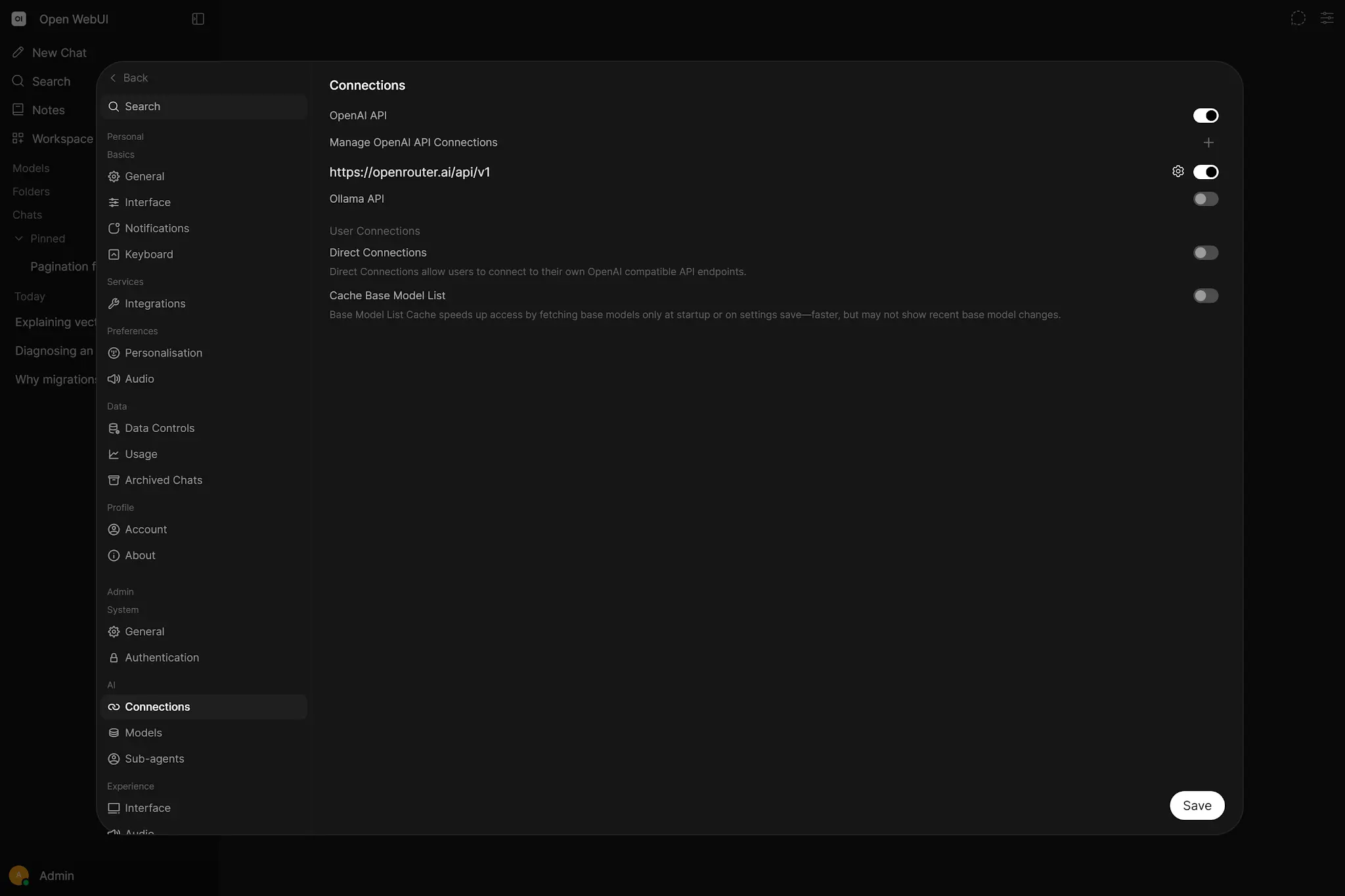 Enlarge illustration ↗
Scaling up gives one server more capability. Scaling out adds provider instances and distributes requests. The second approach needs health checks, model availability consistency and a routing policy.
Remove or disable dead connections quickly. A stale backend can turn load balancing into intermittent failure. Decide whether all nodes host the same portfolio or whether requests are routed by job.
13. Scale Open WebUI deliberately
Application workers also consume memory and require shared state. Horizontal scaling may require external database, shared or compatible storage, consistent secret configuration and careful handling of background work. Static assets can be cached at the proxy, but dynamic chat and streaming must not be buffered incorrectly.
14. Sensible 12 GB starting profile
- Choose one primary quantised model that fully or mostly fits.
- Use a measured context target instead of the maximum.
- Keep one generation model warm; unload infrequent alternatives.
- Start at one parallel generation, then test two.
- Move embeddings away from the constrained GPU where possible.
- Reserve VRAM headroom and bound queues.
- Use a smaller Task Model for background work.
This is a baseline, not a promise. Your exact model architecture, quantisation, context and OS load determine the safe profile.
For Victor’s 12 GB-class target, the important test is not whether a model launches. It is whether the chosen quantisation, normal context and expected concurrency remain mostly GPU-resident with enough headroom for stable daily use.
15. Benchmark correctly
Use a stable test matrix: short chat, long-context chat, one RAG question with known evidence, one Tool call and a small concurrent run. Hold model digest, quantisation, parameters and prompts constant.
| Run | TTFT | Token rate | Total | Peak VRAM | Result quality |
|---|---|---|---|---|---|
| Short / cold | Record | Record | Record | Record | Pass/fail |
| Short / warm | Record | Record | Record | Record | Pass/fail |
| Long context | Record | Record | Record | Record | Pass/fail |
| Two concurrent | Record | Record | Record | Record | Error count |
Warm up intentionally or label cold runs. Repeat each case. A single anecdotal prompt is not a benchmark.
16. Common anti-patterns
- Maximising context “just in case.”
- Keeping every model resident forever.
- Increasing parallelism without observing memory.
- Comparing different prompts or model revisions.
- Calling CPU offload a successful fit without a latency target.
- Blaming the model for retrieval or queue delay.
- Optimising speed while ignoring quality and error rate.
17. Practical checkpoint
- Record a cold and warm request separately.
- Inspect actual GPU/CPU split and peak memory.
- Compare one short and one long-context prompt.
- Test one and two simultaneous requests.
- Change exactly one setting and rerun the same matrix.
18. Essential vocabulary
- TTFT
- Time from request submission until the first token arrives.
- KV cache
- Attention state retained for tokens in the active context.
- Cold start
- The cost of loading a non-resident model.
- Keep-alive
- How long a model remains resident after use.
- Concurrency
- The number of active requests at the same time.
- Headroom
- Capacity intentionally left free for stability and spikes.
- Benchmark
- A controlled repeatable comparison with relevant variables held constant.
Source and further reading
This edition preserves the chapter's teaching sequence and examples. Screenshots reflect the source edition; controls may move between releases.
Open the original chapter ↗Ollama context ↗Ollama concurrency ↗Open WebUI performance ↗Scaling ↗RAG troubleshooting ↗